


Invoice Tracker: How to Track Outstanding Insurance Invoices Without
Introduction
To track outstanding insurance invoices effectively, implement a structured workflow that logs every submission, monitors portal status weekly, and escalates overdue items before they age into write-offs. Outstanding insurance invoices represent real revenue at risk — every unbilled hour or unreimbursed expense is a dollar that may never reach your firm's account. Carriers impose submission deadlines, formatting rules and portal validation checks that can silently reject invoices, leaving them in limbo until a timekeeper notices the shortfall.
Why Outstanding Invoices Cost More Than You Think
An outstanding invoice is not just delayed revenue. It is a line item that accrues opportunity cost, administrative overhead and reputational risk with every passing billing cycle. When a carrier does not receive an invoice within the guideline submission window, the firm loses the right to bill for that work entirely under many panel agreements. When an invoice sits in a portal's rejected queue for sixty days, the timekeeper who drafted it has moved on to three other matters, and reconstructing the narrative detail from memory becomes guesswork. When a firm discovers six months of unbilled time during a year-end reconciliation, the partner responsible for the relationship must choose between writing off the revenue or asking the carrier to accept invoices that violate the submission deadline by half a year.
The Carrier Ready Knowledge Team has reviewed outside counsel guidelines from two dozen carriers. Nearly all of them specify a maximum submission interval — thirty, sixty or ninety days from the date the work was performed. Some carriers treat late submission as a breach of the panel agreement. Others apply an automatic reduction to any invoice submitted after the deadline. A third group accepts late invoices but applies heightened scrutiny during bill review, increasing the likelihood of line-item challenges and narrative rejections. In every case, the longer an invoice remains outstanding, the harder it becomes to collect the full amount billed.
Revenue loss from poor invoice tracking is not always visible in a standard accounts-receivable aging report. A/R aging measures the time between invoice submission and payment. It does not measure the time between work performance and invoice submission, and it does not capture invoices that were rejected by a portal but never corrected and resubmitted. Firms that rely solely on A/R aging to monitor their insurance defense revenue are measuring the wrong interval. The critical window is the gap between the date a timekeeper closes a matter entry and the date a compliant LEDES 1998B file reaches the carrier's e-billing system.
The Hidden Costs of Manual Tracking
Most firms track outstanding insurance invoices using a combination of spreadsheet exports, portal dashboards and periodic reconciliation meetings. This approach works until it does not. A timekeeper submits an invoice to the wrong matter number, and the portal accepts the file but routes it to a closed matter where no one is monitoring submissions. A billing coordinator corrects a rejection and resubmits the file, but the resubmission inherits the original invoice number, and the accounting system now shows two unpaid invoices with the same identifier. A partner approves an invoice on the fifteenth of the month, but the billing department does not generate the LEDES file until the twenty-third, and the carrier's guideline requires submission within twenty days of the work date, which has now passed.
Each of these failures is small, but they compound. A firm that submits two hundred insurance defense invoices per month and loses two percent of them to tracking failures is writing off forty-eight invoices per year. If the average lost invoice represents fifteen hundred dollars in fees and expenses, the annual revenue loss is seventy-two thousand dollars — not from carrier reductions, not from fee disputes, but from invoices that simply fell through the gap between timekeeping and submission.
Problem Statement
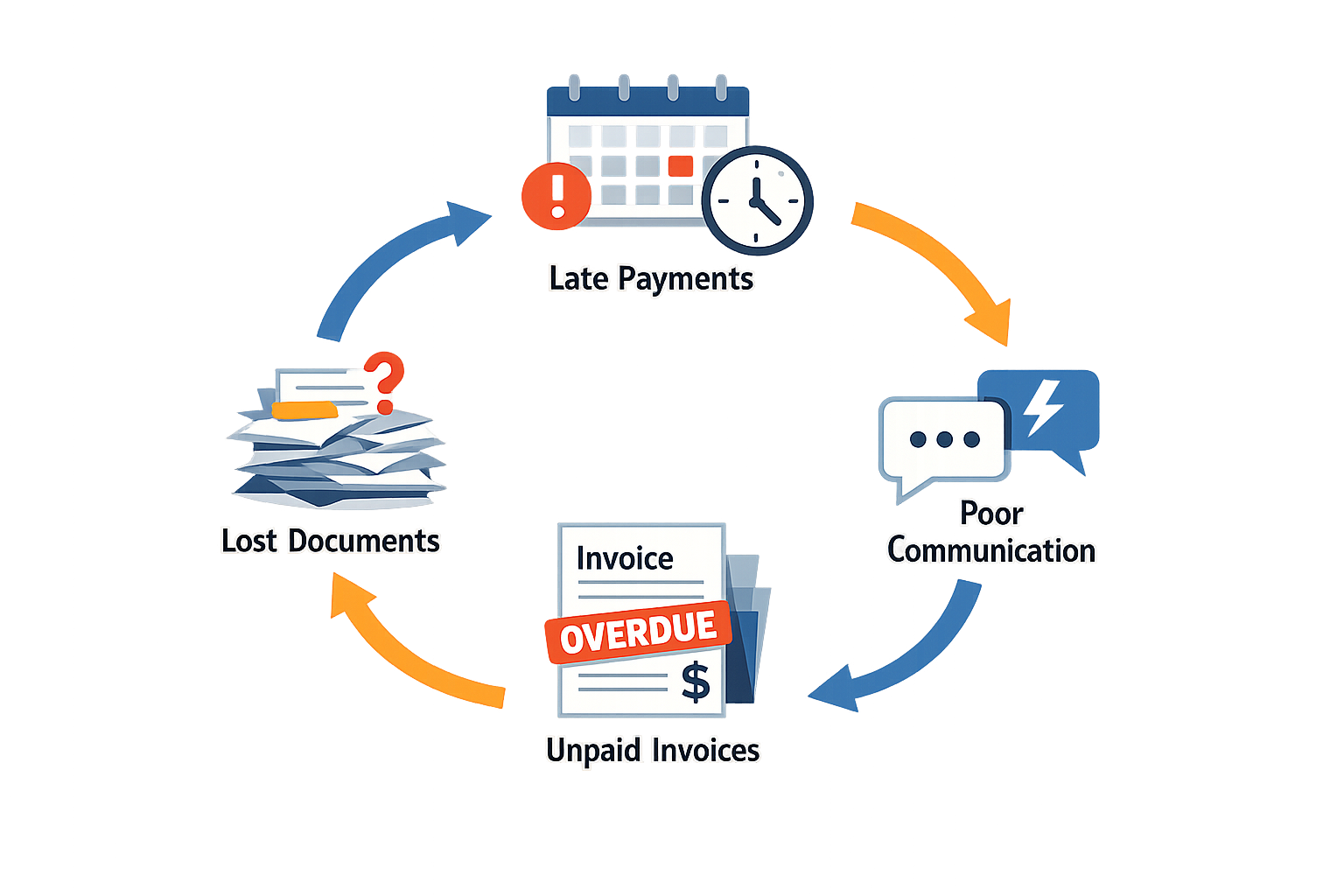
Firms submitting invoices to insurance carriers face a tracking problem that no general-ledger system solves on its own. An invoice leaves the firm's accounting platform, enters an e-billing portal, passes through bill review, and may sit in carrier approval queues for weeks or months. During that interval the firm has no native visibility into rejection, reduction, or payment status unless someone manually checks the portal. When no one checks, aged receivables accumulate and revenue leaks.
The tracking gap widens when a firm serves multiple carriers, each operating a different e-billing platform with distinct login credentials, rejection workflows, and reduction-code taxonomies. A single timekeeper's work may generate line items that flow to three portals in a given month. If the firm relies on periodic portal logins to discover rejections, it learns of a problem only after the carrier's correction window has closed or after the client has moved the matter to another firm.
Common Failure Modes
Most revenue loss stems from four patterns. First, invoice submission succeeds but the firm never learns that bill review reduced the total by fifteen or twenty percent—the payment arrives months later at the reduced amount, and no one connects the shortfall to a specific reduction code. Second, the portal rejects the invoice for a formatting error or a missing pre-approval, and the rejection email goes to a departed employee's mailbox or a generic inbox no one monitors. Third, the firm resubmits a corrected invoice but fails to track outstanding insurance invoices through the resubmission cycle, leaving the matter with two outstanding invoices and no way to reconcile which one the carrier will pay. Fourth, the carrier pays an invoice but the payment identifies only a matter number, and the firm's accounting staff cannot match the deposit to the correct invoice without manually cross-referencing portal records.
Each failure mode compounds when the responsible timekeeper or billing coordinator leaves the firm or changes roles. Institutional knowledge of which matters have pending invoices, which portals require monthly reconciliation, and which carriers habitually reduce specific UTBMS codes walks out the door. The replacement hire inherits a portfolio with no systematic record of submission dates, rejection reasons, or appeal status, and the firm writes off receivables it could have collected with timely follow-up.
How Do You Track Outstanding Insurance Invoices Systematically?
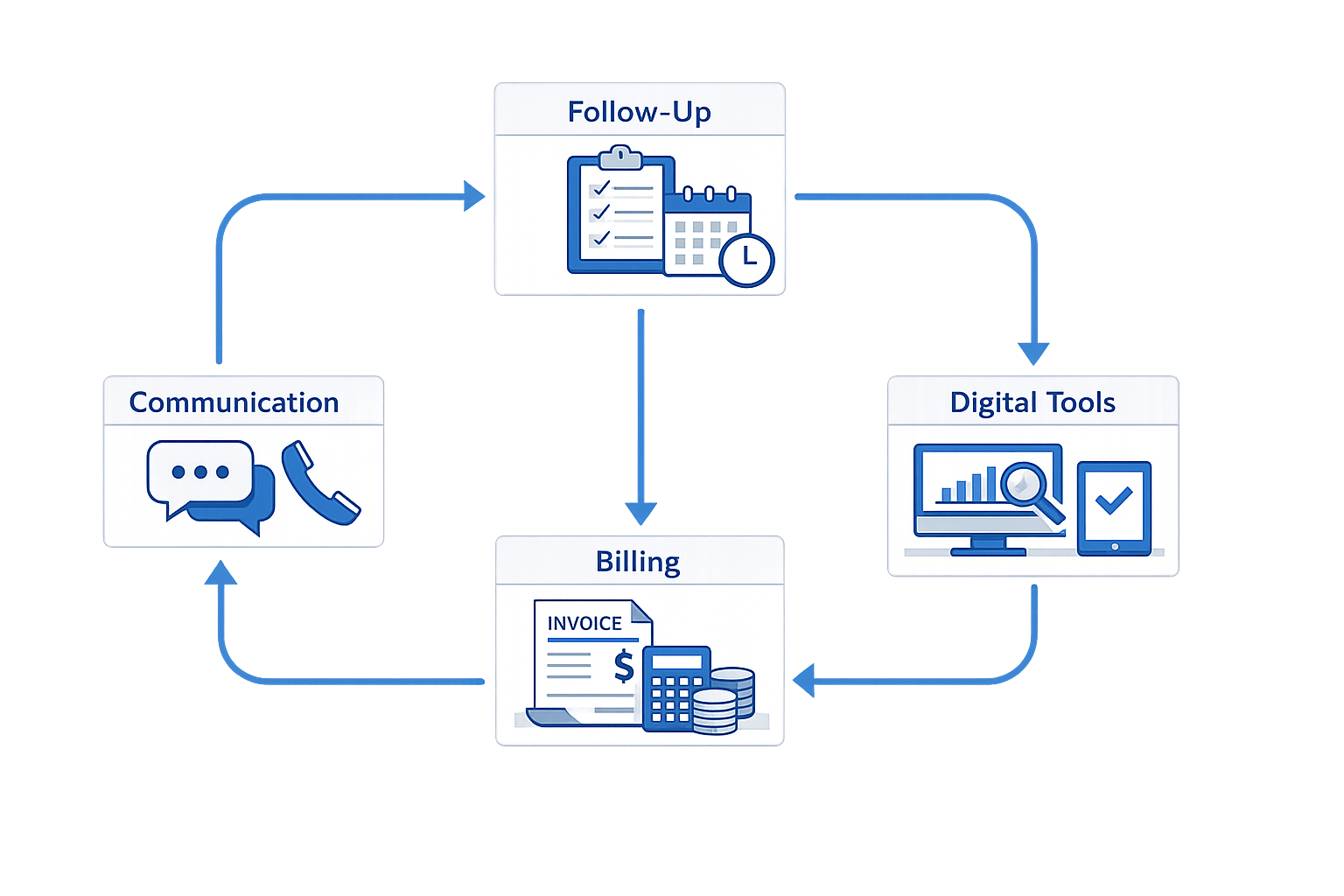
To track outstanding insurance invoices, you need a structured workflow that captures every submission, monitors every status change, and escalates every overdue item before revenue slips through. The following steps build that workflow from the ground up.
Step One: Log Every Invoice at Submission
Create a tracking record the moment you submit an invoice to the carrier or e-billing portal. That record must include the invoice number, submission date, matter number, billed amount, and the name of the person who submitted it. If you submit through an e-billing portal, note the portal confirmation number or transaction ID. If you email a PDF, log the recipient's address and the timestamp of the sent message.
Do not wait for the carrier to acknowledge receipt. The submission date is your baseline for aging calculations, and it starts the moment the invoice leaves your control. A spreadsheet, a practice management system, or a dedicated invoice tracker can hold these records — the tool matters less than the discipline of logging every submission without exception.
Step 1
Capture submission metadata immediately
Record invoice number, submission date, matter number, billed amount, portal confirmation or email timestamp, and the submitting timekeeper or staff member. This entry is the anchor for every downstream tracking action.
Step Two: Set Aging Thresholds and Review Intervals
Define the intervals at which you will review outstanding invoices. A common pattern is to review invoices at 30, 60, and 90 days from submission. Some carriers specify payment timelines in their outside counsel guidelines; if a guideline states that invoices will be paid within 45 days, set your first review at 45 days and your escalation threshold at 60.
Mark these intervals in your tracking system so that overdue invoices surface automatically. If you use a spreadsheet, add a column that calculates days outstanding and another that flags invoices exceeding your threshold. If you use practice management software, configure aging reports to run weekly and filter for items past your review intervals.
Step Three: Reconcile Portal Status Against Internal Records
E-billing portals display invoice status — submitted, under review, approved, paid, or rejected. Check portal status weekly for all outstanding invoices and update your internal tracking record to match. If the portal shows "approved" but your accounts receivable ledger shows unpaid, the carrier has approved the amount but not yet issued payment; that invoice remains outstanding.
If the portal shows "rejected," identify the rejection reason immediately. Most portals display a reduction code or a narrative explanation. Log the reason in your tracking record, determine whether you will appeal or resubmit, and update the invoice status accordingly. A rejected invoice that sits unaddressed for 30 days is functionally written off, even if you intend to appeal it later. For more on how to navigate invoice submission and rejection workflows, see our guide to Serengeti Legal Tracker invoice submission.
Step 2
Synchronize portal status with internal records weekly
Log into each e-billing portal, pull the status for every outstanding invoice, and update your tracking system to reflect approvals, rejections, or payment confirmations. Treat portal status as the source of truth for carrier action.
Step Four: Follow Up on Overdue Invoices
When an invoice crosses your aging threshold without approval or payment, send a follow-up inquiry to the carrier's billing contact or the e-billing portal support team. Reference the invoice number, submission date, and portal confirmation number. Ask for a status update and a projected payment date.
Document every follow-up in your tracking record: the date of the inquiry, the method (email, portal message, phone call), and any response received. If the carrier does not respond within five business days, escalate the inquiry to the claims adjuster assigned to the matter. If the adjuster does not respond, escalate to the carrier's outside counsel coordinator or panel administrator.
Persistent follow-up is not adversarial; it is procedural. Carriers process thousands of invoices, and a squeaky-wheel inquiry often moves a stalled invoice from "under review" to "approved" within 48 hours.
An invoice that ages past 60 days without carrier contact is not waiting in a queue — it is invisible to the payment system.
Step Five: Reconcile Payments Against Approved Amounts
When payment arrives, compare the check amount or wire transfer total to the approved invoice amount in the e-billing portal. If the payment is less than the approved amount, the carrier has applied a post-approval reduction. Log the reduction in your tracking system, identify the line items affected, and determine whether the reduction violates the carrier's outside counsel guidelines or your engagement agreement.
If the reduction is improper, file an appeal through the e-billing portal or send a written objection to the carrier's billing coordinator within the appeal deadline specified in the guidelines. If no deadline is stated, appeal within 30 days of payment. Include the invoice number, the reduction amount, and a citation to the guideline provision or engagement term that supports your position.
If the payment matches the approved amount, mark the invoice as paid in your tracking system and close the record. Do not leave paid invoices in an "outstanding" status — that clutters your aging reports and obscures the invoices that still require action.
Step 3
Verify payment against approved amount and close the loop
Match the payment received to the portal-approved amount. If they differ, investigate immediately and appeal if warranted. Once payment is confirmed and reconciled, mark the invoice as paid and remove it from the outstanding queue.
Step Six: Generate Aging Reports and Review Them Weekly
Produce an aging report every week that lists all outstanding invoices, sorted by days outstanding. The report should show invoice number, submission date, billed amount, current status (submitted, under review, approved, rejected), and days since submission. Distribute the report to the billing partner, the firm administrator, and anyone responsible for collections.
Review the report in a standing weekly meeting. For every invoice over 60 days outstanding, assign a follow-up action to a specific person with a deadline. Do not let invoices age passively — each week of inaction increases the likelihood that the invoice will be written off or that the carrier will assert a limitations defense to payment.
A weekly cadence keeps the outstanding queue visible and ensures that no invoice disappears into the gap between submission and payment.
What Are the Best Practices to Track Outstanding Insurance Invoices?
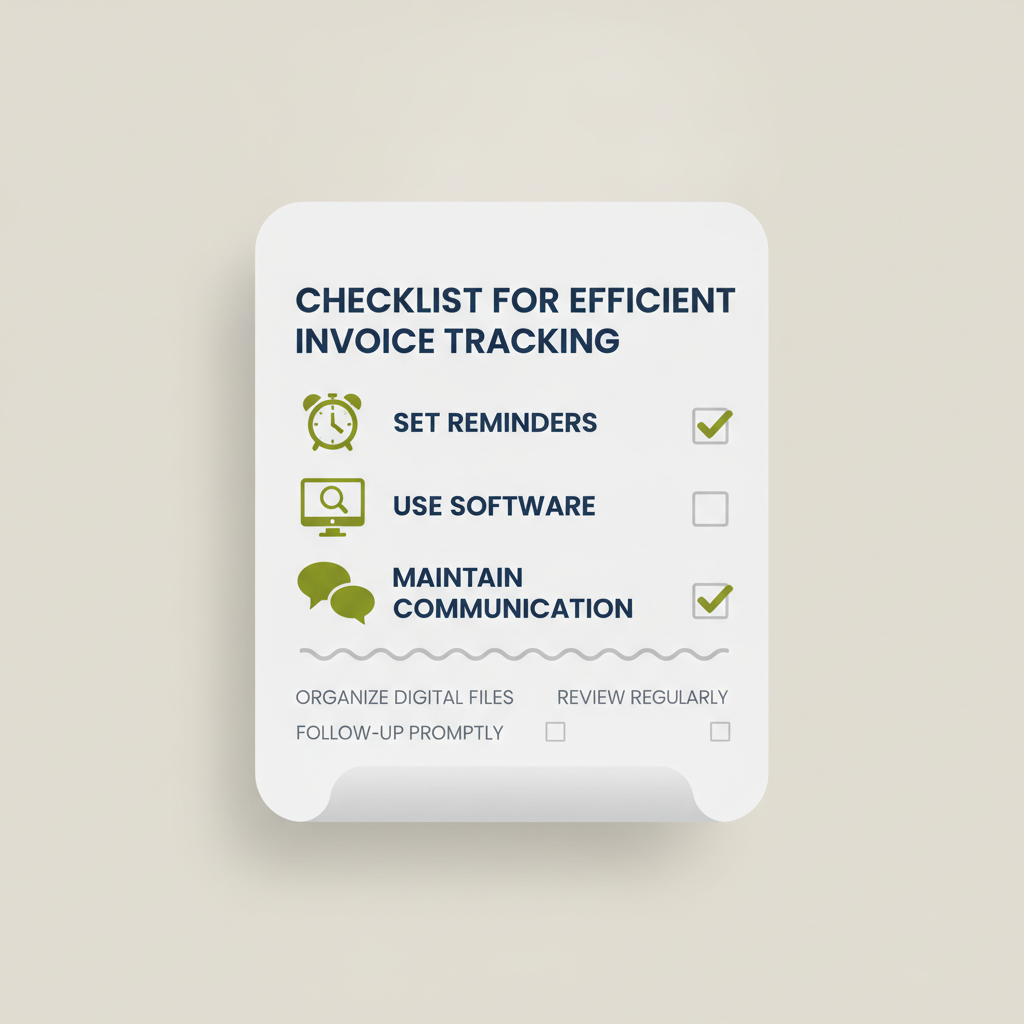
To track outstanding insurance invoices efficiently, you need more than a spreadsheet and good intentions. The difference between firms that collect reliably and those that write down revenue often comes down to a handful of repeatable practices—small disciplines that compound over billing cycles.
Standardize Your Narrative Detail Before Submission
Most invoice rejections trace back to narrative insufficiency, not arithmetic errors. Before a line item leaves your timekeeping system, verify that it meets the carrier's narrative standard. A description reading "review correspondence, 0.3" will trigger a reduction or rejection under guidelines that prohibit block billing. Break the entry into discrete activities: "review client email re discovery schedule, 0.1" and "review opposing counsel letter re extension request, 0.2." The extra thirty seconds per entry prevents a two-week appeal cycle and preserves the full fee.
Carrier guidelines often specify minimum narrative detail by task code. UTBMS task code L320 (discovery motions) may require identification of the specific motion and the document at issue, while A101 (factual investigation) may permit a general description. Read the guideline version that governs your matter, then template your narrative standards to match. When your timekeepers know the threshold before they record time, fewer entries require post-hoc editing and fewer invoices come back with reduction codes. For examples of attorney billing descriptions that pass carrier review, see our sample attorney billing descriptions guide.
Use LEDES Validation Tools Before Portal Submission
An invoice that fails LEDES 1998B field validation will be rejected outright—no review, no payment, no appeal. Most e-billing portals return a cryptic error message pointing to a line number and a field name. Tracking down a malformed date in line 847 of a 900-line file wastes hours that could have been spent on the next invoice.
Run your LEDES file through a standalone validator before you submit it to the portal. Free and commercial validators exist; they check field length, data type, required-field presence, and code-set membership. A validator will flag a timekeeper ID that exceeds the 10-character limit, a line-item date formatted as MM/DD/YYYY instead of YYYYMMDD, or an expense code that does not appear in the current UTBMS expense code set. Fix those errors locally, regenerate the file, and submit a clean version. The portal's validation log will confirm acceptance, and your invoice enters the review queue immediately instead of bouncing back to your billing coordinator.
A LEDES file that passes validation is not guaranteed payment, but a file that fails validation is guaranteed rejection.
For a detailed walkthrough of portal mechanics and file requirements, see the Serengeti Legal Tracker Invoice Submission Guide.
Track Rejection Codes and Appeal Deadlines in One System
When a carrier reduces a line item, the reduction notice includes a reduction code—a short alphanumeric string that maps to a specific guideline violation. Reduction code "BLK" means block billing; "INC" means incorrect billing increment; "DUP" means duplicate entry. These codes are not decorative. They tell you exactly which guideline provision the reviewer applied, and they determine whether an appeal has merit.
Log every reduction code, the invoice number, the line-item identifier, and the appeal deadline in a single tracking system. Many carriers allow ten business days from the reduction notice to file an appeal; miss that window and the reduction becomes final. A spreadsheet with columns for matter number, invoice date, reduction amount, reduction code, appeal deadline, and appeal status will surface patterns. If you see "BLK" on fifteen line items across three invoices in one quarter, your timekeepers are still block billing despite training. If "INC" appears repeatedly, your billing increment is set wrong in the timekeeping system.
Appeal deadlines are hard. A reduction notice dated January 10 with a ten-business-day appeal window expires January 24, assuming no intervening holidays. Calendar that deadline the day the notice arrives, assign the appeal to a specific person, and follow up two days before expiration. Firms that treat appeal deadlines as advisory leave thousands of dollars on the table every year.
Reconcile Portal Status Against Internal Aging Reports Weekly
E-billing portals update invoice status asynchronously. An invoice submitted on the first of the month may show "pending review" for three weeks, flip to "approved" on day 22, and remain unpaid for another ten days while the carrier's accounts-payable system processes the batch. If your aging report relies solely on your billing system's submission date, you will not know which invoices are stuck in review, which have been reduced, and which are approved but awaiting payment.
Pull a status report from every portal you use at least once a week. Compare the portal status to your internal aging report line by line. An invoice that has been "pending review" for more than thirty days may require a follow-up email to the bill reviewer or the claims adjuster. An invoice marked "approved" that has not generated a payment after fifteen days may need a call to accounts payable. Discrepancies between portal status and your records—an invoice the portal shows as rejected but your system shows as pending—indicate a notification email that never arrived or a status update you missed.
This reconciliation catches problems early. A rejection discovered six weeks after submission, when the appeal deadline has passed, cannot be cured. A rejection discovered three days after the portal updated the status can be appealed, corrected, and resubmitted within the same billing cycle.
Set Pre-Approval Alerts for Threshold Expenses
Most carrier guidelines require pre-approval for expenses above a stated threshold—often $500 or $1,000 per item. An expert-witness invoice for $2,500 submitted without prior approval will be reduced to zero, and the appeal will fail because the guideline is unambiguous. The firm eats the cost, and the expert still expects payment.
Configure your matter-management or timekeeping system to flag any expense entry that approaches the pre-approval threshold. When a timekeeper enters a $950 court-reporter fee, the system should prompt for a pre-approval reference number before the entry saves. If no reference number exists, the system should generate a task for the responsible attorney to request approval from the carrier before the expense is incurred. This workflow prevents after-the-fact approval requests, which carriers routinely deny.
Pre-approval is not a courtesy; it is a condition precedent to reimbursement. Treat it as a hard gate in your billing process, and you will avoid writing off expenses that the carrier would have approved if asked in advance. For guidance on what carriers pay for, see our paralegal billing cheat sheet.
Conclusion
To track outstanding insurance invoices effectively is not a back-office nicety — it is revenue protection. Every day an invoice sits unsubmitted or unreported is a day the clock runs on your accounts receivable aging and your cash flow weakens. The strategies in this article — segregated aging buckets, automated portal checks, written escalation protocols and documented rejection appeals — turn invoice tracking from a reactive scramble into a predictable, auditable process.
Firms that implement structured tracking recover more of what they bill and recover it faster. They catch portal rejections before they age into write-offs, they escalate stalled matters before the carrier closes the file, and they produce the documentation adjusters need to release payment without a second round of questions. That documentation discipline also protects the firm when a fee dispute lands in front of a panel reviewer or, in a Cumis matter, before a court applying the standards of Civil Code section 2860.
The mechanics are straightforward: assign one person to run the tracker, update it daily from your e-billing portal and your billing system, and review aging with the responsible timekeeper every week. The return is measurable: fewer aged receivables, faster collections, and a clean answer when the managing partner asks which invoices are out and why. For additional guidance on submission workflows and common rejection scenarios, see the Serengeti Legal Tracker Invoice Submission Guide.
Revenue leakage from poor invoice tracking is entirely preventable. The tools exist, the workflows are proven, and the cost of inaction — aged receivables, carrier disputes and partnership tension over uncollected fees — far exceeds the effort required to track systematically. Implement the steps in this article, hold your team accountable to the tracker, and make outstanding-invoice review a standing agenda item in every billing meeting. The result is not just better collections; it is a billing operation that earns the confidence of both your carriers and your partners.
Frequently asked questions
How often should I check e-billing portals to track outstanding insurance invoices?
Check e-billing portals weekly to track outstanding insurance invoices. Weekly reconciliation catches rejections within the correction window and surfaces approvals that have not yet generated payment. Firms that check monthly discover problems too late to appeal or resubmit within carrier deadlines.
What information do I need to log when I track outstanding insurance invoices?
Log invoice number, submission date, matter number, billed amount, portal confirmation number, and the name of the person who submitted the invoice. This metadata anchors every downstream tracking action and enables you to reconcile portal status against internal records.
How long should I wait before following up on an outstanding insurance invoice?
Follow up at 30 days if the carrier's outside counsel guidelines do not specify a payment timeline. If the guidelines state a payment term (e.g., 45 days), follow up at that interval and escalate at 60 days. An invoice that ages past 60 days without carrier contact is at high risk of write-off.
What should I do if a carrier reduces an invoice after approval?
Compare the payment received to the portal-approved amount. If they differ, identify the reduction code, determine whether the reduction violates the carrier's guidelines, and file an appeal within the deadline specified in the guidelines (typically 10-30 days). Document the reduction in your tracking system and escalate to the claims adjuster if the carrier does not respond.
Can I track outstanding insurance invoices in a spreadsheet?
Yes. A spreadsheet with columns for invoice number, submission date, matter number, billed amount, portal status, days outstanding, and next action is sufficient for most firms. The tool matters less than the discipline of updating it weekly and reviewing aging with the billing partner in a standing meeting.
Sources
- Carrier Ready Knowledge Team review of outside counsel guidelines from two dozen carriers (2023-2024)
- LEDES 1998B field validation requirements (Legal Electronic Data Exchange Standard)
- UTBMS task code and expense code taxonomies (Uniform Task-Based Management System)
- California Civil Code section 2860 (Cumis counsel fee dispute standards)