


How to Build a Compliant Legal Invoicing System
Learn how to establish an efficient invoice processing system that meets insurance billing compliance standards.
Introduction
One entry reading "research and draft motion in limine, 4.2" is enough to trigger a reduction under most panel guidelines. The reason is not the task itself — it is the absence of detail, the failure to separate discrete activities, and the use of a billing increment that may violate the carrier's stated standard. These are not subjective judgments. They are mechanical failures that an invoice processing system should catch before the timekeeper submits the entry.
A compliant legal invoicing system is the set of controls, validations, and workflows that ensure every line item on a submitted invoice meets the requirements of the carrier's outside counsel guidelines, the LEDES file format specification, and the UTBMS task and activity code taxonomy. It is not a single piece of software. It is a process that begins when the timekeeper records the first tenth of an hour and ends when the e-billing portal accepts the invoice without validation errors or when the bill reviewer closes the matter without reductions.
More than three-quarters of organizations now use technology to review legal invoices, making it the most widely adopted litigation management technology. That adoption reflects the reality that manual review cannot scale to the volume of line items generated in contemporary insurance defense practice, and that carriers will not tolerate the error rates that result from unvalidated invoice submission. The question is no longer whether to build a system — it is how to build one that enforces the right rules in the right sequence.
This article sets out the structural components of a compliant legal invoicing system for insurance billing. It covers the intake controls that prevent non-compliant entries from entering the billing database, the validation rules that enforce carrier guideline prohibitions and LEDES field requirements, the submission workflows that manage e-billing portal interactions, and the post-submission tracking that handles rejections, reduction codes, and appeals. It does not recommend specific software products or platforms. It describes what the system must do, what the controlling documents require, and where the common failure points occur. For examples of compliant billing entries and descriptions that pass carrier review, see Sample Attorney Billing Descriptions PDF That Pass Carrier Review.
The guidance here applies to panel counsel submitting invoices to carrier e-billing portals under published outside counsel guidelines. It does not address billing for non-insurance matters, in-house timekeeping for corporate legal departments, or fee arrangements outside the hourly-rate defense panel model. It assumes the reader is responsible for configuring, operating, or auditing the invoice processing workflow at a law firm or claims organization, and that the reader has access to the controlling carrier guidelines and LEDES specifications that govern the invoices in question.
What is Invoice Processing?
Invoice processing is the administrative workflow that begins when a law firm submits a bill and ends when the carrier or client approves payment, rejects the invoice, or reduces line items. In insurance defense billing, this workflow is governed by outside counsel guidelines, LEDES file format requirements, and UTBMS code conventions that carriers use to validate every entry before releasing funds.
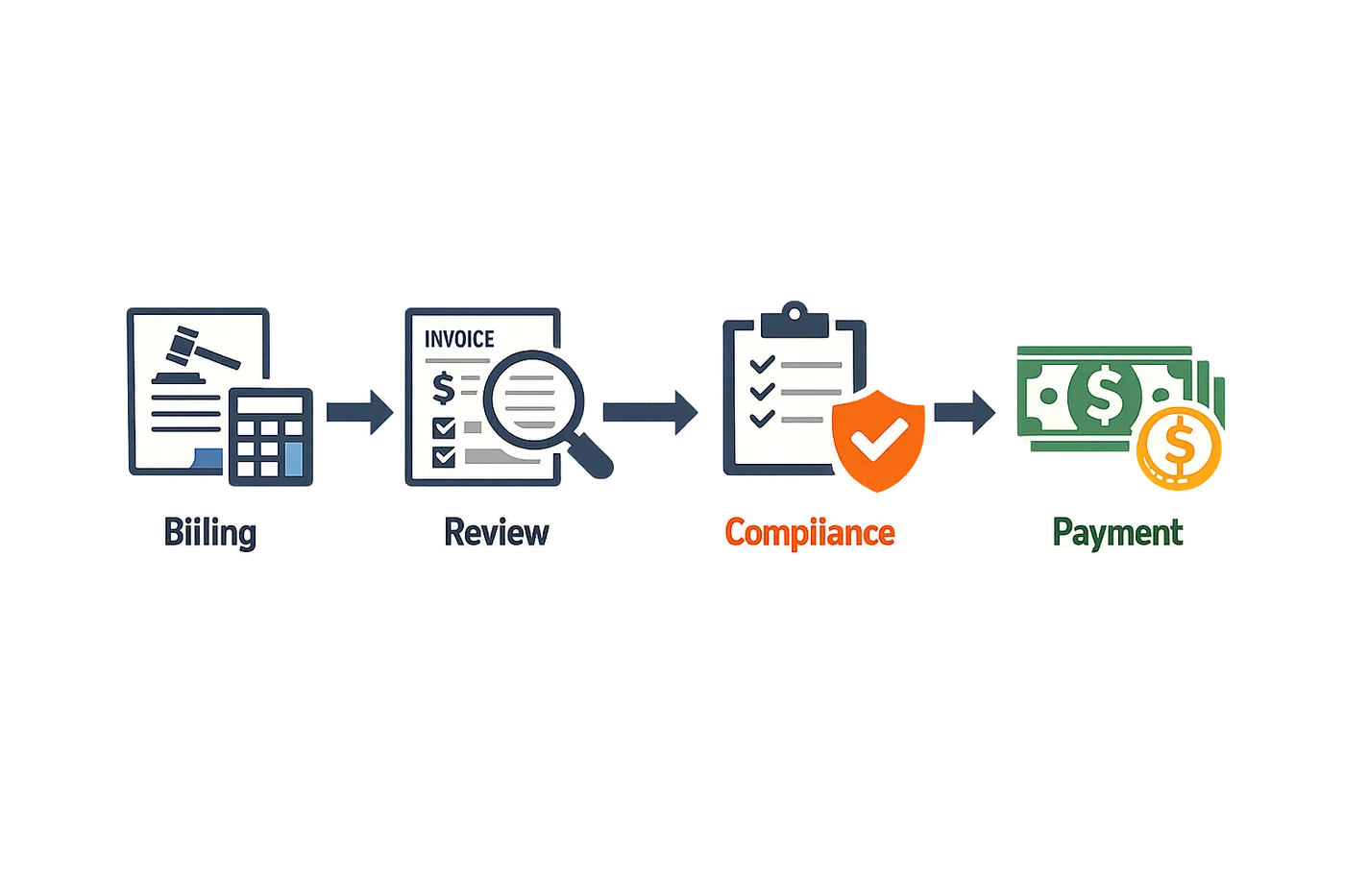
A compliant invoice moves through submission, validation, review, and payment stages. Each stage applies a different test: the e-billing portal checks file structure and required fields, the bill reviewer evaluates narrative detail and task codes against the guideline, and the claims handler confirms that the matter budget and staffing ratios remain intact. A single failure at any stage triggers rejection or reduction, and the firm must correct the error or appeal the decision to recover the full amount.
Components of Invoice Processing
The invoice itself is a LEDES 1998B file or LEDES XML 2.1 file that contains header records, line-item records, and summary totals. The LEDES Oversight Committee describes the format as "rich in detail" because the financial transactions between clients and law firms have become more complex, requiring itemization of adjustments, discounts, and alternative fee arrangements within the invoice file. Each line item carries a timekeeper ID, a UTBMS task code, an activity code, a billing increment, and a narrative description—all of which the carrier's system validates against the guideline before the invoice reaches human review.
Processing also includes the firm's internal steps: time entry, attorney billing descriptions that satisfy narrative standards, supervisor review, and LEDES file generation. If the firm's practice management system exports a file that omits required fields or uses deprecated codes, the portal rejects the file at submission, and the firm must regenerate and resubmit.
Relevance to Insurance Defense Billing
Insurance carriers enforce invoice processing rules to control costs, ensure compliance with panel counsel agreements, and maintain audit trails for regulatory review. A guideline that prohibits block billing is not a suggestion—it is a contractual term, and a bill reviewer will reduce or reject any entry that combines multiple tasks in one narrative. Similarly, a guideline that requires tenth-of-an-hour increments will flag any entry rounded to a quarter hour, even if the firm's standard practice is 0.25 billing.
The complexity of these requirements means that invoice processing is not simply accounting. It is a compliance function that requires knowledge of UTBMS code definitions, familiarity with the carrier's reduction codes, and the ability to respond to rejections within the portal's appeal window. Firms that treat invoice processing as a clerical task rather than a guideline-compliance task see higher reduction rates and longer payment cycles.
Why Invoice Processing Matters in Insurance Billing
Proper invoice processing is not optional when billing insurance carriers. The financial transactions between law firms and carriers have grown more complex, requiring detailed itemization within each invoice file to meet carrier expectations and avoid rejection. A single missing field or incorrectly formatted line item can delay payment by weeks or trigger a write-down that the firm never recovers.
Compliance Drives Payment
Carriers impose strict requirements on invoice format, detail, and structure. A compliant legal invoicing system ensures that billings from the same attorney or vendor do not share an invoice number, reducing duplicate-payment inquiries and making each submission traceable in the carrier's accounting system. When an invoice fails validation at the e-billing portal, the firm loses time resubmitting and risks missing the carrier's payment cycle. Outside counsel guidelines specify these standards in detail, and deviations result in automatic rejection or line-by-line reduction.
Efficiency and Financial Health
An invoice processing system that catches errors before submission reduces the volume of rejections and appeals. Firms that rely on manual entry or inconsistent timekeeper practices see higher rejection rates and spend more time responding to reduction codes. Automated validation against LEDES field requirements and UTBMS code rules identifies problems at the point of entry, not after the carrier's bill reviewer has flagged them. This front-end discipline protects revenue and shortens the time between work performed and payment received.
The cheapest invoice is the one the carrier accepts on first submission without a single reduction code.
Carriers expect 100 percent compliance with e-billing requirements, and the invoicing format must be rich enough to itemize complex financial arrangements while remaining machine-readable. Firms that treat invoice processing as an afterthought pay for it in write-downs, delayed collections, and strained carrier relationships. Proper processing is the foundation of a sustainable insurance defense practice.
How to Build a Compliant Legal Invoicing System for Insurance Billing
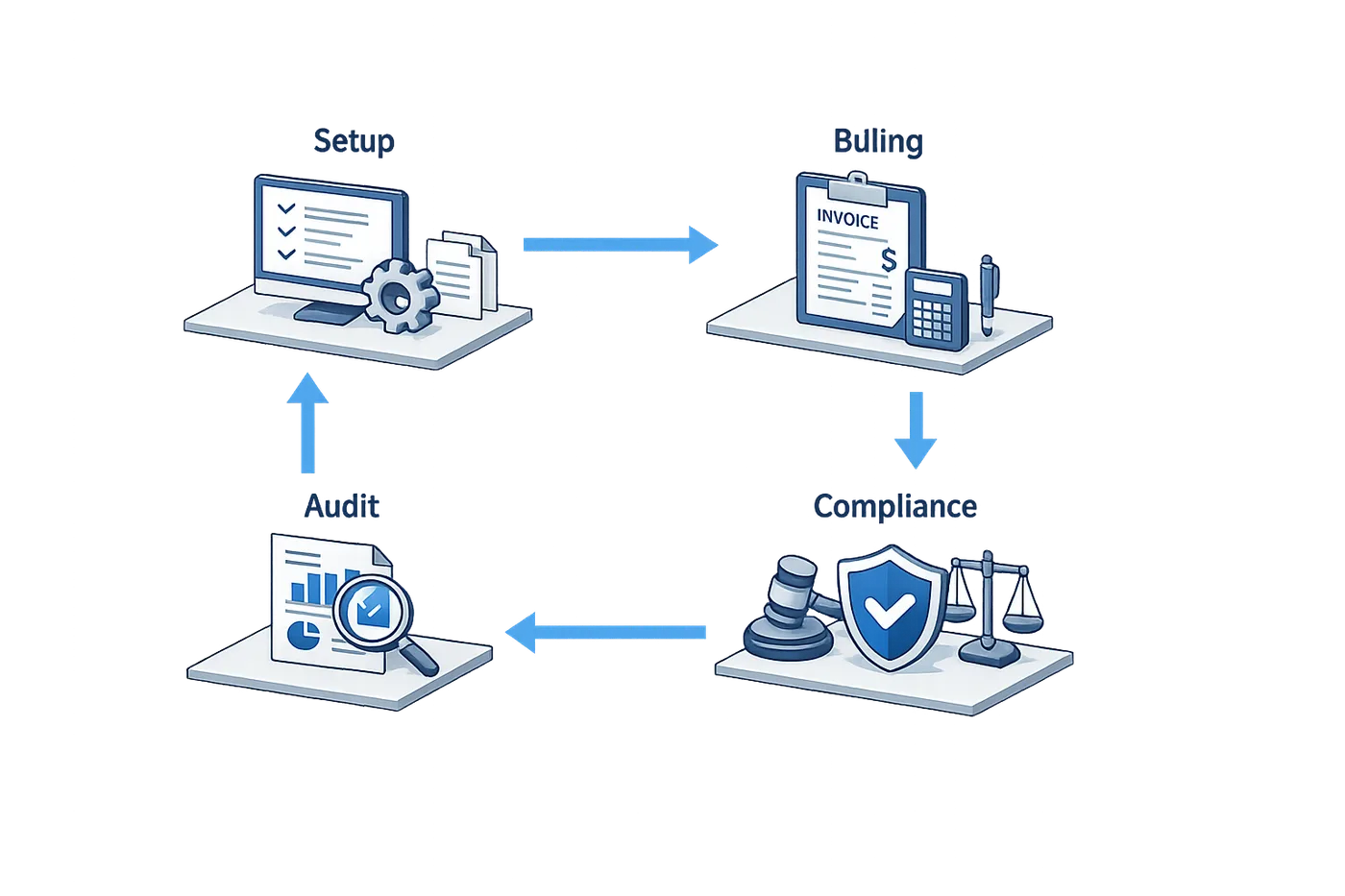
Building a compliant legal invoicing system for insurance billing requires deliberate structure, not improvisation. The system must produce invoices that meet carrier outside counsel guidelines, pass e-billing portal validation, and survive bill review without triggering reduction codes. The steps below outline how to establish that system from the ground up.
Step 1: Select a LEDES-Compatible Billing Platform
The foundation is a billing platform that exports invoices in LEDES 1998B or LEDES XML format. Most insurance carriers require LEDES file submission through their e-billing portals. A platform that cannot generate a valid LEDES file will fail at the submission stage, before any human reviewer sees the invoice.
The LEDES Oversight Committee designed the LEDES XML 2.1 format to accommodate complex financial transactions between law firms and clients. According to the LOC's white paper, "the nature of the financial transaction between the client and the law firm has become more complex. As clients push towards 100% compliance with the request to e-bill, the LOC and vendors need to devise ways to itemize these complex financial transactions within the LEDES invoice file." Your platform must handle that itemization—line-item fees, expenses, adjustments and credits—within the file structure the portal expects.
Step 1
Verify LEDES export capability
Before committing to a billing platform, request a sample LEDES 1998B file from the vendor. Open it in a text editor and confirm that it contains pipe-delimited fields in the published specification order: INVOICE_DATE|INVOICE_NUMBER|CLIENT_ID|LAW_FIRM_MATTER_ID and so forth. If the vendor cannot produce a sample file, the platform is not LEDES-compatible.
Step 2: Implement UTBMS Task and Activity Codes
Every line item in a LEDES invoice must carry a UTBMS task code and an activity code. These codes tell the bill reviewer what work was done and how it was done. A line item without codes, or with codes that do not match the narrative, will be flagged for reduction.
Configure your billing platform to require timekeepers to select a task code and an activity code for every time entry. The platform should validate the codes against the published UTBMS code sets before the entry is saved. If a timekeeper enters an invalid code, the system should reject the entry and prompt for a valid selection.
Step 3: Enforce Billing Increment and Block Billing Rules
Most carrier outside counsel guidelines specify tenth-of-an-hour increments and prohibit block billing. Your system must enforce these rules at the point of entry, not at the review stage.
Configure the billing platform to accept only time entries in 0.1-hour increments. If a timekeeper enters 0.15 or 0.25 hours, the system should reject the entry or round it to the nearest tenth, depending on the carrier's guideline. For a detailed comparison of increment requirements, see Attorney Billing Increments: 0.1 vs. 0.25 Requirements.
Block billing—combining multiple tasks in a single narrative—is prohibited by most guidelines. The system should require one task per line item. If a timekeeper attempts to enter a narrative that describes two or more discrete tasks (for example, "research motion in limine, draft motion, review opposing counsel's brief"), the system should flag the entry and prompt the timekeeper to split it into separate line items.
Step 2
Configure increment and narrative validation
Set the billing platform's time-entry module to enforce the carrier's increment rule and to flag narratives longer than 150 characters or containing multiple task verbs. These flags catch most block-billing violations before the invoice is generated.
Step 4: Assign Unique Invoice Numbers
Every invoice submitted to a carrier must carry a unique invoice number. Duplicate invoice numbers trigger rejection at the e-billing portal or create confusion in the carrier's accounting system.
According to Florida's Justice Administrative Commission policies, "Attorneys and due process vendors are required to use a unique invoice number for each billing. This makes it easier to identify billings in the state accounting system and reduce DFS inquiries regarding possible duplicate payments because billings from the same attorney or due process vendor share an invoice number." The same logic applies to insurance carrier systems.
Configure your billing platform to auto-generate sequential invoice numbers. Do not allow timekeepers or billing staff to enter invoice numbers manually. Manual entry invites duplication. The system should assign the next number in the sequence when the invoice is finalized, and it should never reuse a number, even if the original invoice is voided.
Step 5: Map Timekeeper Rates to Carrier Rate Schedules
Most carrier outside counsel guidelines include rate schedules that cap the hourly rate by timekeeper classification and years of experience. Your system must apply the correct capped rate to each timekeeper's line items before the invoice is generated.
Maintain a rate table in the billing platform that maps each timekeeper to the carrier's approved rate. When a timekeeper enters time, the system should apply the capped rate automatically. If the timekeeper's standard rate exceeds the cap, the system should write down the line item to the capped amount and flag the adjustment for review.
Step 6: Validate the LEDES File Before Submission
Before submitting an invoice to the carrier's e-billing portal, validate the LEDES file against the portal's requirements. Most portals reject files that contain formatting errors, missing required fields, or invalid UTBMS codes.
Use a LEDES validator tool to check the file. The validator will flag errors such as missing pipe delimiters, incorrect date formats, or task codes that do not exist in the UTBMS code set. Fix the errors before submission. A rejected invoice delays payment and creates rework.
Step 3
Run a pre-submission validation
Export the LEDES file from your billing platform and open it in a LEDES validator. The LEDES Oversight Committee publishes a reference validator on its website. Run the file through the validator and review the error report. If the validator flags errors, correct them in the billing platform and re-export the file.
Step 7: Monitor Portal Rejections and Reduction Codes
After submission, monitor the e-billing portal for rejection notices and reduction codes. A rejection means the portal could not process the file. A reduction means the bill reviewer adjusted one or more line items.
When you receive a rejection, read the error message. Most portals provide a specific reason: invalid file format, missing required field, or failed validation rule. Correct the error in your billing platform and resubmit the file. Do not attempt to work around the error by submitting a different file format or bypassing the portal.
When you receive a reduction, read the reduction code and the reviewer's comment. The code tells you which guideline rule the line item violated. Common reduction codes include block billing, excessive time, vague narrative, and unapproved task. If the reduction is incorrect, follow the carrier's appeal process. If the reduction is correct, adjust your billing practices to prevent the same violation on future invoices.
Step 8: Train Timekeepers on Narrative Standards
A compliant invoicing system depends on timekeepers who understand narrative detail standards. The system can enforce increment rules and validate UTBMS codes, but it cannot write a clear, specific narrative for the timekeeper.
Train timekeepers to write narratives that describe one task, identify the subject matter, and avoid block billing. A narrative that reads "research and draft motion in limine" is block billing. A compliant narrative reads "research California evidence law re: prior conviction admissibility for motion in limine." The second narrative describes one task, identifies the legal issue, and provides enough detail for the bill reviewer to assess reasonableness.
For additional guidance on narrative standards, see Sample Attorney Billing Descriptions PDF That Pass Carrier Review.
Best Practices for Invoice Processing
A unique invoice number for each submission is not optional. Florida's Justice Administrative Commission requires attorneys and due process vendors to assign a distinct invoice number to every billing, citing the need to identify submissions in the state accounting system and prevent duplicate-payment inquiries. The same principle applies in insurance defense: carriers and e-billing portals track invoices by their identifiers, and a duplicated or recycled number creates confusion that delays payment and invites review.
More than three-quarters of organizations now use technology to review legal invoices, making it the most widely adopted litigation management technology, according to the 2026 CLM Litigation Management Study. That adoption rate climbed from 65% in 2019 to 69% in 2023 and reached 76.3% in 2026. When the majority of your invoices pass through automated validation and review software, the margin for format error shrinks to zero.
Structure Every Line Item for Machine Readability
The LEDES Oversight Committee's XML E-Billing 2.1 White Paper states that invoicing requirements demand a format rich in detail, and that as complex as the LEDES XML 2.1 format may be, every attempt has been made to keep it as simple as possible. Simplicity here means consistency: each line item must carry a valid UTBMS task code, a matching activity code, a narrative that stands alone, and a time entry in the increment the guideline specifies. Portals reject invoices that omit required fields or populate them with free-text codes the system does not recognize.
Itemize every financial transaction within the LEDES invoice file. The same White Paper notes that as clients push toward 100% compliance with e-billing requests, firms and vendors must devise ways to itemize complex financial transactions in the invoice file itself. A single lump-sum entry for "research and drafting" triggers a block-billing flag; breaking that entry into discrete tasks—research, outline, draft, cite-check—with separate time entries and narratives satisfies both the format requirement and the reviewer's need to evaluate each activity independently.
Validate Before You Submit
Run your invoice through a LEDES validator before uploading it to the portal. Most e-billing platforms perform their own validation at submission, but catching format errors in-house saves the round-trip delay and the reduction risk that accompanies a rejected invoice. A validator checks field population, code validity, date formats, and arithmetic; it does not check narrative sufficiency or guideline compliance, so pair automated validation with a manual review of narratives and task codes against the outside counsel guidelines for insurance litigation.
Step 1
Assign unique invoice numbers
Generate a distinct invoice number for every submission, using a scheme that prevents duplication across matters and billing periods. Record the number in your billing system and in the LEDES file's invoice-number field.
Step 2
Populate all required LEDES fields
Ensure every line item carries a timekeeper ID, date of service, UTBMS task and activity codes, hours in the correct increment, rate, amount, and a narrative that describes one activity.
Step 3
Run a pre-submission validator
Use a LEDES validator to confirm field formats, code validity, and arithmetic before uploading the file to the e-billing portal.
Step 4
Review narratives for block billing
Read each narrative to confirm it describes a single task. If a narrative lists multiple activities, split the entry into separate line items with distinct task and activity codes.
Maintain Contemporaneous Records
Timekeepers should record their work on the day it occurs, capturing the task code, activity, and narrative detail while the work is fresh. Reconstructing time entries days or weeks later introduces errors in task classification and narrative specificity, and those errors surface when the reviewer compares the invoice to the docket or the matter chronology. Contemporaneous records also support an appeal if the carrier reduces a line item: you can produce the timekeeper's original entry, the supporting document, and the timestamp to demonstrate that the work occurred as billed.
Staffing ratios matter. Many panel guidelines specify maximum ratios of partners to associates to paralegals, and some require pre-approval for deviations. If your invoice shows three partners and one associate working the same motion, the reviewer will flag it even if every line item is otherwise compliant. Track staffing across the matter, not just within a single invoice, and adjust assignments before the next billing cycle if the ratio drifts out of tolerance.
Document Every Adjustment
When you write down a line item before submission—whether to comply with a pre-approval threshold, to remove a task the guideline prohibits, or to correct a timekeeper's error—document the reason and the amount in your billing system. If the carrier later questions the total or audits the matter, you need a record that explains why the invoice total is lower than the sum of recorded time. The same principle applies to reductions you accept after submission: log the reduction code, the carrier's explanation, and your decision to accept or appeal, so that future invoices on the same matter reflect the carrier's interpretation of the guideline.
Common Mistakes in Legal Invoice Processing
Most invoice rejections trace to a handful of recurring errors that are easy to prevent once you know what reviewers flag. Duplicate invoice numbers, block billing and missing UTBMS codes account for the majority of write-downs and portal rejections across carrier panels. Understanding these pitfalls before you submit saves time and preserves fee recovery.
Reusing Invoice Numbers Across Billings
One of the most common compliance failures is submitting multiple invoices with the same invoice number. Florida's Justice Administrative Commission policies state that attorneys and vendors are required to use a unique invoice number for each billing, explaining that this makes it easier to identify billings in the state accounting system and reduce inquiries regarding possible duplicate payments. While that language addresses court-appointed counsel, the same logic applies to insurance panel billing: duplicate invoice numbers trigger automatic flags in e-billing portals and accounting systems, resulting in rejected submissions or payment holds while the carrier investigates whether the invoice is a true duplicate or a numbering error.
Assign a new, sequential invoice number to every submission. If your practice management system allows manual entry, verify that the number increments automatically and that no prior invoice shares the same identifier. A rejected invoice for a suspected duplicate can delay payment by weeks, even when the underlying billing is compliant.
Block Billing Without Task Separation
Block billing—combining multiple tasks into a single narrative and time entry—remains the most frequently cited reason for line-item reductions. Reviewers cannot allocate time to UTBMS task codes when the description reads "research case law, draft motion, telephone conference with client, 3.5." Carrier guidelines typically require one task per line item, with a separate UTBMS code and narrative for each discrete activity.
Separate each task into its own line. "Research summary judgment standard, 0.8" followed by "Draft motion for summary judgment, 2.1" followed by "Telephone conference with client re motion strategy, 0.3" gives the reviewer three independently coded entries. The total time is the same, but the invoice passes guideline review. For a detailed explanation of what constitutes block billing and how to avoid it, see What Is Block Billing? A Plain-English Definition & Examples.
Omitting or Misapplying UTBMS Codes
Submitting a LEDES file with blank task or activity codes, or selecting codes that do not match the narrative, produces immediate validation errors in most e-billing portals. A line item coded L320 (Discovery–Depositions) with a narrative that reads "draft complaint" will be flagged for correction or rejected outright. Reviewers expect the UTBMS code and the narrative to describe the same work.
Verify that every line item carries a task code and an activity code, and that both align with the narrative. If your billing software auto-populates codes based on keywords, audit the output before submission. Mismatched codes signal either carelessness or an attempt to obscure non-compensable work, and both interpretations lead to reductions.
Billing in Prohibited Increments
Many carrier guidelines specify tenth-of-an-hour increments (0.1, 0.2, 0.3) and prohibit quarter-hour rounding (0.25, 0.50, 0.75). An invoice that bills 0.25 for a task that took eight minutes overstates the time by 50 percent when the guideline requires 0.1 increments. Reviewers reduce these entries to the nearest compliant increment or reject them for re-submission.
Confirm the billing increment specified in the carrier's outside counsel guidelines and configure your timekeeping system to enforce that increment at the point of entry. Retroactive rounding after the fact produces inaccurate contemporaneous records and increases the risk of reduction on audit.
Submitting Invoices Without Pre-Approval for Threshold Expenses
Most guidelines set a dollar threshold above which certain expenses—expert fees, court reporters, travel costs—require advance written approval. Submitting an invoice with a $3,500 expert fee when the guideline requires pre-approval for any expense over $1,000 results in an automatic disallowance of that line item, regardless of whether the expense was reasonable or necessary.
Track pre-approval thresholds in your matter-management system and obtain written approval before incurring the expense. Attach the approval correspondence to the invoice submission. Requesting retroactive approval after the invoice is rejected rarely succeeds.
Failing to Provide Adequate Narrative Detail
Vague narratives such as "legal research, 2.0" or "case preparation, 4.5" do not satisfy the contemporaneous-record and narrative-detail requirements in most carrier guidelines. Reviewers cannot determine whether the work was necessary, duplicative or within the scope of the engagement without a description of what was researched or what aspect of the case was prepared.
Write narratives that specify the subject of the work: "Research California choice-of-law rules for contractual indemnity, 2.0" or "Review and summarize 47 pages of medical records for motion in limine, 1.8." The additional detail takes seconds to enter and eliminates the most common basis for reduction.
The narrative must tell the reviewer what you did, not just that you did something billable.
Frequently Asked Questions about Invoice Processing
What format should I use to submit invoices to insurance carriers?
Most insurance carriers require invoices in LEDES 1998B format, the text-based standard that has been the baseline for electronic billing since 1998. Some carriers accept LEDES XML 2.1, a more detailed format designed to handle complex financial transactions between law firms and clients. The LEDES Oversight Committee notes that the XML format accommodates itemized transactions that the simpler 1998B structure cannot express.
Check the carrier's outside counsel guidelines for the required format. When a guideline specifies LEDES 1998B, submitting XML will typically trigger a validation error at the portal. When a guideline is silent on format, LEDES 1998B is the safer default.
Do I need to use UTBMS codes in every line item?
Yes. UTBMS task and activity codes are mandatory fields in LEDES invoices submitted to insurance carriers. The task code identifies the broad category of work—L320 for motions, L440 for discovery, and so on. The activity code specifies what the timekeeper did within that task—A101 for analysis, A103 for drafting, A105 for review.
Carriers use these codes to sort and review line items by type of work. An invoice missing UTBMS codes will fail validation at the e-billing portal and be rejected before any human reviewer sees the narrative. Incorrect codes—such as pairing a discovery task code with a motion activity code—often trigger the same rejection.
What is the difference between a rejection and a reduction?
A rejection occurs at the e-billing portal when the invoice file fails technical validation. The portal returns the entire invoice to the submitter with an error message identifying the problem: missing required field, invalid UTBMS code, incorrect file structure, or similar. The invoice never reaches a bill reviewer. The firm corrects the file and resubmits.
A reduction occurs after the invoice passes validation and a bill reviewer applies a write-down to one or more line items. The reviewer assigns a reduction code—vague time entry, block billing, clerical task, excessive time—and adjusts the amount. The invoice is not returned; instead, the carrier processes payment at the reduced amount. The firm may appeal the reduction through the carrier's dispute process, but the burden is on the firm to justify the original entry.
How do I appeal a line-item reduction?
Most carriers provide a reduction-appeal process in their outside counsel guidelines or e-billing portal documentation. The process typically requires the firm to submit a written explanation within a specified period—often 30 or 60 days from the date of the reduction notice. The explanation must address the specific reduction code applied by the reviewer and provide supporting detail: contemporaneous time records, the guideline provision the firm believes supports the entry, or a factual correction if the reviewer misread the narrative.
Appeals succeed when the firm demonstrates that the original entry complied with the guideline and that the reduction was applied in error. Appeals fail when the firm restates the original narrative without addressing the reviewer's stated reason for the reduction. Carriers are not required to grant hearings or allow oral argument; the written submission is usually the only opportunity.
Can I bill in quarter-hour increments if the guideline does not specify?
When a guideline is silent on billing increments, tenth-of-an-hour is the safer assumption. Three of the four major carriers with published guidelines specify tenth-of-an-hour increments explicitly. The fourth is silent, which is not the same as permissive. Bill reviewers trained on tenth-of-an-hour standards will flag quarter-hour entries as non-compliant even when the guideline does not expressly prohibit them.
If your practice management system rounds time entries to the nearest 0.25, configure it to round to 0.1 before generating the LEDES file. Submitting an invoice with 0.25 increments to a carrier that expects 0.1 creates an unnecessary dispute and delays payment. For more on increment requirements, see Attorney Billing Increments: 0.1 vs. 0.25 Requirements.
What happens if I submit block billing by mistake?
The invoice will likely be reduced. Block billing—combining multiple distinct tasks in a single narrative without separating the time spent on each—is prohibited by most carrier guidelines. A bill reviewer who identifies block billing will either reduce the entire entry to the time reasonably attributable to one task, or apply a percentage reduction and note "block billing" as the reduction code.
Some portals flag potential block billing during validation if the narrative contains multiple task-code triggers in one entry. The portal may accept the file but attach a warning that the entry will be reviewed. The firm can avoid the reduction by withdrawing the invoice, splitting the entry into separate line items, and resubmitting before the reviewer processes the file.
Do I need pre-approval for expert fees?
Most carrier guidelines set a pre-approval threshold for expert fees and other case expenses. The threshold varies by carrier—common figures are $2,500, $5,000, or $10,000—but the requirement is nearly universal. An expense that exceeds the threshold without documented pre-approval will be reduced to the threshold amount or disallowed entirely.
Pre-approval means written confirmation from the carrier or the assigned claims professional before the expense is incurred. An email thread showing the carrier agreed to the expert and the fee range is sufficient. A line in the retention letter stating "all experts require approval" is not pre-approval for a specific expert; it is notice of the requirement.
How long does it take for an invoice to be processed?
Processing time depends on the carrier's internal workflow and the volume of invoices in the queue. A clean invoice—one that passes validation, contains no block billing, uses correct UTBMS codes, and complies with narrative and increment standards—can be processed in as little as two weeks. An invoice that triggers bill-review flags or requires manual intervention may take 30 to 60 days.
Rejected invoices reset the clock. If the portal rejects the file and the firm resubmits a corrected version three days later, processing begins from the resubmission date. Firms that track their rejection rate and fix recurring errors see faster payment cycles.
Conclusion
Building a compliant legal invoicing system for insurance billing is not a one-time project—it is an ongoing commitment to accuracy, transparency, and adherence to carrier-specific requirements. The steps outlined in this guide—from understanding LEDES file formats and UTBMS codes to implementing narrative detail standards and validation workflows—form the foundation of an invoice processing system that meets carrier expectations and withstands bill review scrutiny.
The adoption of legal invoice review software has increased from 65% in 2019 to 76.3% in 2026, reflecting a clear industry shift toward technology-enabled compliance. Carriers now expect invoices that arrive in the correct format, use the correct codes, and include sufficient narrative detail to support every line item. Firms that meet these expectations reduce rejection rates, accelerate payment cycles, and preserve their standing on carrier panels.
The most effective systems combine technical infrastructure—validated LEDES export, portal integration, and automated pre-submission checks—with human oversight at the points where judgment matters: narrative sufficiency, code selection, and guideline interpretation. Technology catches format errors and missing fields; trained timekeepers and billing staff ensure that the substance of each entry aligns with what the guideline permits and what the work actually required.
Common mistakes—block billing, vague narratives, incorrect task codes, and failure to track pre-approval thresholds—are avoidable when the firm treats compliance as a design requirement rather than a post-hoc correction. The firms that succeed are those that build guideline requirements into their timekeeping workflow from the first keystroke, not those that attempt to retrofit compliance during invoice preparation.
For additional guidance on specific billing scenarios, refer to resources on paralegal billing entry examples and attorney billing descriptions that pass carrier review. A compliant invoicing system is built one correct line item at a time, with every entry supported by the controlling guideline and recorded in a format the carrier can process without manual intervention.