


Bottomline Legal-X for Law Firms: Features & Billing Guide
Top takeaways
- Bottomline Legal-X (also known as Legal eXchange or LeX) is an e-billing platform carriers use to receive and pay defense counsel invoices
- Firms retained on a carrier matter for the first time must complete platform implementation before submitting any invoice
- Multi-office firms need location codes configured by eBillingHub Support before submission to Bottomline Legal-X
- Proper setup in Legal eXchange determines whether your LEDES file validates or triggers a rejection before human review
- Understanding Bottomline Legal-X submission mechanics helps defense counsel avoid the most common pre-validation failures
Introduction
Bottomline Legal-X is the e-billing platform several insurance carriers—including Markel—use to receive invoices from outside counsel and process payment for legal services. When a carrier retains your firm on a new claim, you cannot submit an invoice or receive payment until your firm is implemented into Legal eXchange. That implementation step is not automatic, and skipping any part of the setup means your first invoice will fail before a bill reviewer ever sees it.
Why Understanding Bottomline Legal-X Matters for Defense Counsel
When navigating the intricacies of Bottomline Legal-X, it's crucial for defense counsel to understand the nuances of billing practices and guidelines. In practice, several e-billing portals accept files that omit fields marked as required by the LEDES 1998B specification, but Legal eXchange is not one of them—its validation engine enforces the full field set, and a missing or malformed field triggers an immediate rejection. That means a file that uploads successfully to one carrier's portal may fail at Legal eXchange, even though both portals nominally accept LEDES 1998B format.
The setup requirements extend beyond the LEDES file itself. Firms with multiple offices must coordinate location codes with eBillingHub Support before the first submission. Legal eXchange uses a location-code drop-down (for example, "New Office A - AAA123"), and eBillingHub maps those codes to your firm's internal office identifiers. If the location code in your LEDES file does not match a code configured in Legal eXchange, the invoice is rejected at validation, and no line item reaches the bill reviewer.
Understanding these platform mechanics is the first step in avoiding rejections that have nothing to do with the substance of your time entries. The next section examines the specific challenges defense counsel face when billing through Legal eXchange and how carrier guidelines intersect with the platform's validation rules.
Problem Statement
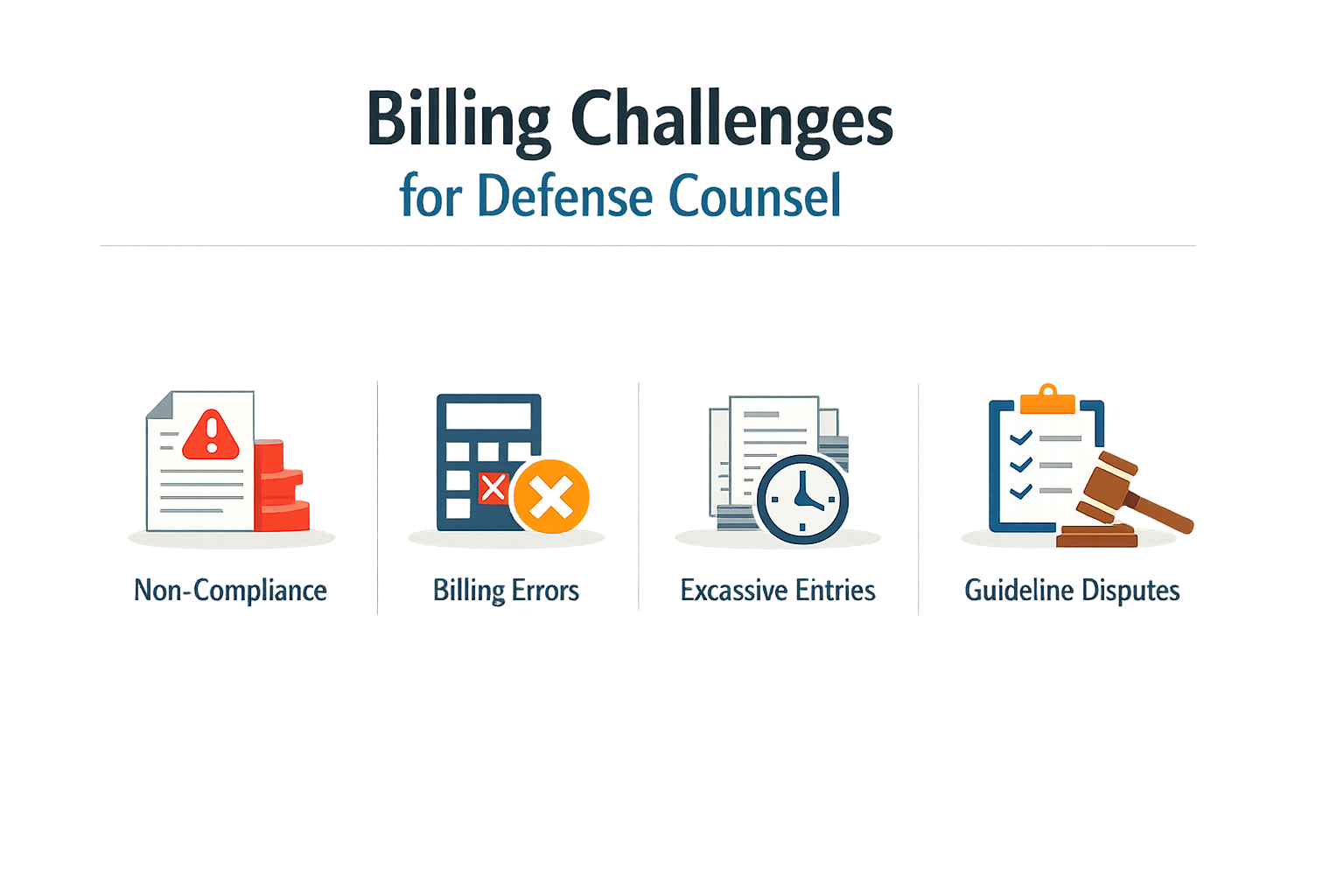
Defense counsel submitting invoices through Bottomline Legal-X face a layered set of challenges that begin long before the first line item is entered. The platform requires specific setup steps to be completed on Legal eXchange before any invoice can successfully reach a carrier's review queue. Firms that skip or misconfigure these prerequisites encounter submission failures that delay payment and trigger follow-up from both the carrier and internal billing staff.
Configuration and Access Barriers
The clients to be billed in Legal eXchange must be set up and accessible by the eBillingHub user before submission is possible. A timekeeper who lacks the correct client access will generate an invoice that cannot be routed, even if every line item and UTBMS code is correct. Firms with multiple office locations face an additional hurdle: eBillingHub support must configure location codes in advance, mapping each code to the corresponding entry in the Legal eXchange Law Firm Select drop-down list. For example, if the drop-down shows "New Office A - AAA123," the location code AAA123 must be registered with eBillingHub support before invoices from that office can be submitted. Firms that overlook this step will see submission errors that reference missing or unrecognized location identifiers.
Carrier Guideline Variability and Block Billing
Once the technical prerequisites are satisfied, defense counsel must navigate the substantive billing standards embedded in each carrier's outside counsel guidelines. Reviewing various carriers' guidelines side by side reveals that block billing is treated differently across the board: Hartford's guidelines may view block billing as a reduction trigger, while other carriers prohibit it outright. A single narrative that combines research, drafting, and revision into one 4.2-hour entry will be accepted by some reviewers and reduced by others, depending on which version of which guideline governs the matter. Defense counsel who rely on a one-size-fits-all narrative style will accumulate reductions that could have been avoided by consulting the controlling guideline before finalizing the invoice.
Common Reduction Patterns
Common reduction patterns flagged in guidelines include entries for travel, intra-office conferences, and administrative time billed at attorney rates. A line item reading "travel to courthouse, review file, conference with associate" will trigger a reduction under most panel guidelines, even if the total time is reasonable. The issue is not the activity itself but the aggregation of distinct tasks into a single entry. Carriers expect contemporaneous records that separate travel from substantive work and that assign administrative tasks to non-attorney timekeepers. Firms that do not enforce these distinctions at the point of time entry will face write-downs that cannot be reversed on appeal, because the narrative itself is the defect.
A line item that passes the platform's technical validation can still fail the carrier's substantive review if it violates a guideline prohibition the platform does not enforce.
The gap between what Bottomline Legal-X validates at submission and what the carrier's bill reviewer enforces at approval creates a false sense of security. An invoice that clears all platform edits may still be reduced or rejected days later, after it has been reviewed against the carrier's written standards. Defense counsel who treat a successful submission as proof of compliance will be surprised when the reduction notice arrives.
Solution Steps
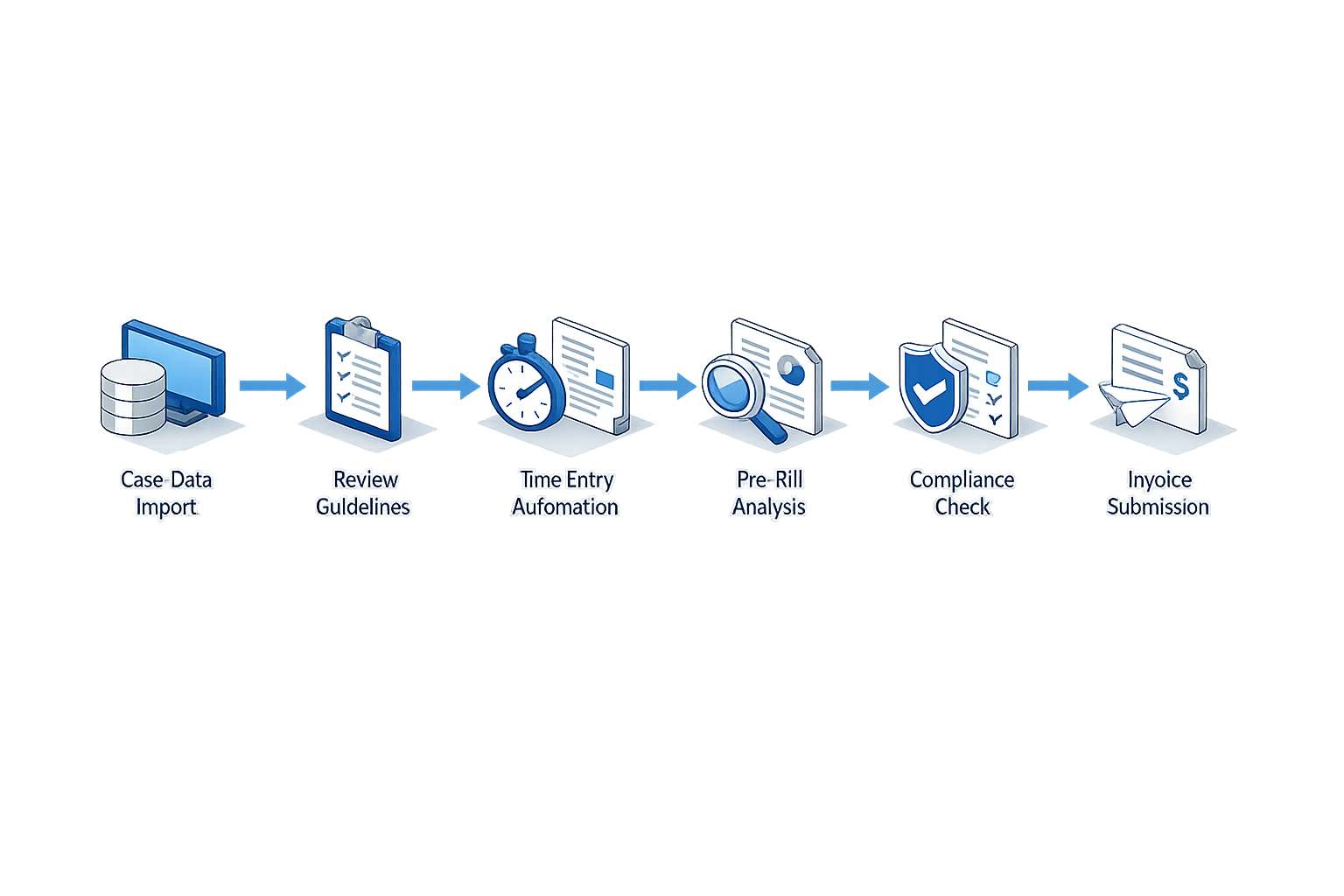
Defense counsel submitting invoices through Bottomline Legal-X face a multi-step configuration and submission process. The following steps are drawn from the platform's documented workflows and reflect the requirements that must be satisfied before an invoice reaches the carrier's bill review queue.
Complete Initial Setup on Legal eXchange
Step 1
Verify user access and client assignments
The clients to be billed in Legal eXchange must be set up and accessible by the eBillingHub user. Before attempting any invoice submission, confirm that your user account has been granted access to the specific client matters you intend to bill. The client may impose additional requirements beyond the platform's baseline configuration.
Step 2
Configure law firm location codes
If your law firm has multiple locations, eBillingHub support will need to set up these locations before submitting to Bottomline. Contact eBillingHub Support with a list of location codes and corresponding descriptions, and indicate the default location. The location codes normally correspond to the codes that appear in Legal eXchange in the Law Firm Select drop-down list. For example, if you see "New Office A - AAA123" in the drop-down list, you would use AAA123 as the code for that location.
Location-code setup is not optional for multi-office firms. Without it, the platform cannot route the invoice to the correct billing entity, and the submission will fail validation before it reaches the carrier.
Prepare and Submit the Invoice
Step 3
Populate required invoice fields
Fields marked with an asterisk (*) indicate required entry. The Law Firm Invoice ID will fill in automatically if you select Auto. Select Enter Invoice ID to enter a new ID manually. This ID can be used to track the invoice status once it is created. Click the calendar icon in the Invoice Date box to select the date when the invoice is to be sent to the client. The current date displays by default. The default law firm office is displayed under Law Firm Office. You are required to select an office from the list when multiple law firms are assigned to a matter. Select the currency to be used for the billing transaction in the Invoice Currency list. US Dollar is selected by default.
Step 4
Designate final-invoice status
Click one of the Final Invoice options: Yes, if this is the last invoice being submitted for the matter. No, if there might be more invoices being submitted for the matter. Carriers track final invoices separately for retention-release and matter-closure workflows. Marking an invoice final when additional work remains can delay payment or trigger manual review.
Validate Line Items Against Carrier Guidelines
Before submission, cross-check each line item against the carrier's outside counsel guidelines. Common reduction triggers include block billing, which several carriers treat as a per-invoice rejection ground, and entries that lack the narrative detail required by the guideline. If the guideline specifies tenth-of-an-hour increments, round each entry accordingly. If it prohibits certain UTBMS activity codes, remove or recode those entries before the file leaves your system.
Tips and Tricks

When submitting invoices through Bottomline Legal-X, defense counsel can streamline the billing process by understanding the technical requirements and common pitfalls that trigger rejections. The LEDES XML 2.1 format is a detailed invoicing format required by law firms and their clients, and while it may appear complex, efforts have been made to simplify its use in practice. Focus on clean data entry, consistent coding, and narrative detail that satisfies guideline requirements before the file ever reaches the portal.
Validate Before You Submit
Run a pre-submission validation on every LEDES file. Many portals accept files that omit fields marked as required by the LEDES Oversight Committee specification, but relying on that tolerance invites inconsistent results. Check that every line item carries a UTBMS task code, an activity code, and a narrative that describes one discrete action. If your time-and-billing system exports a file with missing or placeholder codes, fix them before upload — portals flag incomplete records, and carriers reduce entries they cannot classify.
Write Narratives That Survive Review
Bill reviewers read narratives to confirm that the work described matches the task code and falls within guideline limits. A narrative reading "research and draft motion, 4.2" will be reduced under most panel guidelines because it describes two distinct activities in one entry. Write each line item to describe a single task: "research motion in limine regarding expert testimony, 2.1" in one entry, "draft motion in limine regarding expert testimony, 2.1" in the next. This structure aligns with the prohibition on block billing and gives the reviewer a clear picture of how time was spent.
Avoid administrative verbs at attorney rates. Entries for "review file," "email to client," or "calendar hearing" are common reduction targets when billed by a partner or senior associate. If the work is administrative, code it with an administrative activity code and bill it at the appropriate rate, or do not bill it at all.
Leverage the Format's Detail Capability
The LEDES XML 2.1 format supports rich detail, including tax invoice designations and line-level metadata that can satisfy both billing and regulatory requirements in a single submission. When a carrier's guideline requires contemporaneous records or itemized support for an expense, the format allows you to embed that detail directly in the invoice file rather than attaching separate documentation. This reduces the need for follow-up requests and speeds the approval cycle.
For invoices that must comply with tax regulations in multiple jurisdictions, the format permits a law firm to submit an invoice containing all line item detail and designated "This is a Tax Invoice," allowing the receiving system to display a view that satisfies legal requirements without a separate paper document. Use this capability where applicable to reduce administrative overhead and eliminate duplicate filings.
Track Reduction Patterns and Adjust
When a carrier reduces an entry, the reduction code and explanation are your roadmap for future submissions. If multiple invoices show reductions for the same task code or narrative pattern, adjust your billing practice before the next cycle. Common patterns include reductions for block billing, excessive time on routine tasks, and entries that exceed pre-approval thresholds without documented authorization. Keep a log of reduction codes by matter and timekeeper, and share it with the billing team so that the same issue does not recur.
If a reduction appears inconsistent with the carrier's published guideline, appeal it with a reference to the specific guideline provision and the line item detail that supports your original entry. Appeals succeed when they cite the controlling document and show that the work billed falls within its terms.
Conclusion
Bottomline Legal-X sits at the intersection of billing technology and carrier compliance, and defense counsel who understand that intersection submit cleaner invoices and appeal reductions more effectively. The platform's role is mechanical — it formats, validates and routes LEDES files — but the rules it enforces come from carrier guidelines, UTBMS code definitions and the LEDES specification itself. When a submission fails, the first question is always which rule the line item violated, not whether the software made a mistake.
Reviewing carriers' guidelines side by side reveals that block billing is treated differently across the board: Hartford's guidelines view it as a reduction trigger, while others prohibit it outright. Common reduction patterns flagged in guidelines include entries for travel, intra-office conferences and administrative time billed at attorney rates. Defense counsel who catalog these patterns before submitting an invoice avoid the appeal cycle entirely. The platform will accept a file that violates a guideline; the bill reviewer will not accept the invoice.
When an invoice is reduced, the reduction code and the reviewer's note point to the violated provision. Appeal that reduction by citing the guideline section that permits the entry, or by showing that the narrative meets the stated standard. Do not argue that the platform accepted the file — acceptance proves format compliance, not guideline compliance. The two are not the same.
For further guidance on constructing compliant narratives and avoiding block-billing reductions, see Block Billing: Reasons for Carrier Rejections and Solutions. Bottomline Legal-X is a conduit, not a rule-maker. Master the rules it enforces, and the platform becomes transparent.