

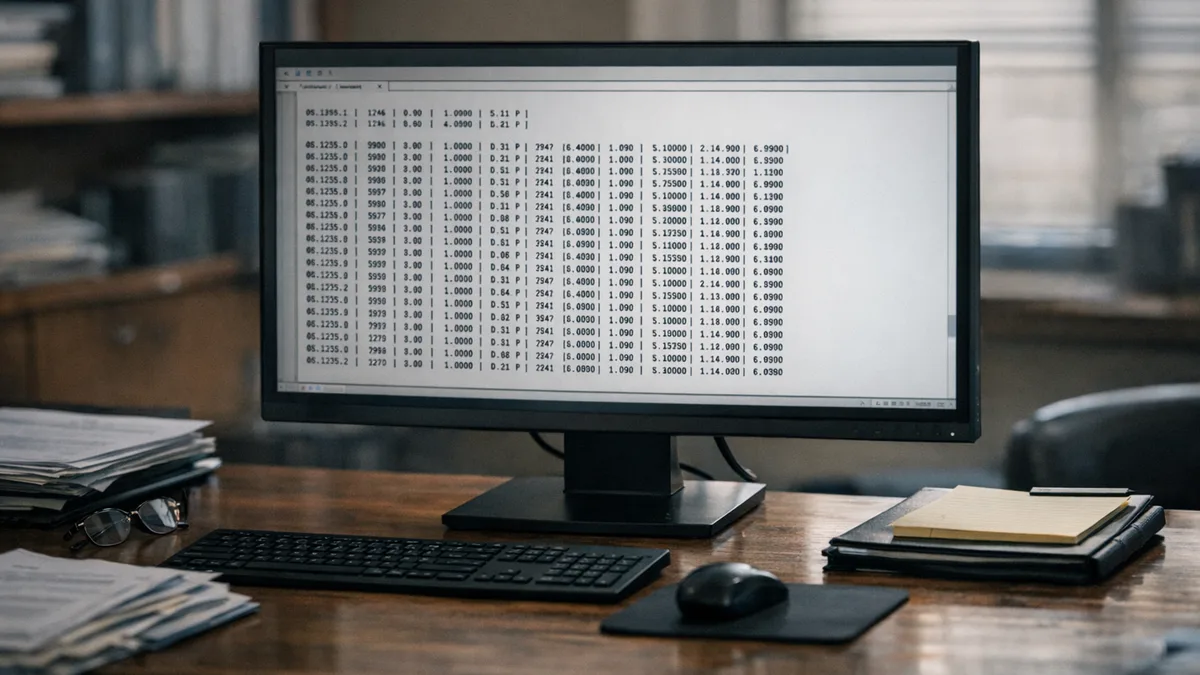
Ledes File: LEDES 1998B File Format - All 24 Fields Explained
Top takeaways
- The LEDES 1998B file format is an ASCII, pipe-delimited structure containing 24 fields and remains the most widely used e-billing standard in the U.S. legal industry
- The format replaced the original LEDES 1998 standard shortly after its introduction, establishing the foundation for electronic billing practices
- Proper field population and format compliance are essential to avoid invoice rejections at e-billing portals
- Understanding each of the 24 fields ensures accurate submission and reduces the risk of carrier write-downs
Introduction
The LEDES 1998B file format is the ASCII, pipe-delimited structure that carriers, corporations and panel administrators expect when you submit an invoice electronically. The format contains exactly 24 fields, each separated by a vertical bar, and it is currently the most widely used e-billing standard in the legal industry in the United States. Every field carries specific requirements, and a single formatting error or missing value can trigger an immediate rejection at the portal.
The LEDES 1998 format was the first standard issued by a cross-industry consortium led by PricewaterhouseCoopers for e-billing. The original specification was quickly updated and replaced by LEDES 1998B, which has remained the working standard for more than two decades. The format documentation and instructional resources are maintained by the LEDES Oversight Committee, which also publishes guidance on how to create a compliant file.
When a firm submits an invoice through an e-billing portal, the portal's validation engine reads the LEDES 1998B file line by line, checking field order, data type, date format and code validity. A rejection at this stage means the invoice never reaches the bill reviewer—it fails before human eyes see it. Understanding what each field requires, how the pipe delimiter functions and where validation rules apply is not optional for firms that bill panel clients or insurance carriers.
This article walks through all 24 fields in the LEDES 1998B specification, explains what each field contains, identifies common population errors and shows you how to avoid the formatting mistakes that cause rejections. Whether you are preparing your first LEDES file or troubleshooting a recurring validation failure, the field-by-field breakdown that follows will give you the reference you need to submit invoices that clear the portal on the first attempt.
What Causes LEDES 1998B File Format Rejections?
A single misformatted field in a LEDES 1998B file can trigger an immediate rejection at the e-billing portal, delaying payment and forcing the timekeeper to re-submit corrected entries. The format defines 24 fields, each with a specific data type, length constraint and validation rule, yet many firms treat the specification as a suggestion rather than a contract.
The most frequent errors cluster around three required fields. INVOICE_DATE (field 1) must be exactly eight characters in YYYYMMDD format — no slashes, no hyphens, no ambiguity. A value like "01/15/2025" or "2025-01-15" is an error, even though both are human-readable dates. INVOICE_NUMBER (field 2) is a character field up to 20 positions; firms sometimes export it as a numeric type, which strips leading zeros and breaks the client's cross-reference system. LINE_ITEM_NUMBER (field 9) must be unique within each invoice, yet some billing systems reuse sequence numbers across matters or fail to populate the field at all, which the specification explicitly prohibits.
Common Data-Type Mismatches
LINE_ITEM_NUMBER_OF_UNITS (field 11) is a numeric field with a maximum of 10 digits and 4 decimal places. For fee items, this field holds the number of hours billed; for expense items, it holds the count of items expensed. Firms that export hours as "2.5 hours" or "2h 30m" introduce non-numeric characters that fail validation. A zero or null value is an error unless the line represents an invoice-level adjustment, a condition many systems do not check before export.
Date fields beyond INVOICE_DATE follow the same YYYYMMDD rule, yet firms routinely submit EXP_DATE or LINE_ITEM_DATE in regional short formats, ISO 8601 with separators, or Unix timestamps. The specification does not accommodate these variations. Character fields have fixed maximum lengths — 20 for INVOICE_NUMBER and LINE_ITEM_NUMBER, for example — and values that exceed the limit are truncated or rejected depending on the portal's implementation. Numeric fields require the exact precision stated; submitting 12.12345 for a field capped at four decimal places is a format violation even if the portal rounds it internally.
Misunderstanding Field Requirements
Some fields are marked "Required" and others "Optional," but the distinction is not always enforced uniformly across portals. A firm that omits an optional field in one submission and includes it in the next may find that the portal now expects it in every subsequent file for that matter. Conversely, a portal that accepts a missing optional field during initial setup may begin rejecting it once the client updates their guideline or switches bill-review vendors.
Firms also conflate the LEDES 1998B file format with the later LEDES 1998BI and LEDES XML schemas. The three formats share field names but differ in structure, validation rules and supported features. Submitting a 1998BI file to a portal configured for 1998B, or vice versa, produces cryptic error messages that reference field positions rather than field names, making diagnosis difficult without a line-by-line comparison to the specification.
For more context on how formatting errors lead to rejections, see E-Billing Portal Invoice Rejections: Common Causes and Fixes.
The cheapest way to fix a LEDES error is to never create it — validate every export against the published field list before the portal does.
How Do You Submit a LEDES 1998B File Format Correctly?
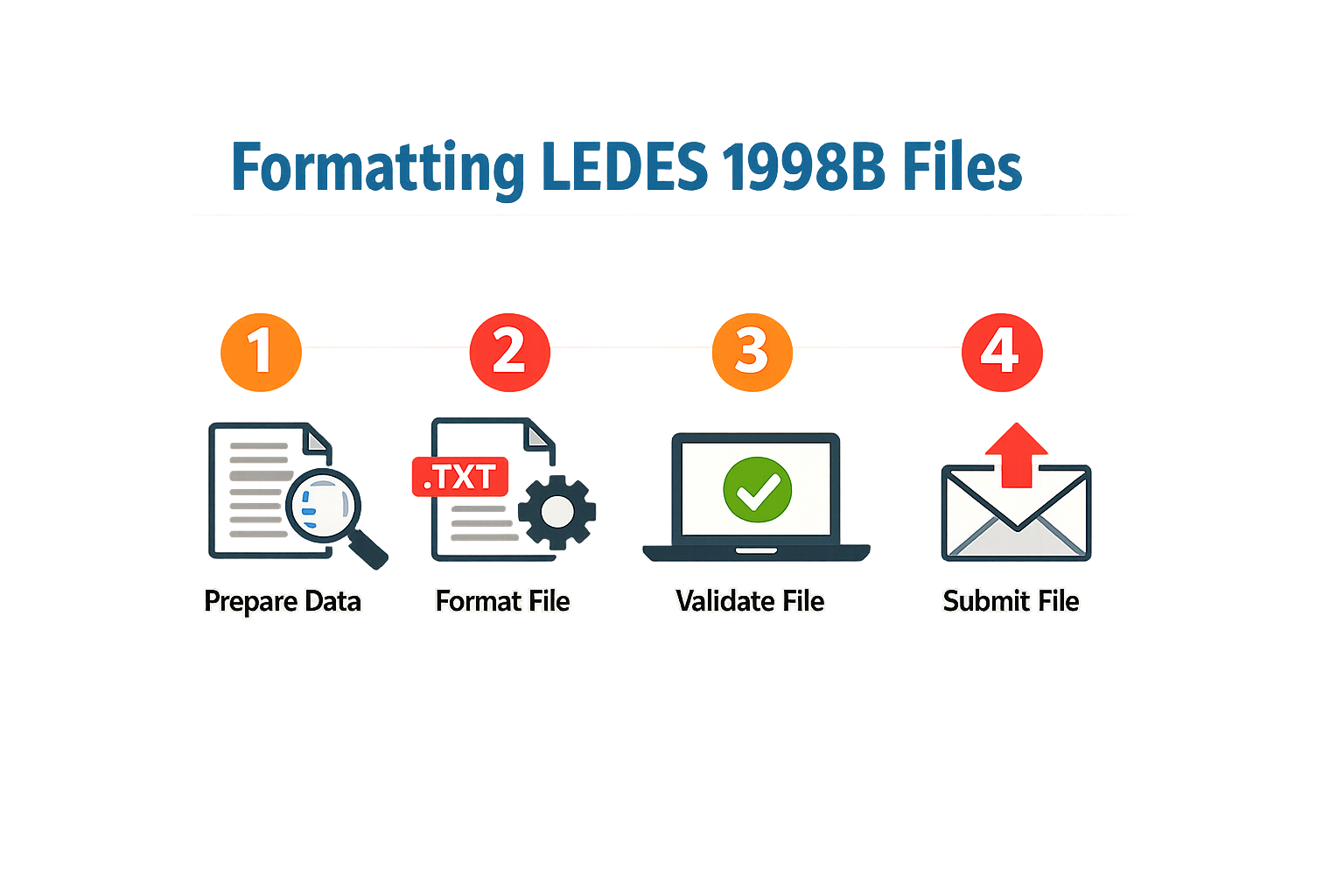
LEDES 1998B is an ASCII, pipe-delimited format containing 24 fields. The LEDES Oversight Committee states that it is currently the most-widely used e-billing standard in the legal industry in the US. Proper submission depends on understanding the structure and filling every field correctly — a single misplaced delimiter or a blank required field will trigger a portal rejection.
Step 1: Prepare the Header Row
Step 1
Prepare the Header Row
Every LEDES 1998B file begins with a single header row. The header lists all 24 field names in order, separated by pipe characters (|). Do not insert spaces around the pipes. The header is case-sensitive and must match the specification exactly. Most e-billing portals validate the header before they parse any line items, so a typo in the header will reject the entire file.
Step 2: Populate Each Line Item
Step 2
Populate Each Line Item
Each line after the header represents one fee or expense entry. All 24 fields must appear in sequence, separated by pipes, even when a field is optional and you leave it blank. The order is fixed: you cannot rearrange fields to suit your internal system. Export your time and expense data in the order the specification requires, filling required fields and leaving optional fields empty (two consecutive pipes) where you have no value.
Step 3: Validate Data Types and Formats
Step 3
Validate Data Types and Formats
Each field has a defined data type — text, numeric, date or currency. Dates must follow YYYYMMDD format with no separators. Currency amounts are expressed as integers (cents, not dollars) with no decimal point or currency symbol. Numeric fields such as hours worked are typically decimal values with a period as the decimal separator. Text fields must not contain pipe characters, line breaks or control characters. Run a pre-submission validation pass to catch format errors before the portal sees the file.
Step 4: Encode the File as Plain ASCII
Step 4
Encode the File as Plain ASCII
LEDES 1998B requires plain ASCII encoding. Do not save the file as UTF-8 with a byte-order mark, and do not use Unicode characters in narrative fields. Most portals will reject files with extended characters or encoding markers. If your billing system exports to CSV, verify that it writes ASCII and uses pipe delimiters rather than commas. Some systems default to comma-separated values; you must reconfigure the export to produce pipes.
Step 5: Name the File According to Portal Requirements
Step 5
Name the File According to Portal Requirements
Most e-billing portals specify a file-naming convention. Common patterns include the law firm's identifier, the matter number, the invoice number and a timestamp. Check the portal's submission guide or the carrier's outside counsel guidelines for the exact pattern. A file name that does not match the expected format may be accepted but routed to the wrong matter, or it may be rejected outright.
Step 6: Submit and Monitor for Validation Errors
Step 6
Submit and Monitor for Validation Errors
Upload the file through the portal's submission interface. The portal will run automated validation checks: header format, field count per line, data-type compliance and sometimes business-rule checks such as whether the UTBMS codes are recognized. If the file passes, you will receive a confirmation. If it fails, the portal will return an error report listing the line number and field where the problem occurred. Address each error and resubmit. Do not assume that silence means acceptance — confirm that the invoice appears in the portal's matter ledger.
A single misplaced delimiter or a blank required field will trigger a portal rejection — validation is not optional.
For additional guidance on common submission problems, see E-Billing Portal Invoice Rejections: Common Causes and Fixes.
What Are Best Practices for the LEDES 1998B File Format?
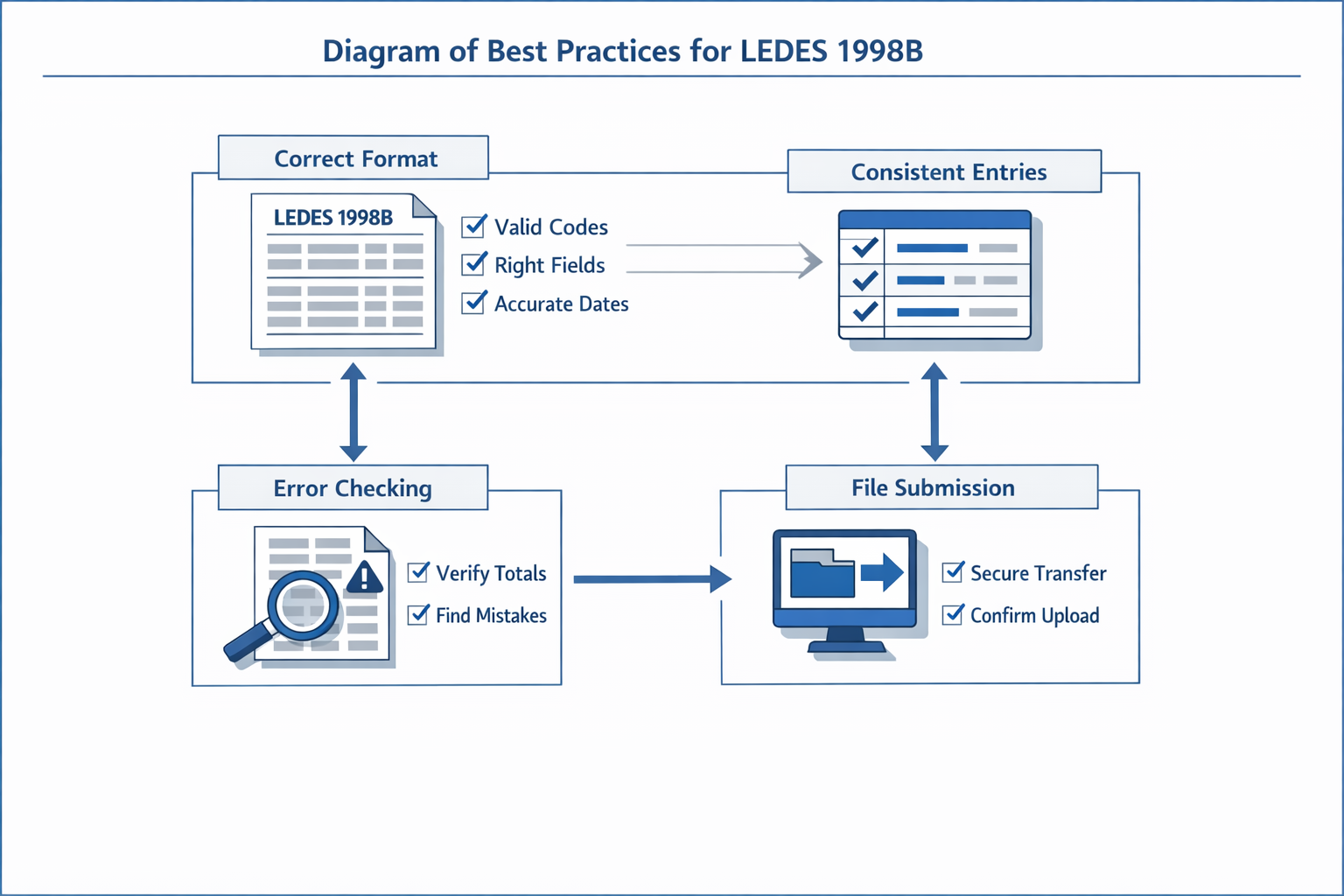
The LEDES 1998B file format is unforgiving. One misplaced pipe delimiter or an incorrectly formatted date field triggers a rejection at the portal, and the invoice cycles back to the firm. The following practices reduce validation errors and keep submissions moving.
Validate Field Data Before Export
Every field in the 24-field structure has a defined data type and length constraint. Invoice_Date and Line_Item_Date must follow YYYYMMDD with no separators. Line_Item_Number_Of_Units is a decimal with two places, even when the value is a whole number. Exporting a file without checking these constraints means the portal validator will catch them first, and the rejection notice will list every malformed field in the batch.
Run a pre-export validation routine in the billing system. If the system does not include one, export a test file with a handful of line items and submit it to a portal that echoes validation errors. Fix the errors in the source data, not in the exported file — editing a pipe-delimited text file by hand introduces new errors faster than it resolves old ones.
Match UTBMS Codes to the Client's Approved Set
Field 14 (UTBMS_TASK_CODE) and Field 15 (UTBMS_ACTIVITY_CODE) are mandatory in most carrier submissions. The standard code sets are published, but carriers and corporate clients often specify a subset of approved codes in their outside counsel guidelines. A line item coded L320 (draft pleadings — other) may be valid under the UTBMS standard but prohibited under a specific guideline that requires L310 (draft pleadings — complaint) or L330 (draft pleadings — motions).
Before generating the file, confirm that every task and activity code in the invoice appears on the client's approved list. If the guideline is silent, use the full UTBMS set, but expect the bill reviewer to query any code that looks like a catch-all. For more on how portal validation handles rejected codes, see E-Billing Portal Invoice Rejections: Common Causes and Fixes.
Preserve Narrative Detail in Field 10
Line_Item_Description (Field 10) is a free-text field, but portal validators enforce a maximum length, typically 250 or 500 characters depending on the receiving system. Truncating a narrative to fit the limit is better than letting the export routine cut it mid-sentence, but neither outcome satisfies the bill reviewer who needs enough detail to assess whether the work was necessary.
Write the narrative in the time-entry system with the character limit in mind. If the billing system does not display a live character count, draft the entry in a text editor that does, then paste it into the time slip. A narrative that reads "Research and draft motion in limine, 4.2" fits the technical limit but may trigger a block-billing reduction. A narrative that reads "Research evidentiary standard for prior conviction admissibility under Rule 609(a); draft motion in limine to exclude 2019 conviction" uses more characters and survives the reduction review.
Test the Full Submission Path, Not Just the File
A file that validates locally may still fail at the portal. The portal applies its own field checks, cross-references the matter number in Field 4 (CLIENT_MATTER_ID) against its database, and verifies that the timekeeper ID in Field 7 (TIMEKEEPER_ID) matches a pre-registered user. If any of these lookups fail, the file is rejected even though the field syntax is correct.
Submit a test invoice with one or two line items through the full portal workflow before generating the production file. Confirm that the matter number resolves, the timekeeper IDs are recognised, and the file clears the validation queue. If the test submission is rejected, the error message will specify which field or cross-reference failed, and the correction can be made in the billing system before the full invoice is exported.
Conclusion
The LEDES 1998B file format is the most widely used e-billing standard in the legal industry, and for good reason: it provides a structured, pipe-delimited framework that carriers and reviewers can parse, validate and audit at scale. Each of the 24 fields carries a specific purpose, and submitting a file with missing, malformed or inconsistent field values triggers rejections that delay payment and add administrative burden to both the firm and the carrier.
Mastering the LEDES 1998B file format means understanding not only what goes into each field, but also how reviewers read those fields in combination. A valid UTBMS task code paired with a vague line-item narrative still fails the sufficiency test under most panel guidelines. A correct date format in field 3 means nothing if the invoice date in field 2 falls outside the matter's active period. Precision across all 24 fields is what turns a technically valid file into an approvable invoice.
The LEDES 1998 standard was quickly updated and replaced by LEDES 1998B, reflecting the consortium's recognition that e-billing compliance requires ongoing refinement. Firms that treat the specification as a static checklist rather than a living discipline will continue to see rejections, reductions and requests for resubmission. Those that invest in validation tooling, staff training and regular audits of their own output will spend less time appealing write-downs and more time collecting on the work they performed.
If your firm has experienced repeated portal rejections or unexplained reductions, the root cause often lies in how the LEDES file was constructed before it ever reached the reviewer's desk. Review your export process, confirm that every field maps to the correct source data, and verify that your billing software applies the carrier's specific validation rules before submission. For a deeper look at why portals reject invoices and how to address the most common errors, see our guide to e-billing portal invoice rejections.
Adherence to the LEDES 1998B file format guidelines is not optional for panel counsel. It is the baseline expectation, and carriers enforce it through automated validation, manual review and fee-reduction protocols that your appeal rights may not fully reverse. Get the file right the first time, and the rest of the billing cycle becomes significantly easier to manage.
Frequently asked questions
What is the LEDES 1998B file format?
The LEDES 1998B file format is an ASCII, pipe-delimited text structure containing exactly 24 fields used for electronic billing submissions to carriers, corporations and panel administrators. Each field is separated by a vertical bar (|), and the format is the most widely used e-billing standard in the U.S. legal industry.
How many fields are in a LEDES 1998B file?
A LEDES 1998B file contains exactly 24 fields, each with specific data type and length requirements. All 24 fields must appear in sequence on every line item, even when optional fields are left blank.
What date format does LEDES 1998B require?
LEDES 1998B requires dates in YYYYMMDD format with no separators. For example, January 15, 2025 must be entered as 20250115. Any other format—including slashes, hyphens or ISO 8601 notation—will trigger a validation error.
Why do LEDES 1998B files get rejected?
LEDES 1998B files are rejected when required fields are missing, data types do not match the specification, dates are incorrectly formatted, or field values exceed maximum length constraints. A single formatting error can cause the portal to reject the entire file before it reaches a bill reviewer.
Can I edit a LEDES 1998B file in Excel?
No. LEDES 1998B files must remain plain ASCII text with pipe delimiters. Opening the file in Excel can introduce formatting changes, strip leading zeros from invoice numbers, or convert date fields into Excel date formats, all of which will cause validation failures at the portal.