


UTBMS Task Codes: How to Select the Right Code for Billing
Introduction
The Uniform Task-Based Management System (UTBMS) provides a standardized coding structure used to categorize legal work and expenses on client invoices. These codes appear in the LEDES 1998B file format and other e-billing transmission standards, where they serve as the primary classification mechanism for every time entry a law firm submits. When a timekeeper records four-tenths of an hour for legal research, the task code attached to that entry tells the carrier's bill review system exactly what category of work was performed.
Selecting the right UTBMS task codes is not a clerical nicety. It is the first line of defense against invoice rejection. E-billing portals validate task codes against the carrier's outside counsel guidelines before a human reviewer ever sees the narrative. An entry coded as L310 (expert witness research) when the guidelines prohibit expert fees without pre-approval will trigger an automated flag or outright rejection, regardless of how well the narrative is written. Through our research, we've noted that the published guidelines frequently flag certain entries, such as travel or intra-office conferences, for reductions or rejections, and the task code is the data point that surfaces those entries for scrutiny.
Carriers use task codes to enforce staffing ratios, detect block billing, and apply reduction codes at scale. When a matter shows twenty entries under A101 (plan and prepare for) with no corresponding entries under the substantive task codes, the bill reviewer sees a pattern. Reading several carriers' guidelines side by side, like Hartford's and Sompo's, reveals that block billing is treated differently across carriers, which can influence how task codes are applied. The task code is the handle by which the reviewer lifts an entry out of the invoice for closer inspection. Choosing the wrong code is choosing the wrong handle.
Understanding how to select the correct task code requires more than a quick glance at the LEDES 1998B file format. It requires knowing what each code represents, how carriers interpret those codes in the context of their guidelines, and what common mistakes lead to write-downs. The remainder of this article walks through the selection process step by step, identifies the traps that lead to reductions, and provides practical guidance for matching work to code with precision.
Solution Steps for Selecting UTBMS Task Codes

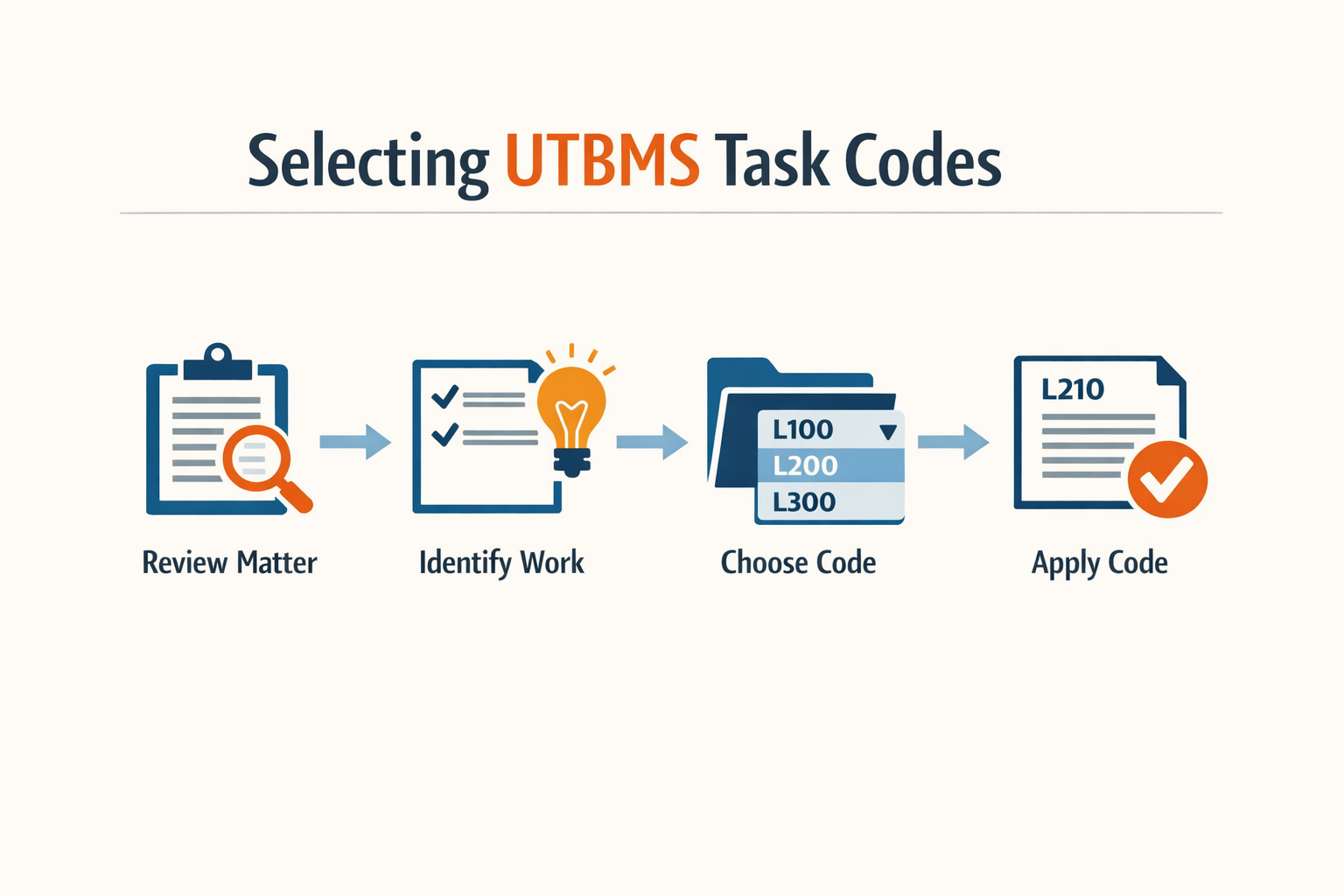
Selecting the right UTBMS task code for each billing entry is not guesswork. It follows a repeatable process that starts with understanding what work was performed and ends with validating that the chosen code meets the carrier's submission requirements. The steps below walk through that process, from initial categorization to final validation.
Step 1: Identify the Nature of the Work
Step 1
Categorize the work performed
Before you touch a code list, read the timekeeper's narrative and identify the substantive nature of the work. Was it case assessment and development? Pleadings? Discovery? Motion practice? Each UTBMS task code represents a distinct phase or category of legal work. If the entry describes drafting interrogatories, the work falls under discovery. If it describes reviewing a complaint, it falls under pleadings. The narrative drives the code, not the other way around.
Each time entry must include a matter number, timekeeper, duration in tenths, and a description of the work. That description is the anchor for code selection. If the narrative is vague or combines multiple tasks, the code will be wrong no matter how carefully you choose it.
Step 2: Select the Most Specific Code Available
Step 2
Choose specificity over breadth
Once you have identified the category, choose the most specific code that describes the work. UTBMS task codes are hierarchical, and defaulting to a broad category when a narrower code exists is a common error. For example, if the work involves drafting a motion in limine, use the code for motion practice rather than a generic litigation code. Best practice for selecting codes is to pick the most specific code available rather than defaulting to a broad category.
Specificity reduces ambiguity during bill review. Reviewers expect to see codes that match the level of detail in the narrative. When the narrative says "drafted motion to compel" and the code is a catch-all litigation task, the mismatch flags the entry for scrutiny.
Step 3: Pair the Task Code with the Correct Activity Code
Step 3
Assign one task and one activity code
Each time entry usually gets one task code and one activity code. The task code describes what phase of the case the work belongs to; the activity code describes the type of work performed within that phase. For instance, if the task is discovery and the work is drafting, the activity code should reflect drafting or document preparation. Do not assign multiple task codes to a single line item unless the carrier's guidelines explicitly permit it.
Activity codes provide the second dimension of classification. A task code alone tells the reviewer the case phase; the activity code tells them whether the timekeeper was planning, drafting, communicating, or appearing. Together, the two codes create a complete picture of the entry.
Step 4: Validate the Code Against the Carrier's Guidelines
Step 4
Check guideline restrictions
Before submitting the invoice, verify that the chosen code is permitted for the matter. Some carriers restrict certain task codes to specific case types or require pre-approval for particular tasks. eBilling systems validate whether each required code is present, whether it is a valid code, and whether it is permitted for the matter. If the system rejects the code at submission, the invoice will not process.
Read the guideline section on task codes and compare your selections to any published restrictions. If the guideline says administrative tasks require pre-approval above a certain threshold, and your entry exceeds that threshold without approval, the code will trigger a rejection even if it is technically correct.
Step 5: Review for Consistency Across the Invoice
Step 5
Audit code patterns before submission
Before the invoice leaves your system, review the full set of entries for consistency. If three timekeepers worked on discovery in the same week, their task codes should align unless their roles were materially different. Inconsistent coding within a single invoice signals careless entry and invites line-by-line scrutiny during bill review. Look for patterns: if one timekeeper used a generic code where others used specific codes for the same work, correct it before submission.
Consistency across the invoice demonstrates that the billing team understands the case and the code set. It also reduces the risk that a reviewer will flag an outlier entry simply because it does not match the pattern established by the rest of the invoice.
Tips and Tricks for Effective UTBMS Task Code Selection
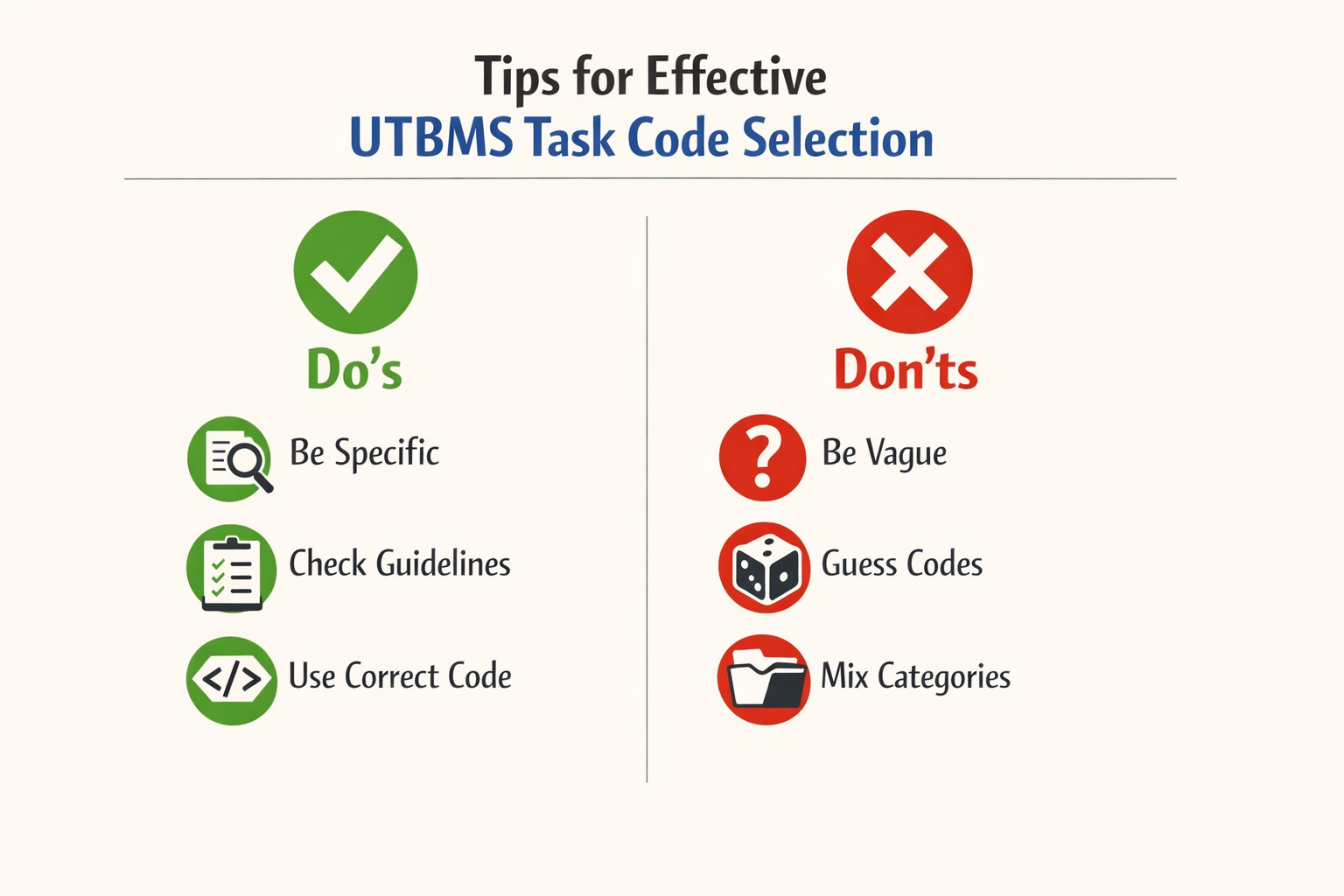
Selecting the right UTBMS task code is not a one-time decision — it is a practice that improves with attention to detail and consistency across the firm. The following recommendations address common pitfalls and reinforce habits that reduce rejections and write-downs.
Check Client-Specific Requirements Before Every Invoice
Not all clients require the same level of coding granularity. Some carriers and corporate clients require detailed task and activity codes for every line item, while others accept phase-level codes or do not require activity codes at all. Before finalising an invoice, review the client's outside counsel guidelines or e-billing portal instructions to confirm the required level of detail. Applying a one-size-fits-all approach across all matters invites unnecessary rejections.
Avoid Block Billing in Every Entry
Block billing — combining multiple tasks into a single narrative and assigning one task code — is prohibited by most outside counsel guidelines and is a leading cause of invoice reductions. Each discrete task performed during a billing period must appear as a separate line item with its own task code, activity code, and time increment. If you drafted a motion, reviewed discovery responses, and conferred with opposing counsel in one day, those are three line items, not one. For more on how carriers treat block billing, see the linked resource.
One entry reading "research case law, draft motion, and confer with client, 4.5" is a reduction waiting to happen.
Track Time in Real Time, Not at Day's End
Accurate UTBMS coding depends on accurate time capture. Recording time as work happens — rather than reconstructing it hours or days later — ensures that each task is coded correctly and that no activity is lumped into the wrong category. Real-time tracking also reduces the temptation to combine tasks for convenience, which is the root cause of most block billing violations.
Train New Timekeepers on UTBMS Coding from Day One
When a new attorney or paralegal joins a matter that requires UTBMS coding, the matter administrator should provide orientation on the required task and activity codes, how to select the correct codes for common activities, and where to find the UTBMS code reference. Do not assume that a new hire or a lateral attorney knows the firm's coding conventions or the client's specific requirements. A fifteen-minute orientation prevents months of miscoded entries and the write-downs that follow.
Step 1
Provide a quick-reference sheet
Create a one-page guide listing the five or six most common task codes for the matter type, with examples of activities that fall under each code. Attach it to the new timekeeper's onboarding checklist.
Review Rejected Invoices for Patterns
When an invoice is rejected or reduced, read the reduction code and the reviewer's comment. If the same task code or narrative pattern triggers reductions across multiple invoices, adjust the firm's internal guidance and communicate the change to all timekeepers. Reduction patterns are not random — they reflect specific guideline violations or reviewer expectations that the firm can address prospectively.
Conclusion
Accurate UTBMS task code selection is not optional for insurance defense billing — it is the threshold test that every invoice must pass before a reviewer evaluates the narrative or the fee. When selecting UTBMS task codes for legal billing, it is crucial to understand the nuances that each code represents. The UTBMS task codes are designed to categorize legal services into specific activities, making it easier for both law firms and clients to understand and manage billing. However, the challenge often lies in selecting the most appropriate code for each entry.
Through our research, we have noted that the published guidelines frequently flag certain entries, such as travel or intra-office conferences, for reductions or rejections. This pattern underscores the importance of choosing the right task code to avoid unnecessary billing disputes. Additionally, reading several carriers' guidelines side by side, like Hartford's and Sompo's, reveals that block billing is treated differently across carriers, which can influence how task codes are applied. Consistent, accurate UTBMS coding is a key indicator of billing quality from a corporate client's perspective, making cost analysis easier and strengthening the billing relationship.
By understanding these patterns and the specific requirements of each carrier's guidelines, legal professionals can make more informed decisions when selecting UTBMS task codes, ultimately leading to more accurate and accepted billing submissions. The steps outlined in this article — reading the controlling guideline, matching the work performed to the code definition, and cross-checking the narrative against the selected code — form a repeatable process that reduces rejection risk and builds trust with the client or carrier.
For additional guidance on related billing requirements, see Block Billing: Reasons for Carrier Rejections and Solutions. Adherence to the UTBMS framework, combined with attention to guideline-specific prohibitions, positions the invoice for acceptance and payment without delay.