


UTBMS Codes and LEDES for Insurance Defense Firms
Introduction to LEDES and UTBMS
A single line item reading "research and draft motion, 4.2" will fail validation at most e-billing portals before a human reviewer ever sees it. The carrier expects a LEDES 1998B file with a UTBMS task code in the correct field position, an activity code that matches the task, and a narrative that describes one discrete activity. When any of these elements is missing or misaligned, the portal returns a rejection code, the invoice sits in a queue, and payment stops.
LEDES and UTBMS are not optional conventions. They are the mechanical requirements that insurance carriers use to receive, parse, and review outside counsel invoices. LEDES defines the file structure — a pipe-delimited text format with 24 fields in a fixed order. UTBMS defines the code sets that populate three of those fields: task code, activity code, and expense code. Together, they turn a timekeeper's narrative into a machine-readable record that an e-billing portal can validate, a bill reviewer can analyze, and a carrier can pay.
Navigating the intricacies of LEDES and UTBMS can be challenging for insurance defense firms, but understanding these systems is crucial for efficient billing practices. The LEDES 1998B format, as defined by the LEDES Oversight Committee, specifies the required fields for billing submissions, though in practice some e-billing portals accept files that omit fields marked as required by the specification.
This guide explains what LEDES and UTBMS are, why they matter for insurance defense firms, how to implement them in your billing workflow, and where the common failure points occur. It covers the LEDES 1998B file format field by field, the UTBMS task and activity code structure, carrier guideline requirements, e-billing portal submission mechanics, and the reduction codes that appear when something goes wrong. The goal is to give billing staff and timekeepers a reference that answers the question: what does the carrier actually require, and how do I deliver it without triggering a rejection?
The sections that follow walk through the file format, the code sets, the implementation steps, the compliance best practices, and the mistakes that generate the most frequent rejections. By the end, you will know what a compliant LEDES file looks like, which UTBMS codes apply to common insurance defense tasks, and how to structure your billing process so that invoices clear the portal on the first submission.
Explore LEDES and UTBMS standards for insurance defense firms in this complete guide to billing practices and compliance.
What is LEDES?
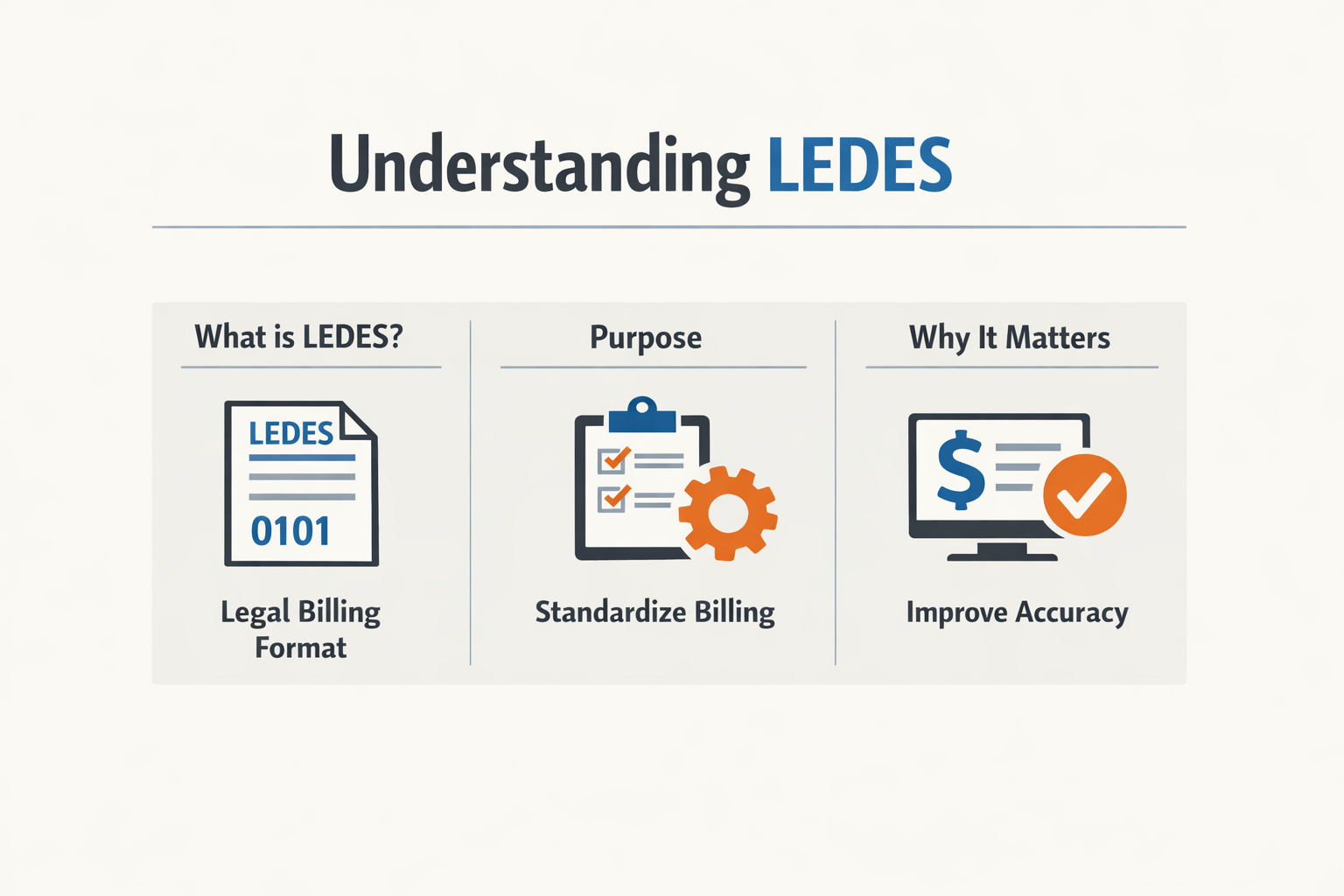
LEDES is a file format specification that structures legal billing data for electronic transmission between law firms and their clients. The acronym stands for Legal Electronic Data Exchange Standard. The LEDES Oversight Committee publishes and maintains the specification, which defines how invoice information moves from a law firm's time and billing system into a carrier's e-billing portal or bill review platform.
The most widely adopted version for insurance defense work is LEDES 1998B. This format organizes each invoice as a series of line items, with each line representing a single fee entry or expense. Every line item appears as one row in a pipe-delimited text file, and each row contains up to 24 fields that describe the charge.
How LEDES 1998B Structures Billing Data
The LEDES 1998B specification designates certain fields as required and others as optional. Required fields include INVOICE_DATE, INVOICE_NUMBER, CLIENT_ID, LAW_FIRM_MATTER_ID, INVOICE_TOTAL, BILLING_START_DATE, BILLING_END_DATE, LINE_ITEM_NUMBER, LINE_ITEM_NUMBER_OF_UNITS, TIMEKEEPER_ID (for task items), LINE_ITEM_DESCRIPTION (for task items), and LAW_FIRM_ID. A null value in any required field constitutes an error under the specification.
For fee line items—time entries billed by a timekeeper—the specification requires LINE_ITEM_TASK_CODE and LINE_ITEM_ACTIVITY_CODE when the receiving client mandates task-based billing. These fields hold UTBMS codes that categorize the work performed. The specification states that task codes may be used without activity codes, but activity codes should not appear without a corresponding task code.
Expense line items use LINE_ITEM_EXPENSE_CODE instead of task and activity codes. The specification requires this field for expense items and allows LINE_ITEM_DESCRIPTION to remain null if an expense code is present.
Required Fields and Portal Acceptance
The LEDES 1998B specification marks 13 fields as required across all line items, with additional conditional requirements depending on whether the line item represents a fee, an expense, or an invoice-level adjustment. In practice, some e-billing portals accept files that omit fields the specification designates as required. This discrepancy means a file may pass portal validation even though it violates the published standard.
LAW_FIRM_ID, for example, is a required character field that must contain a unique identifier for the sending law firm—typically the firm's Federal Taxpayer ID. A null value in this field is an error under the specification. Yet certain portals will ingest the file and route the invoice to the correct matter without rejecting it for a missing LAW_FIRM_ID.
INVOICE_TOTAL is another required field. The specification defines it as the sum of all LINE_ITEM_TOTAL values in the invoice and instructs receiving applications to verify that the stated total matches the sum of the line items within a reasonable variance to account for rounding. If the variance exceeds a threshold—such as one percent—the specification treats the discrepancy as an error that must be resolved before payment. Not all portals enforce this check.
LEDES Variants and Extensions
LEDES 1998BI is a variant that adds fields for budget and matter-phase tracking. LEDES XML is an alternative encoding that uses XML tags instead of pipe-delimited rows. Both formats serve the same purpose as LEDES 1998B: they structure invoice data for electronic submission. Insurance defense carriers publishing outside counsel guidelines typically specify which LEDES format they accept, and most name LEDES 1998B as the baseline.
For a detailed breakdown of all 24 fields in the LEDES 1998B specification, including field types, character limits, and conditional requirements, refer to LEDES 1998B File Format - All 24 Fields Explained.
What is UTBMS?
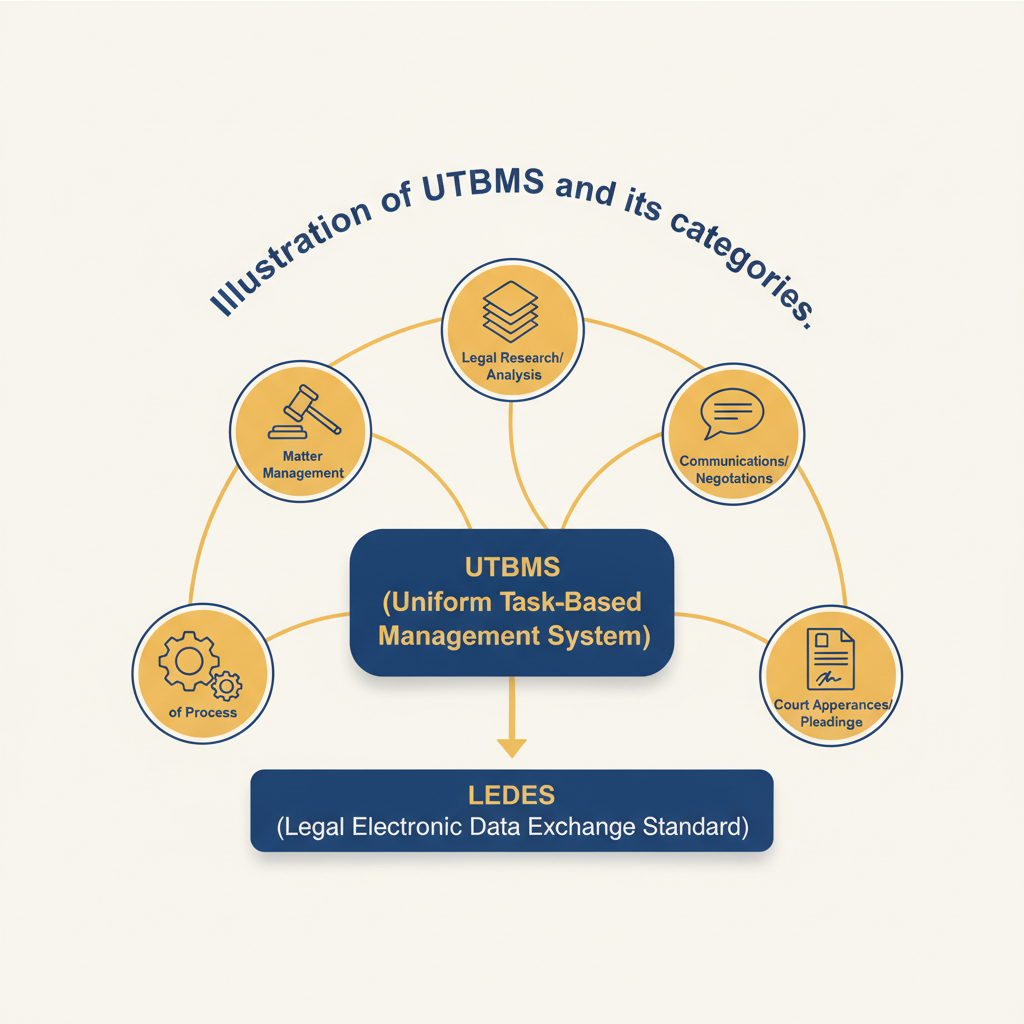
UTBMS — the Uniform Task-Based Management System — is a code set that categorizes legal work into standardized tasks, activities, and expenses. When a firm submits an invoice through LEDES, UTBMS codes populate specific fields in the file to tell the carrier what kind of work was performed. The LEDES 1998B specification defines three code fields: LINE_ITEM_TASK_CODE (field 15), LINE_ITEM_ACTIVITY_CODE (field 17), and LINE_ITEM_EXPENSE_CODE (field 16). Task codes describe broad categories of legal work, activity codes break down what the timekeeper did within that task, and expense codes classify disbursements.
How UTBMS Codes Fit into LEDES
A LEDES file is a container; UTBMS codes are the labels inside it. Field 15, LINE_ITEM_TASK_CODE, is required for task items — fee entries that bill time. Field 17, LINE_ITEM_ACTIVITY_CODE, is also required for task items, and the specification notes that task codes may be used without activity codes but activity codes should not be used without task codes. Field 16, LINE_ITEM_EXPENSE_CODE, is required for expense items — line entries that bill disbursements rather than hours. Most fee items leave field 16 null; most expense items leave fields 15 and 17 null.
When a timekeeper records 2.5 hours of work, the firm's billing system assigns a task code (for example, L310 for depositions) and an activity code (for example, A103 for plan/prepare) to that entry. Those codes flow into the LEDES file at submission. The carrier's bill review system reads the codes and applies the guideline rules that govern each category.
Task Codes, Activity Codes, and Expense Codes
Task codes organize work into phases or functions: pleadings, discovery, motions, trial preparation, and so on. Each task code is a letter followed by three digits. Activity codes describe the specific action taken within a task: reviewing documents, drafting, attending a hearing, conferring with the client. Activity codes follow the format A
and nest under task codes. Expense codes classify disbursements: court filing fees, deposition transcripts, expert witness fees, travel costs. Expense codes follow the format E
and appear only in expense line items.
The UTBMS Activity Codes A101-A111 for Legal Billing article covers the full range of activity codes and how reviewers interpret them. When a line item carries task code L310 (depositions) and activity code A102 (review/analyze), the reviewer knows the timekeeper spent that time preparing for or reviewing a deposition, not taking it. If the same task code appears with activity code A104 (conduct/attend), the reviewer knows the timekeeper was present at the deposition.
Why UTBMS Codes Matter for Compliance
Carriers use UTBMS codes to enforce guideline limits. A guideline may cap certain tasks, require pre-approval above a threshold, or prohibit billing particular activities without advance notice. The codes make those rules machine-readable. A portal can flag all L320 entries (expert witnesses) above a dollar limit, or reject any line item with task code L330 (motions in limine) submitted after a case-management deadline. The firm that omits codes, uses them inconsistently, or picks the wrong code for the work performed will see rejections that a correct code set would have avoided.
Field 11, LINE_ITEM_NUMBER_OF_UNITS, works with the codes to calculate totals. For fee items, field 11 holds the number of hours billed. For expense items, it holds the count of items expensed. A line item with 2.5 in field 11, task code L310, and activity code A103 tells the reviewer exactly what happened and how much time it took. A line item with 1 in field 11 and expense code E101 (court filing fees) tells the reviewer the firm paid one filing fee and is seeking reimbursement.
The code is not a substitute for the narrative, but the narrative without the code is invisible to the automated review that happens before a human ever sees the invoice.
Why LEDES and UTBMS Matter for Insurance Defense Firms
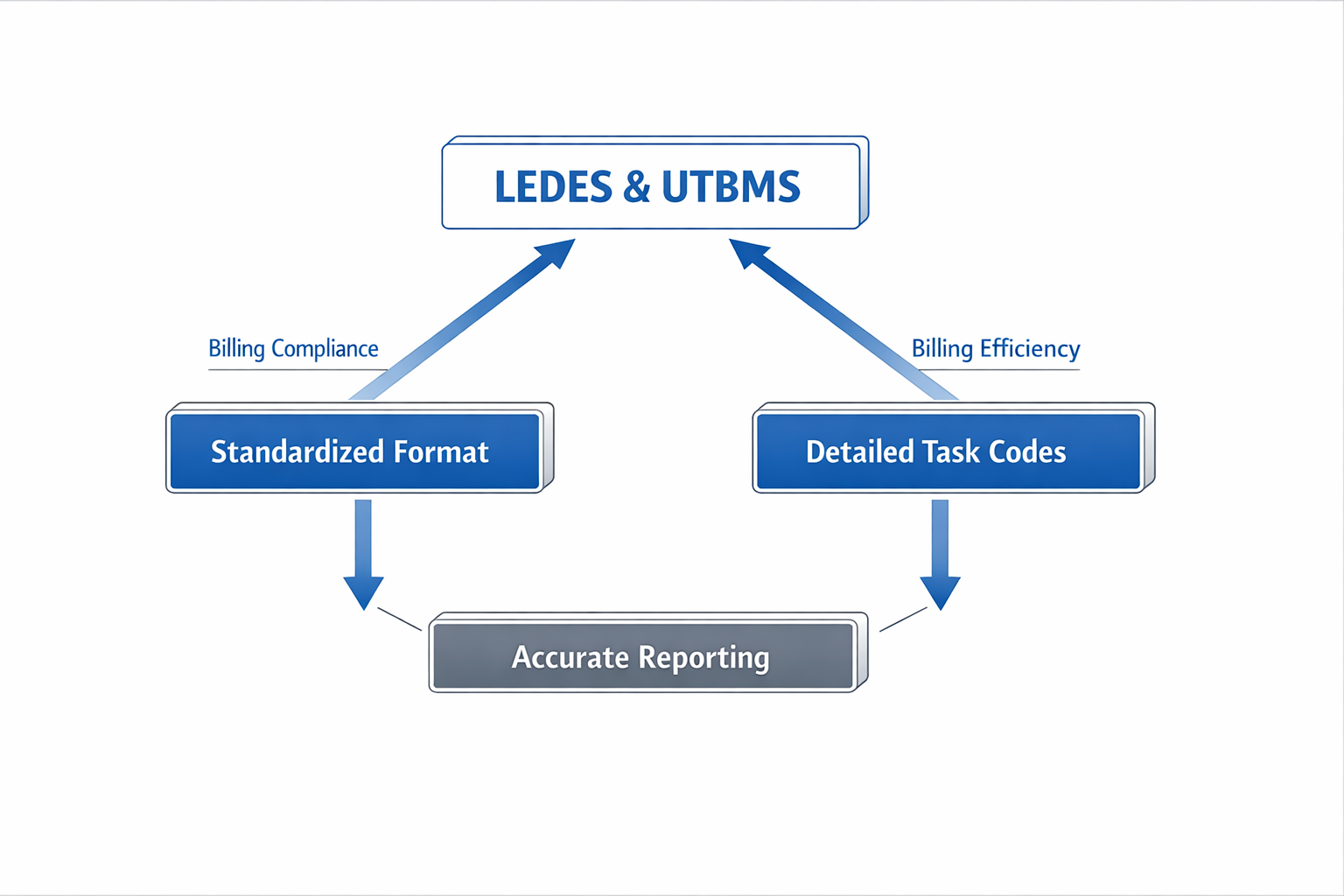
LEDES and UTBMS are not optional for most insurance defense work. Carriers specify the LEDES 1998B format and UTBMS task and expense codes in their outside counsel guidelines, and e-billing portals reject submissions that do not meet those requirements. A firm that cannot produce a compliant LEDES file cannot submit an invoice, and a firm that submits one with missing required fields or incorrect UTBMS codes faces rejection, delay, and the administrative cost of resubmission.
Compliance: Required Fields Drive Portal Acceptance
The LEDES 1998B specification marks certain fields as required. INVOICE_DATE, INVOICE_NUMBER, CLIENT_ID, LAW_FIRM_MATTER_ID, INVOICE_TOTAL, BILLING_START_DATE, BILLING_END_DATE, LINE_ITEM_NUMBER, LINE_ITEM_NUMBER_OF_UNITS, TIMEKEEPER_ID, LINE_ITEM_DESCRIPTION and LAW_FIRM_ID all carry the designation "Required" in the published field list. A null value in any of these fields is an error under the specification. In practice, some e-billing portals accept files that omit fields marked as required, but relying on that tolerance is a risk — a different portal or a guideline update can turn a submission that worked last month into a rejection this month.
UTBMS task codes (field 15, LINE_ITEM_TASK_CODE) and activity codes (field 17, LINE_ITEM_ACTIVITY_CODE) are required for task items — fee entries performed by a timekeeper. The specification states that task codes may be used without activity codes, but activity codes should not be used without task codes. Expense items use LINE_ITEM_EXPENSE_CODE (field 16) instead. A fee line item submitted without a task code when the carrier guideline requires one triggers a validation error or a bill review reduction.
Efficiency: Automatic Routing and Reduced Manual Intervention
The LEDES specification includes LAW_FIRM_ID and CLIENT_ID to enable automatic bill routing. When these fields are populated correctly, the receiving system can direct the invoice to the correct matter and reviewer without manual intervention. This reduces the time between submission and payment and lowers the risk that an invoice sits in a queue because no one knows where to send it.
For a firm billing dozens or hundreds of matters each month, automatic routing eliminates a category of administrative work. The alternative — emailing invoices as PDFs and waiting for someone to match them to a matter number — introduces delay, increases the chance of a lost invoice, and creates friction with the carrier's accounts payable team. A correctly formatted LEDES file, submitted to the correct portal with the correct matter identifier, moves through the system faster.
Accurate Billing: UTBMS Codes as a Common Language
UTBMS task and activity codes create a shared vocabulary between the billing firm and the bill reviewer. When a line item carries task code L320 (depositions) and activity code L323 (prepare for deposition), the reviewer knows what work was performed without parsing a narrative. This standardisation reduces ambiguity and makes it easier for the reviewer to apply the carrier's guidelines consistently.
Without UTBMS codes, the reviewer reads the narrative and assigns a category based on interpretation. Two reviewers reading the same narrative may categorise the same work differently, leading to inconsistent reductions. UTBMS codes do not eliminate reviewer discretion, but they anchor the review process to a defined code set, which improves predictability.
Task codes may be used without activity codes, but activity codes should not be used without task codes — the specification establishes a hierarchy that bill reviewers enforce.
For more detail on how carriers handle narrative detail and coding, see Block Billing: Reasons for Carrier Rejections and Solutions.
The Cost of Non-Compliance
A firm that submits an invoice without the required LEDES format or UTBMS codes faces rejection at the portal level or reduction during bill review. Rejection means resubmission, which delays payment and consumes administrative time. Reduction means the firm writes off hours that were worked but not paid, and the write-off may not be discovered until weeks after the invoice was submitted.
The cost is not just the lost revenue on one invoice. Repeated rejections or reductions signal to the carrier that the firm does not understand the billing requirements, and that perception affects panel status and future matter assignments. A firm that cannot bill correctly is a firm the carrier will eventually replace.
How to Implement LEDES and UTBMS in Your Firm
Adopting LEDES and UTBMS standards requires deliberate changes to how your firm captures time, codes entries, and exports invoices. The LEDES 1998B format defines required fields that your billing system must populate correctly, and UTBMS codes demand consistency in how timekeepers classify their work. Implementation is not a one-time configuration—it is an operational shift that touches intake, daily time entry, quality control, and invoice generation.
Most firms discover gaps during the first export attempt: missing CLIENT_ID values, null TIMEKEEPER_ID fields on fee entries, or task codes that do not match the carrier's approved set. Addressing these gaps before submission prevents rejection cycles and the rework that follows.
Audit Your Current Billing Data
Before configuring any export, inventory what your system already captures. The LEDES 1998B specification marks INVOICE_DATE, INVOICE_NUMBER, CLIENT_ID, LAW_FIRM_MATTER_ID, INVOICE_TOTAL, BILLING_START_DATE, BILLING_END_DATE, LINE_ITEM_NUMBER, LINE_ITEM_NUMBER_OF_UNITS, TIMEKEEPER_ID, and LINE_ITEM_DESCRIPTION as required fields for task items. If your system does not populate these fields consistently, the export will fail validation or be rejected by the portal.
Check whether your matter intake process assigns a CLIENT_ID and LAW_FIRM_MATTER_ID at setup. Verify that every timekeeper has a unique TIMEKEEPER_ID that your billing system can export. Confirm that LINE_ITEM_NUMBER_OF_UNITS is recorded in decimal format (for example, 0.3 for eighteen minutes) and that LINE_ITEM_DESCRIPTION is populated for every fee entry. A null value in any required field will trigger an error.
Map UTBMS Codes to Your Practice Areas
UTBMS task and activity codes must be assigned at the time of entry, not retrospectively during invoice preparation. Identify which task codes align with your firm's work: discovery, motions, trial preparation, client communication. Then map activity codes to the specific actions timekeepers perform under each task—drafting, reviewing, attending, analyzing.
For fee line items, the LEDES 1998B specification requires both LINE_ITEM_TASK_CODE and LINE_ITEM_ACTIVITY_CODE when task codes are used. Activity codes should not appear without an accompanying task code. Train timekeepers to select the task first, then the activity, so that every entry carries both codes when required.
Expense items use LINE_ITEM_EXPENSE_CODE instead of task and activity codes. Review your firm's expense categories and assign the appropriate UTBMS expense code to each—copying, courier, filing fees, expert fees. If an expense uses a LINE_ITEM_EXPENSE_CODE, the LINE_ITEM_DESCRIPTION field may be left null, but many carriers expect a description regardless.
Step 1
Configure your billing system
Enable UTBMS code fields in your time-entry interface. Set task and activity codes as mandatory for fee entries and expense codes as mandatory for disbursements. Configure your system to export LEDES 1998B with all required fields populated, and test the export against a sample invoice before submitting to a carrier portal.
Train Timekeepers on Code Selection and Narrative Standards
Timekeepers must understand that UTBMS codes are not decorative—they drive bill review and determine whether a line item passes automated validation. Provide a reference guide that lists the task and activity codes your firm uses, with examples of entries that fit each code. Emphasize that the narrative in LINE_ITEM_DESCRIPTION must describe the specific work performed, not repeat the code's generic label.
For detailed guidance on narrative requirements and common rejection triggers, see Block Billing: Reasons for Carrier Rejections and Solutions.
Block billing—combining multiple tasks in a single entry—will trigger reductions under most carrier guidelines, even when the combined time is accurate. Train timekeepers to create separate entries for distinct tasks performed on the same day, each with its own task code, activity code, and narrative.
Step 2
Establish a pre-submission review process
Before exporting an invoice, review every line item for code accuracy, narrative sufficiency, and compliance with the client's outside counsel guidelines. Check that no fee entry is missing a TIMEKEEPER_ID, that no task code appears without an activity code, and that LINE_ITEM_NUMBER_OF_UNITS reflects the actual time worked. This review catches errors that would otherwise result in portal rejection.
Test Your LEDES Export Before Submission
Generate a LEDES 1998B file from a completed matter and open it in a text editor or spreadsheet application. Verify that the file is pipe-delimited, that the header row matches the specification, and that every required field contains a value. The LEDES 1998B specification states that LAW_FIRM_ID must use the firm's Federal Taxpayer ID if the firm operates in the United States; confirm that this field is populated correctly.
Check that INVOICE_TOTAL equals the sum of all LINE_ITEM_TOTAL values. The specification allows a small variance for rounding, but a discrepancy exceeding one percent signals an error that must be corrected before submission. Verify that BILLING_START_DATE and BILLING_END_DATE define a logical billing period and that INVOICE_DATE falls on or after BILLING_END_DATE.
Step 3
Submit through the carrier's e-billing portal
Upload the LEDES file to the designated portal and monitor the validation response. If the portal rejects the file, note the specific field and line number cited in the error message. Correct the underlying data in your billing system, regenerate the file, and resubmit. Do not edit the LEDES file directly in a text editor—errors must be fixed at the source to prevent recurrence.
Maintain Code Consistency Across Matters
Once your firm has mapped UTBMS codes to its practice areas, enforce that mapping across all matters. Inconsistent code use—assigning different task codes to identical work depending on the timekeeper or the matter—will confuse bill reviewers and increase the likelihood of reduction. Establish a firm-wide code guide and update it when carriers publish new code sets or revise their guidelines.
Including LAW_FIRM_ID and CLIENT_ID in every invoice facilitates automatic bill routing, which reduces the time between submission and payment. Ensure that these fields are populated at matter intake so that every invoice carries the identifiers the carrier's system expects.
Best Practices for LEDES and UTBMS Compliance
Compliance with LEDES and UTBMS standards is not a one-time configuration. It requires consistent attention to field population, code selection, and file validation before submission. The practices below reflect the requirements stated in the LEDES 1998B specification and the realities of e-billing portal enforcement.
Populate All Required Fields Before Submission
The LEDES 1998B specification marks certain fields as "Required." A null value in a required field is an error. INVOICE_DATE, INVOICE_NUMBER, CLIENT_ID, LAW_FIRM_MATTER_ID, INVOICE_TOTAL, BILLING_START_DATE, BILLING_END_DATE, LINE_ITEM_NUMBER, and LAW_FIRM_ID must contain valid data on every line. For task items — entries that represent attorney time — TIMEKEEPER_ID, LINE_ITEM_TASK_CODE, LINE_ITEM_ACTIVITY_CODE, LINE_ITEM_NUMBER_OF_UNITS, and LINE_ITEM_DESCRIPTION are also required. For expense items, LINE_ITEM_EXPENSE_CODE is required.
Some e-billing portals accept files that omit certain fields marked as required by the specification. That discrepancy does not make the omission compliant; it means the portal's validation is lenient. A firm that relies on lenient validation risks rejection when the carrier tightens its rules or when the matter moves to a different portal.
Use UTBMS Codes Consistently Across All Matters
Task codes and activity codes must be drawn from the UTBMS code sets. The specification states that task codes may be used without activity codes, but activity codes should not be used without task codes. When a carrier requires UTBMS codes, the requirement applies to every fee line item. A missing or invalid code is a rejection trigger.
Select the most specific code that describes the work. If the narrative says "research motion in limine," the task code should reflect motion practice, and the activity code should reflect legal research. Generic codes like "Case Management" or "General Preparation" are rarely the most accurate choice and invite scrutiny during bill review.
Verify Field Length Limits and Data Types
LINE_ITEM_DESCRIPTION may contain up to 15KB of text, but that does not mean every portal accepts 15KB. Some portals truncate descriptions at 1,000 or 2,000 characters. Know the practical limit for each destination and write narratives that stay within it.
Date fields must follow the YYYYMMDD format. Currency fields must follow the specified precision. LINE_ITEM_NUMBER_OF_UNITS is numeric with up to four decimal places. A value of "0" or null in that field is an error unless the line item is an invoice-level adjustment. If your billing system rounds hours to two decimal places, that is acceptable, but the field must contain a valid numeric value.
Enable Automatic Bill Routing with LAW_FIRM_ID and CLIENT_ID
LAW_FIRM_ID and CLIENT_ID are included in the specification to enable automatic bill routing. For law firms operating in the United States, LAW_FIRM_ID must be the firm's Federal Taxpayer ID. A null value is an error. CLIENT_ID is the law firm's assigned client code; it must be unique and consistent across all matters for that client.
When these fields are populated correctly, the receiving system can route the invoice to the correct reviewer without manual intervention. When they are missing or inconsistent, the invoice sits in a queue until someone identifies the correct destination, delaying payment.
LAW_FIRM_ID and CLIENT_ID are included as fields in order to enable automatic bill routing, should that be desired.
Reconcile INVOICE_TOTAL with the Sum of LINE_ITEM_TOTALs
INVOICE_TOTAL is defined as the sum of all LINE_ITEM_TOTAL values in the invoice. The receiving application is encouraged to verify that INVOICE_TOTAL equals the sum of the line item totals, within a reasonable variance to account for rounding errors. If INVOICE_TOTAL is not within a reasonable variance — the specification suggests 1% — the invoice contains an arithmetic error that must be resolved before payment.
This is not a guideline; it is a specification requirement. A firm that submits an invoice with a material discrepancy between INVOICE_TOTAL and the sum of the line items has submitted a defective file. The portal may accept it, but the bill reviewer will flag it, and the firm will be asked to resubmit.
Document Your Code Selection and Narrative Standards
Compliance is easier to maintain when the firm has written standards for code selection and narrative detail. A standards document should specify which UTBMS task codes apply to which practice areas, how to describe common activities in LINE_ITEM_DESCRIPTION, and what level of detail satisfies the firm's understanding of each carrier's requirements.
When timekeepers follow a common standard, the resulting LEDES files are more consistent, bill review goes faster, and rejection rates fall. When every timekeeper invents their own approach, the firm's invoices look inconsistent, and carriers assume the firm does not understand the requirements. For more on narrative standards and how carriers evaluate them, see Block Billing: Reasons for Carrier Rejections and Solutions.
Common Mistakes in LEDES and UTBMS Billing
Most invoice rejections trace back to a handful of recurring errors in LEDES file construction and UTBMS code application. The LEDES 1998B specification marks certain fields as required, yet firms routinely submit files with null values in those positions, triggering validation failures at the portal. Understanding where the specification draws hard lines—and where portals enforce them inconsistently—prevents costly resubmission cycles.
Omitting Required Fields
LEDES 1998B designates fields 1 through 7, 9, and 20 as required, meaning a null value ("") constitutes an error. Field 1, INVOICE_DATE, field 2, INVOICE_NUMBER, field 3, CLIENT_ID, field 4, LAW_FIRM_MATTER_ID, and field 20, LAW_FIRM_ID, must each carry a value on every line. Field 5, INVOICE_TOTAL, field 6, BILLING_START_DATE, field 7, BILLING_END_DATE, and field 9, LINE_ITEM_NUMBER, follow the same rule. A file that leaves any of these blank will fail validation in most e-billing portals, though some systems accept partial compliance and flag the discrepancy only during manual review.
Firms sometimes populate header fields on the first line and leave them null on subsequent lines, assuming the portal will carry the value forward. The specification states that for each INVOICE_NUMBER, only the first INVOICE_DATE, BILLING_START_DATE, BILLING_END_DATE, and INVOICE_TOTAL are valid; all others can be disregarded. That wording does not authorize null values—it means redundant entries are ignored, not that they may be omitted. Export routines that blank out header fields after the first row produce files that violate the standard, even if some portals tolerate the practice.
Misapplying Task, Activity and Expense Codes
Field 15, LINE_ITEM_TASK_CODE, and field 17, LINE_ITEM_ACTIVITY_CODE, are required for task items—fee entries that represent attorney or paralegal time. Field 16, LINE_ITEM_EXPENSE_CODE, is required for expense items. The specification notes that task codes may be used without activity codes, but activity codes should not appear without a task code. Firms that populate field 17 while leaving field 15 null create a logical inconsistency that bill reviewers flag as non-compliant.
Expense line items rarely carry a task or activity code, and the specification permits null values in those fields when the line represents an out-of-pocket cost rather than labor. Conversely, a fee line item must include a TIMEKEEPER_ID in field 18 and a task code in field 15; a null value in either field on a time entry is an error. Billing staff who apply expense codes to time entries, or who omit the timekeeper identifier from a fee line, produce files that fail both the specification and the carrier's guideline review.
Confusing LINE_ITEM_NUMBER_OF_UNITS with Billing Increment
Field 11, LINE_ITEM_NUMBER_OF_UNITS, holds the number of units billed on the line item—hours for fee entries, quantity for expenses. The specification requires a value greater than zero except for invoice-level adjustments, where the field is ignored. A value of zero or null on a fee or expense line is an error.
Firms occasionally populate this field with a billing increment (for example, 0.1 to indicate tenth-of-an-hour rounding) rather than the actual hours worked. If an attorney spent 0.3 hours on a task, field 11 should read 0.3, not 0.1. The increment convention governs how time is rounded before it reaches the LEDES file; the file itself reports the rounded result. Entering the increment rather than the quantity produces an INVOICE_TOTAL in field 5 that does not match the sum of the LINE_ITEM_TOTAL values, triggering an arithmetic variance that the specification directs receiving applications to flag.
Leaving LINE_ITEM_DESCRIPTION Null on Fee Entries
Field 19, LINE_ITEM_DESCRIPTION, is required for task items and may contain up to 15 KB of text. The specification permits a null value only when an expense item uses a LINE_ITEM_EXPENSE_CODE, because the code itself describes the expense. For fee entries, the narrative must appear; a blank description on a time line violates the standard and invites a block-billing reduction even when the entry represents a single task.
Some firms export a task code and activity code but omit the free-form narrative, reasoning that the codes provide sufficient detail. Carrier guidelines uniformly reject that interpretation. The codes classify the work; the narrative describes what the timekeeper did. A line reading "L310" and "A102" with no text in field 19 will be reduced or rejected, and the firm will be directed to resubmit with compliant descriptions. For detailed guidance on narrative standards and how portals handle block billing rejections, refer to the linked resource.
Inconsistent Use of LAW_FIRM_MATTER_ID and CLIENT_MATTER_ID
Field 4, LAW_FIRM_MATTER_ID, is the law firm's internal matter identifier; it must be unique and non-null. The specification also references CLIENT_MATTER_ID, the client's key for the same matter, and states that both must be included if available. Firms that use the client's matter number in field 4, or that rotate between the two identifiers across invoices, create mismatches that prevent the portal from associating line items with the correct matter record.
For each LAW_FIRM_MATTER_ID, only the first CLIENT_ID appearing in the file is valid; subsequent entries are disregarded. That rule assumes the firm populates field 4 consistently. If one invoice uses "2024-001" and the next uses the client's number "CLM-98765" for the same matter, the portal treats them as separate matters, and prior approvals, budgets and staffing records do not carry over. The solution is to maintain a stable internal matter code in field 4 and place the client's identifier in the designated CLIENT_MATTER_ID field, ensuring both appear on every line.
Submitting Files with Arithmetic Errors in INVOICE_TOTAL
Field 5, INVOICE_TOTAL, must equal the sum of all LINE_ITEM_TOTAL values for the invoice. The specification notes that the sending application may make an arithmetic mistake when calculating this field, and it directs the receiving application to verify the total within a reasonable variance—typically one percent—to account for rounding. A discrepancy beyond that threshold is an error that must be resolved before payment.
Firms that apply adjustments or write-offs outside the LEDES file, then manually edit field 5 to reflect the reduced amount, create a mismatch between the stated total and the sum of the line items. The correct approach is to include the adjustment as a separate line item with its own LINE_ITEM_TOTAL, ensuring that field 5 remains the arithmetic sum of all lines. Portals that detect a variance beyond the tolerance threshold reject the file and require resubmission with corrected totals.
Frequently Asked Questions about LEDES and UTBMS
What is the difference between LEDES and UTBMS?
LEDES is a file format specification — it defines how billing data is structured and transmitted. UTBMS is a code set — it defines the standardized task, activity and expense codes that populate certain fields within a LEDES file. A LEDES 1998B invoice without UTBMS codes is structurally valid but functionally incomplete for most carrier submissions.
Do all carriers require LEDES format?
Most panel carriers require LEDES 1998B or 1998BI for electronic invoice submission. A small number accept proprietary formats through their e-billing portals, but those portals typically convert the submission to LEDES internally. If a carrier publishes outside counsel guidelines, those guidelines state the required format and version.
Can I submit a LEDES file with blank UTBMS fields?
Technically, the LEDES 1998B specification marks the TASK_CODE and ACTIVITY_CODE fields as optional. In practice, most e-billing portals reject invoices that omit these codes, and bill reviewers flag missing codes as non-compliant. The safer approach is to code every line item before submission.
What happens if I use the wrong UTBMS task code?
An incorrect task code triggers one of two outcomes: the portal rejects the file at validation, or the invoice passes validation but the bill reviewer reduces or disallows the line item during substantive review. The reduction code will cite a guideline provision on appropriate staffing or task assignment. Appealing a task-code reduction requires demonstrating that the work performed matches the code description in the UTBMS specification.
How often do UTBMS codes change?
The LEDES Oversight Committee updates the UTBMS code sets periodically, but changes are infrequent and incremental. Most carriers reference a specific UTBMS version in their guidelines — typically the 1999 litigation codes or the 2016 expense codes. When a carrier updates its guideline to reference a newer UTBMS version, it announces the change and provides a transition window.
Do I need separate UTBMS codes for different practice areas?
The UTBMS Litigation Code Set covers the majority of insurance defense work. If your firm handles coverage disputes, coverage opinions or subrogation matters, those tasks still map to the litigation codes — the code set does not distinguish between defense and coverage work. For transactional or regulatory matters outside the litigation context, the UTBMS General Code Set applies, but most panel carriers do not accept those codes for insurance defense billing.
Can I combine multiple tasks in one line item if I use multiple UTBMS codes?
No. Each line item in a LEDES file accepts exactly one TASK_CODE and one ACTIVITY_CODE. Combining multiple tasks in a single narrative — even with multiple codes listed — is block billing, and most carrier guidelines prohibit it. The correct approach is to enter separate line items for each discrete task, each with its own code and narrative. For more on this issue, see Block Billing: Reasons for Carrier Rejections and Solutions.
What is the difference between a task code and an activity code?
A task code identifies the general category of work — for example, L310 for discovery or L320 for depositions. An activity code identifies the specific action within that category — for example, A102 for drafting or A103 for reviewing. Most line items require both codes. The task code appears in the TASK_CODE field, and the activity code appears in the ACTIVITY_CODE field.
Are expense codes required in a LEDES file?
Expense codes are required for any line item that represents a disbursement rather than a time entry. The EXP_CODE field holds the UTBMS expense code, and the LINE_ITEM_EXPENSE_AMOUNT field holds the dollar amount. If the line item is a time entry, the EXP_CODE field remains blank and the amount goes in LINE_ITEM_TOTAL instead.
How do I know which UTBMS version my carrier requires?
The carrier's outside counsel guidelines specify the required UTBMS version, usually in the section on invoice format or coding standards. If the guidelines do not state a version, contact the carrier's panel administrator or consult the e-billing portal's help documentation. Most portals validate submissions against a specific version and reject files that use deprecated or unrecognized codes.
What should I do if the portal rejects my LEDES file?
Portal rejections fall into two categories: validation errors and substantive errors. A validation error means the file does not conform to the LEDES specification — for example, a required field is blank or a date is formatted incorrectly. A substantive error means the content violates a carrier guideline — for example, a task code is not on the approved list or a narrative exceeds the character limit. The rejection message identifies the error type and the line number. Correct the error, regenerate the file and resubmit.
Can I appeal a reduction based on a UTBMS code issue?
Yes. If a bill reviewer reduces a line item and cites an incorrect or inappropriate UTBMS code as the reason, you may appeal the reduction by demonstrating that the code matches the work performed. The appeal should reference the UTBMS code description and explain why the code is correct for the task. If the guideline prohibits a specific code for a specific role — for example, L520 (trial preparation) for a paralegal — and the reduction is based on that prohibition, the appeal must show that the guideline provision does not apply or that the work falls under an exception.
Do I need to track UTBMS codes in my time entry system?
Most firms that regularly submit LEDES invoices configure their time and billing software to capture UTBMS codes at the point of entry. This approach reduces coding errors and eliminates the need to assign codes manually during invoice preparation. If your system does not support UTBMS fields, you will need to code line items during the export process, which increases the risk of inconsistency and delay.
Conclusion
LEDES and UTBMS are not optional frameworks for insurance defense firms—they are the structural foundation of every invoice submitted to a carrier panel. The LEDES 1998B format defines the twenty-four fields that e-billing portals expect, and UTBMS task and activity codes translate narrative time entries into the standardized taxonomy that bill reviewers read. When a firm omits a required field, selects an inappropriate task code, or submits a narrative that contradicts the activity code, the invoice triggers a validation error or a reduction. These outcomes are mechanical, not discretionary.
Implementation begins with understanding what the LEDES Oversight Committee specification requires and what each carrier's outside counsel guidelines permit. Some portals accept files that omit fields marked as required by the official specification, but relying on that tolerance is a risk—one guideline update can turn a soft warning into a hard rejection. Similarly, carriers differ in how they treat common billing practices: among Arch 2025.5, Hartford, and Sompo, only one treats block billing as an outright prohibition rather than a reduction trigger. Knowing which carrier enforces which rule is the difference between a clean submission and an appeal cycle.
Compliance is not a one-time configuration. It requires regular audits of UTBMS code usage, narrative sufficiency, and timekeeper staffing ratios. Firms that treat LEDES as a file-format exercise and UTBMS as a dropdown menu will see their invoices reduced at higher rates than firms that train timekeepers to write contemporaneous, code-aligned narratives and review submissions before they reach the portal. The reduction codes that come back from bill review are not arbitrary—they map directly to guideline violations that were preventable at the point of entry.
The investment in LEDES and UTBMS fluency pays off in fewer rejections, faster payment cycles, and stronger relationships with carrier clients. For additional guidance on common submission errors and how to resolve them, see E-Billing Portal Invoice Rejections: Common Causes and Fixes. When a firm submits invoices that align with both the technical specification and the carrier's published guidelines, the billing process becomes predictable. That predictability is the operational advantage that separates panel counsel who stay on the panel from those who do not.