

Legal E-Billing Tracker Guide: E-Billing Portals for Law Firms
Top takeaways
- Legal e-billing portals require law firms to submit invoices in standardized LEDES formats rather than paper or PDF documents
- E-billing systems validate invoice data against carrier guidelines before payment, triggering rejections when line items fail format or narrative requirements
- Understanding portal submission mechanics and LEDES field structure reduces rejection rates and accelerates payment cycles
- Most insurance carriers mandate e-billing for panel counsel, making portal fluency a prerequisite for defense work
Introduction to Legal E-Billing
A legal tracker is an e-billing portal that validates every field in a law firm's invoice against the carrier's outside counsel guidelines before the invoice reaches a human reviewer. A single line-item error in a LEDES file can hold up an entire invoice. When a law firm uploads an invoice to a legal tracker or similar e-billing portal, the system validates every field against the carrier's outside counsel guidelines before the invoice reaches a human reviewer. A missing UTBMS task code, a narrative that reads as block billing, or a timekeeper ID that does not match the portal's records will generate an automatic rejection. The firm receives a rejection notice, corrects the file, and resubmits — adding days or weeks to the payment cycle.
E-billing began as a mechanism to receive invoice information electronically, with the LEDES 1998 format and its successor LEDES 1998B providing the most common elements of an invoice: time and expense line items, along with minimal information to identify the client, law firm and matter being billed. The format was not designed to detail the financial transaction represented on a paper invoice, only to provide the information contained within the invoice. Over time, the format evolved to accommodate multiple firms within a single file, support tiered tax structures, and integrate with automated bill review workflows. The LEDES Oversight Committee ratified LEDES XML Ebilling Ver. 2.2 in 2020 as an update to LEDES XML Ebilling 2.1, adding functionality for withholding taxes and other jurisdiction-specific requirements.
For law firms that bill insurance carriers, e-billing is not optional. Most carriers require panel counsel to submit invoices through a designated portal — Legal Tracker, Tymetrix 360, CounselLink, Allegiant, or a proprietary system. The portal enforces the carrier's billing guidelines at the point of submission, rejecting invoices that violate increment rules, staffing ratios, or narrative standards before a bill reviewer ever opens the file. Firms that understand LEDES file structure and common rejection triggers reduce write-downs, shorten payment cycles, and preserve relationships with carriers that track submission quality.
This guide walks through the mechanics of e-billing portals, the LEDES formats they accept, the validation rules they enforce, and the steps a firm takes from invoice generation to portal submission to payment or rejection. It covers best practices for timekeeper setup, narrative drafting, and error correction, and it identifies the mistakes that generate the most frequent rejections. The goal is to give a firm's billing staff and timekeepers the information they need to submit clean invoices on the first attempt.
Explore legal e-billing portals and learn how to effectively submit invoices for insurance carriers.
What is Legal E-Billing?
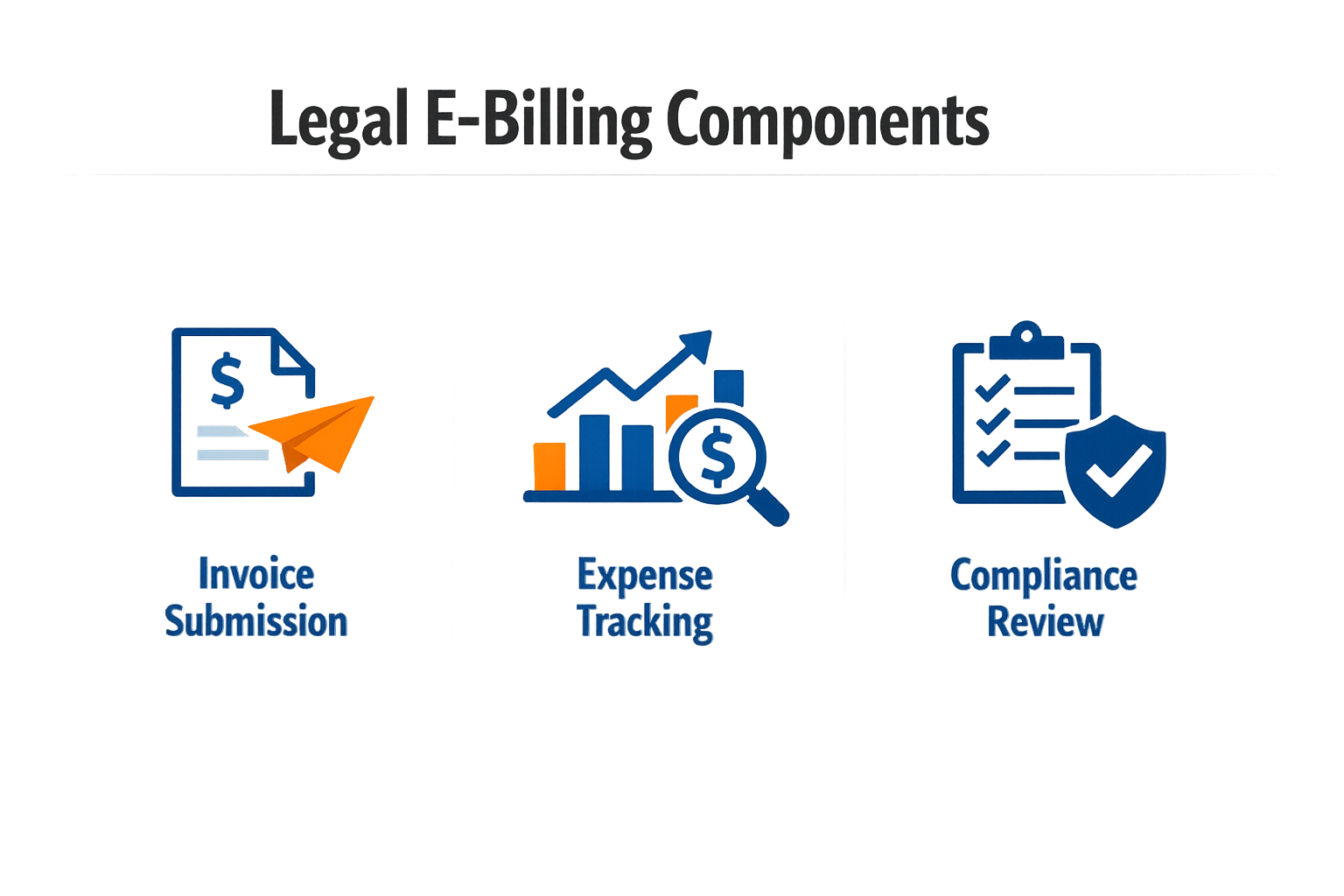
Legal e-billing is the electronic submission of law firm invoices to clients — primarily insurance carriers and corporate legal departments — through web-based portals that enforce structured data formats. Rather than mailing a paper bill or emailing a PDF, the firm uploads a file in a standardized format that the receiving system can validate, route and review automatically. LEDES 1998 was the first standard issued by the cross-industry consortium led by PricewaterhouseCoopers for e-billing, and it was quickly updated and replaced by LEDES 1998B.
The e-billing file format was not designed to detail the financial transaction represented on a paper invoice, only to provide the information contained within the invoice. LEDES 1998B and its successors transmit the time and expense line items along with minimal information necessary to identify the client, law firm and matter being billed. Each line item includes a UTBMS task code, activity code, timekeeper ID, hours or units, rate and narrative description. The portal reads the file, applies the client's outside counsel guidelines and flags any line that violates a billing rule before the invoice reaches a human reviewer.
How legal e-billing differs from traditional billing
Traditional billing relies on a narrative invoice — often a Word document or PDF — that lists time entries in paragraph form and totals them at the bottom. The client receives the document, prints it, and a billing analyst reads each entry to check for block billing, excessive rates or disallowed tasks. Any question triggers an email exchange, and adjustments require manual edits and resubmission.
E-billing portals eliminate that cycle by enforcing structure at the point of submission. The LEDES 1998B file format requires each line item to occupy a single row with fixed fields: invoice date, matter number, timekeeper ID, hours, rate, task code, activity code and narrative. The portal validates every field against the client's guidelines — billing increment, rate cap, task prohibition, narrative length — and rejects the file immediately if a rule is violated. The firm sees the rejection code, corrects the entry and resubmits, often within minutes. No phone calls, no waiting for the analyst to finish reading fifty pages of narrative.
The portal also standardizes the language of billing. UTBMS task and activity codes replace free-form descriptions: "L340" means "draft pleadings," and "A102" means "review and analyze." A reviewer in Chicago and a reviewer in Atlanta read the same code the same way, and automated rules apply uniformly across thousands of invoices. The format is built on XML E-Billing Ver. 2.0, which itself was built on LEDES 2000, and the current version added some sixty fields to the format while adding only one segment to the file — a major achievement considering how many new facets were incorporated.
Why Legal E-Billing Matters
Three carriers publish outside counsel guidelines that specify LEDES 1998B submission. A fourth requires LEDES XML. The fifth is silent on format but rejects invoices that arrive any other way. E-billing is not optional for panel counsel — it is the condition of payment.
Law firms that submit invoices through a legal tracker or comparable e-billing portal gain predictable payment cycles and immediate validation feedback. Carriers that receive invoices in LEDES format can route them to automated bill review, apply reduction codes uniformly, and enforce guideline prohibitions at scale. The alternative — paper invoices mailed to claims adjusters — produces slower payment, inconsistent review, and higher write-down rates when the invoice finally reaches a bill reviewer weeks later.
Efficiency for Law Firms and Carriers
LEDES 1998B was designed to provide the most common elements of an invoice — time and expense line items — along with minimal information necessary to identify the client, law firm and matter being billed. The format was not built to detail every financial transaction on a paper invoice, only to carry the information contained within the invoice itself. That constraint is its strength: a LEDES file moves through validation, bill review, and payment workflows without manual re-keying.
Insurance defense litigation has emerged as the dominant user of task-based billing systems. Insurers and insurance defense firms, although supportive of the methodology, had identified task gaps in code phases and ambiguity in the wording of existing tasks by 2007. The UTBMS Litigation Code Set revision that year addressed those gaps, and carriers began requiring UTBMS task and activity codes in submitted invoices. A legal tracker that validates UTBMS codes at submission catches errors before the invoice reaches the bill reviewer, reducing rejection cycles and accelerating payment.
Compliance and Audit Trails
E-billing portals create contemporaneous records of every submission, validation error, rejection, appeal, and payment. When a carrier disputes a line item six months after payment, the firm's response depends on the audit trail the portal preserved. A legal tracker that logs the original narrative, the UTBMS codes selected, and the guideline version in effect at submission provides the evidence needed to defend the invoice or appeal a reduction.
Carriers enforce outside counsel guidelines through portal validation rules. A guideline that prohibits block billing becomes a validation error when the portal detects multiple activities in one line item. A guideline that caps pre-approval thresholds becomes a soft rejection when the portal flags an expense above the limit. The portal does not interpret the guideline — it applies the rule the carrier programmed. Firms that understand how the legal tracker validates invoices can structure line items to pass validation on the first attempt, avoiding the rejection and resubmission cycle that delays payment.
The e-billing file format was not designed to detail the financial transaction represented on a paper invoice, only to provide the information contained within the invoice.
E-billing also supports compliance with ethical billing standards. ABA Model Rule 1.5 and California Rule 1.5 require that fees be reasonable and that the basis of the fee be communicated to the client. A LEDES file that pairs every time entry with a UTBMS task code and activity code provides a structured record of what work was performed, making it easier to demonstrate that the fee was reasonable if the client or carrier later challenges it.
How to Submit Invoices via Legal Tracker and Other E-Billing Portals
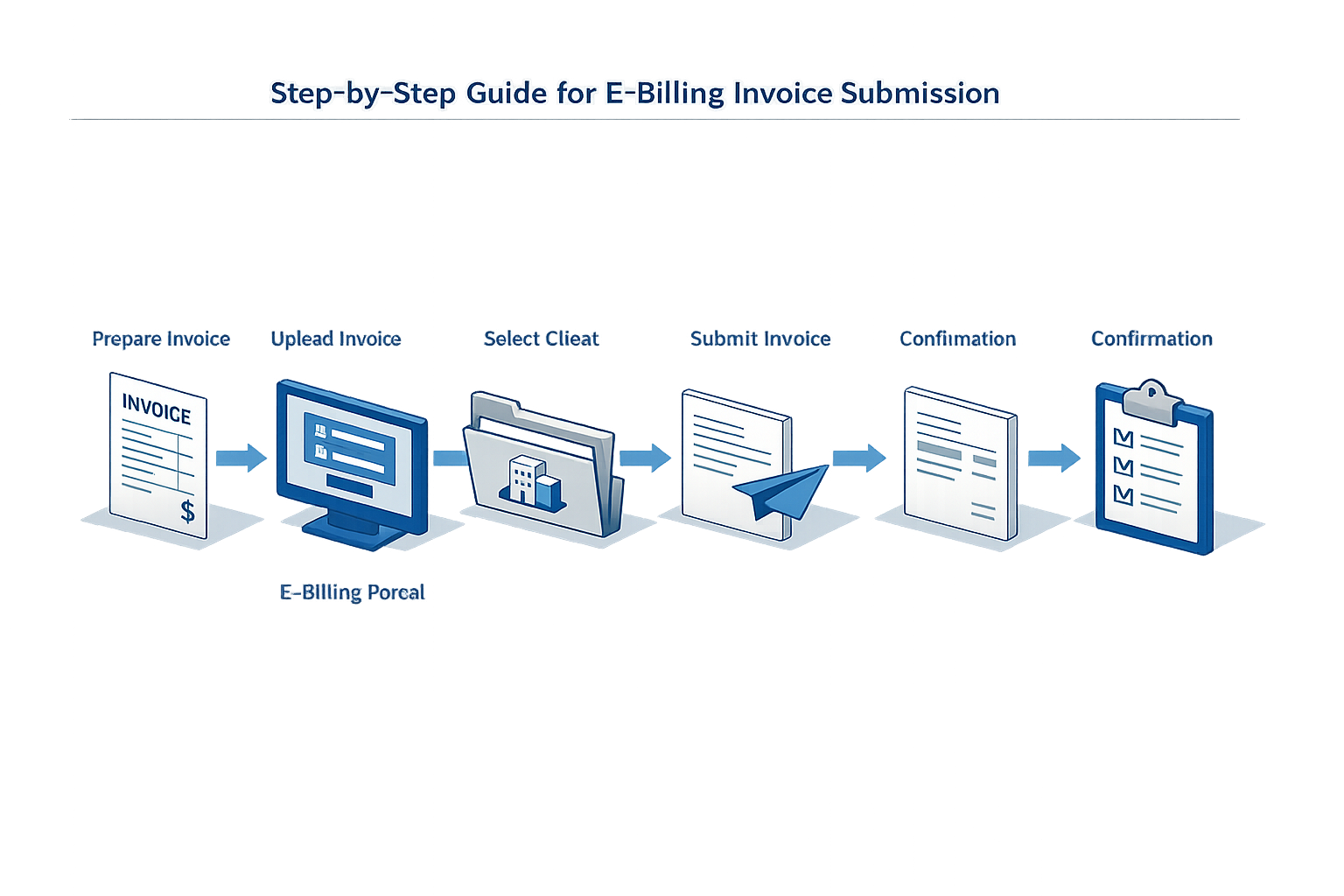
Most insurance carriers route outside counsel invoices through one of several e-billing portals. The submission mechanics vary by platform, but the core sequence is consistent: log in, select the matter, choose a submission method, upload or generate the invoice file, and confirm. Each portal validates the file against the carrier's outside counsel guidelines and LEDES format rules before accepting it.
Submission Methods: Manual, Speedpost, and LEDES Generator
Portals typically offer three paths. Manual entry means you type each line item into web forms — slow, but useful when you have only a handful of entries or need to correct a rejected invoice quickly. LEDES file upload (sometimes called Speedpost) accepts a pre-built LEDES 1998B file from your practice management or timekeeping system; the portal parses the file and displays a preview for you to confirm. LEDES Generator is a hybrid: the portal presents forms for timekeeper, task code, activity code, hours, and narrative, then assembles a valid LEDES file behind the scenes and submits it on your behalf.
Whichever method you choose, the portal runs the same validation checks. It verifies that every UTBMS task and activity code exists in the published code set, that billing increments match the carrier's guidelines, and that required fields are populated. If any check fails, the invoice is rejected before it reaches the carrier's bill reviewer.
Step 1
Select the matter and invoice type
Log in to the portal and navigate to the correct matter number. Confirm that the matter status is open and that your firm is listed as assigned counsel. Choose whether you are submitting a LEDES invoice or a non-LEDES invoice; most insurance defense work requires LEDES.
Step 2
Choose your submission method
Decide whether to upload a LEDES file, use the portal's LEDES Generator, or enter line items manually. If your timekeeping system exports LEDES 1998B, upload is usually fastest. If you are correcting a small number of entries after a rejection, manual entry or the generator may be simpler.
Step 3
Populate or upload the invoice data
If uploading, select the LEDES file from your local drive and confirm the upload. The portal will parse the file and display a line-item preview. If using the generator or manual entry, fill in each required field: invoice number, invoice date, timekeeper ID, line-item date, UTBMS task code, UTBMS activity code, hours or units, rate, amount, and narrative description. Review the preview carefully — once submitted, most portals lock the invoice and require you to delete it and resubmit if you spot an error.
Step 4
Submit and confirm
Click the submit button. The portal runs its validation routine and either accepts the invoice or returns a list of errors. If accepted, you will receive a confirmation number and an email receipt. If rejected, the portal displays the specific validation failures — missing task codes, narrative length violations, or guideline breaches. Note these errors; you will need to correct them before resubmitting.
Handling Rejected Invoices
When an invoice is rejected, the portal typically holds it in a "rejected" queue and attaches notes explaining each failure. Read those notes in full before making changes. Common rejections include block billing (multiple tasks described in one line item), unsupported UTBMS codes, billing increments that do not match the carrier's tenth-of-an-hour requirement, or narratives that exceed the character limit.
To correct a rejected invoice, delete it from the portal's queue, revise the underlying data in your timekeeping system or LEDES file, and submit a new invoice with the corrections applied. Do not attempt to edit a rejected invoice in place unless the portal explicitly offers an "edit and resubmit" function — most do not, and leaving a rejected invoice in the queue can cause confusion when the carrier's bill reviewer pulls reports.
Platform-Specific Notes
Legal Tracker, CounselLink, Tymetrix (now part of Wolters Kluwer), Brightflag, and Onit Legal-X each implement the same LEDES and UTBMS standards, but their user interfaces and error-message phrasing differ. Legal Tracker's LEDES Generator walks you through a multi-step form and builds the file at the end; CounselLink's uploader parses your file immediately and highlights invalid codes in red before you click submit. Regardless of the platform, the underlying validation is the same: your invoice must comply with the carrier's outside counsel guidelines and produce a clean LEDES file.
If you are unsure which portal a carrier uses, check the engagement letter or the carrier's panel-counsel website. Most carriers publish portal URLs and login instructions when they add a firm to the panel. If the instructions are missing, contact the carrier's claims department or outside counsel coordinator — submitting to the wrong portal delays payment and may breach the reporting deadlines in the guidelines.
For a detailed explanation of the file structure your portal expects, see the LEDES 1998B File Format - All 24 Fields Explained guide.
Best Practices for Legal E-Billing
Successful e-billing submission depends on consistent adherence to carrier requirements and portal validation rules. Firms that treat guideline review, LEDES file preparation and rejection resolution as routine workflow steps reduce rejection rates and accelerate payment cycles. The practices below reflect common requirements across CounselLink, Tymetrix 360 and other portals used by insurance carriers.
Review the Outside Counsel Guidelines Before Every Invoice
Carrier outside counsel guidelines specify billing increments, prohibited task descriptions and staffing requirements that vary by insurer and panel tier. One carrier may prohibit block billing outright; another may permit it for administrative tasks below a dollar threshold. Reading the guideline version cited in the matter setup prevents avoidable rejections tied to narrative detail, timekeeper selection or expense category.
Guidelines also define pre-approval thresholds for expert fees, travel and other disbursements. Submitting an expense that required advance approval without documenting that approval triggers a rejection, even when the expense itself is reasonable. Confirming approval status before finalizing the invoice eliminates this category of error.
Validate LEDES Files Against the Published Specification
The LEDES 1998B format defines 24 fields, each with fixed character limits, date formats and numeric precision rules. The LEDES XML Ebilling Ver. 2.1 format, ratified in 2008, introduced a standardized math statement to align calculation behavior across vendor systems and added extensible segments for tax and regulatory data required by foreign jurisdictions. Validating a file against the published specification before upload catches field-length overruns, malformed dates and decimal-precision mismatches that cause immediate portal rejection.
Most e-billing portals perform schema validation at upload and return error codes when a file deviates from the specification. Resolving these errors at the file-preparation stage, rather than after submission, shortens the invoice cycle and reduces administrative rework.
Delete the Rejected Invoice Before Submitting a Corrected Version
When a portal rejects an invoice, the rejected record remains in the system until the firm deletes it or the client marks it as withdrawn. Submitting a corrected invoice without deleting the rejected version can create duplicate matter charges, confuse the bill reviewer and delay approval while the client reconciles the two submissions. CounselLink's help documentation states explicitly: "Make sure to delete the rejected invoice from the system before submitting the new one."
After reviewing the client's rejection notes, correct the identified errors in your time-and-billing system, export a new LEDES file, delete the rejected invoice from the portal and upload the corrected file as a fresh submission. This workflow prevents version-control errors and ensures the bill reviewer sees only the current, compliant invoice.
Respond to Status-Report Requirements Promptly
Some carriers require an initial or updated status report before a law firm can submit an invoice on a matter. LEDES error code suffix 28 identifies this condition: "Status Report Or Updated Status Report Required To Submit Invoice." The error source is client procedure, and the resolution is straightforward—submit the required status report through the portal's matter-management interface, then attempt invoice submission again.
Delaying the status report delays the invoice. Firms that integrate status-report deadlines into their matter calendars avoid this category of rejection entirely.
Either an initial or updated Status Report is required before the law firm can submit an invoice on the matter.
Maintain Contemporaneous Records for Narrative Detail
Carrier guidelines universally require narrative detail sufficient to permit the bill reviewer to assess the necessity, reasonableness and appropriateness of each line item. A narrative reading "legal research" or "review documents" does not meet this standard. A narrative reading "research California law on independent-counsel selection under Civil Code section 2860; review insurer's coverage position and draft response memo, 2.3" provides the specificity reviewers expect.
Contemporaneous time entry—recording the narrative at the time the work is performed—produces more accurate, defensible descriptions than end-of-month reconstruction. It also reduces the risk of block billing, because the timekeeper naturally separates distinct tasks performed at different times during the day.
Use UTBMS Codes Consistently and Accurately
UTBMS task and activity codes classify the nature of the work performed and allow automated bill-review systems to flag entries that fall outside the approved scope or exceed budgeted hours for a task category. Selecting the wrong task code—coding a motion as "discovery" rather than "law and motion," for example—can trigger a reduction or rejection even when the work itself was necessary and the narrative is clear.
Reviewers read UTBMS codes as a first-pass filter. Accurate coding aligns the invoice with the carrier's internal cost-tracking and ensures that legitimate work is not flagged as out-of-scope due to a clerical error.
Common Mistakes in Legal E-Billing
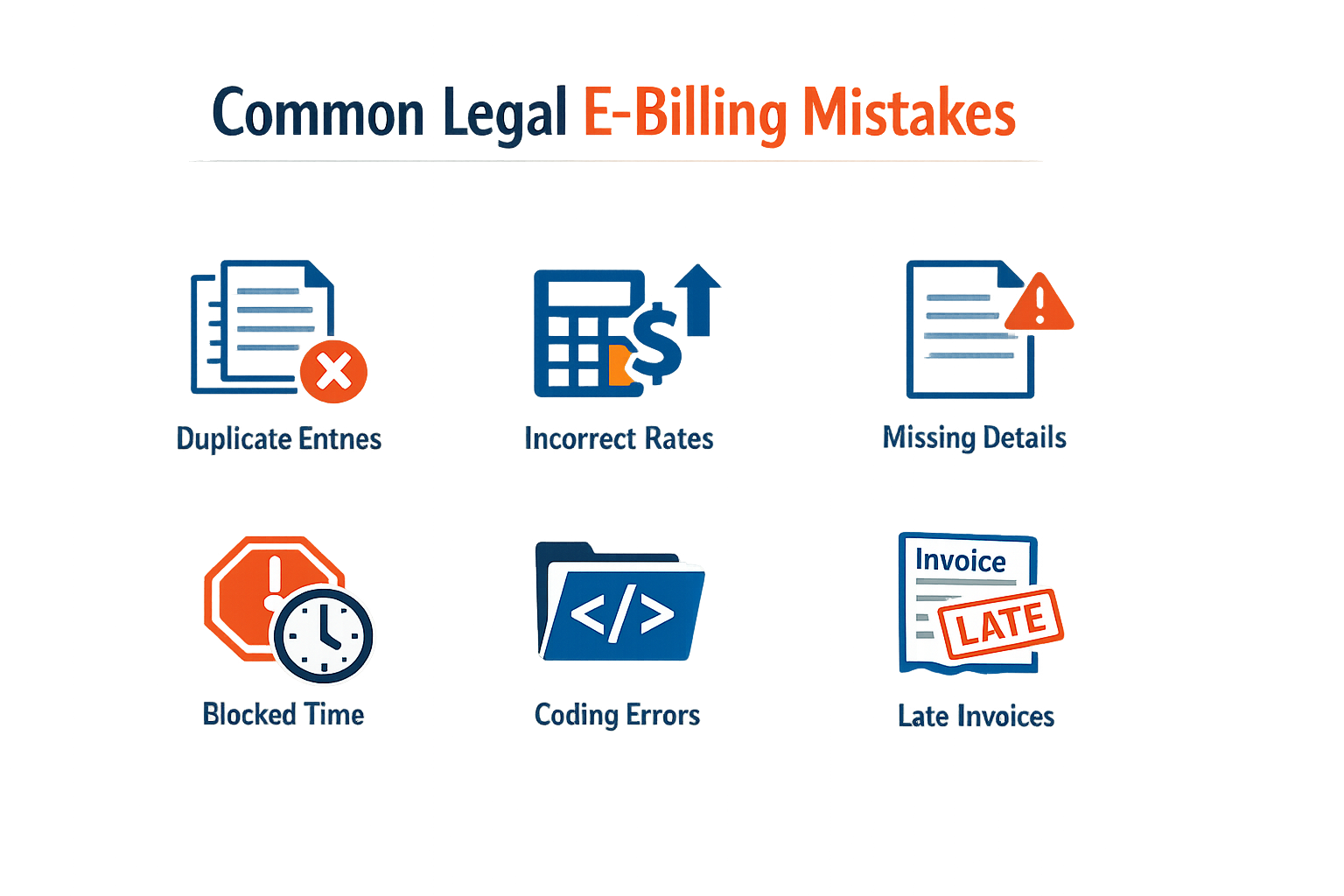
E-billing portal rejections delay payment and trigger re-work that could have been avoided at the point of submission. Most rejections stem from a handful of recurring errors — missing required fields, block billing narratives, incorrect UTBMS codes, and failure to satisfy pre-submission documentation requirements. Each portal enforces its own validation rules, but the underlying patterns are consistent across carriers and platforms.
Block Billing and Insufficient Narrative Detail
Block billing — grouping multiple tasks into one line item — is the single most common reason for invoice reduction. A narrative reading "research case law, draft motion, confer with client, revise motion, 6.4" combines four distinct activities into one entry, making it impossible for a reviewer to validate the time allocated to each task. Carriers expect contemporaneous records that describe one discrete activity per line, tied to a single UTBMS task and activity code.
When a narrative lacks detail, the reviewer cannot determine whether the work was necessary, duplicative, or inflated. The guideline does not permit the reviewer to guess; it requires the reviewer to reduce or reject the entry. To avoid this, each line item should describe one activity in enough detail that a third party unfamiliar with the matter can understand what was done and why it took the time claimed. For more on how carriers evaluate block billing, see Block Billing: Reasons for Carrier Rejections and Solutions.
Incorrect or Missing UTBMS Codes
UTBMS task and activity codes are not suggestions — they are mandatory metadata fields in LEDES files and portal submission forms. Submitting an invoice with a blank task code, an invalid code, or a code that does not match the work described in the narrative will trigger an automatic validation error. Some portals reject the file immediately; others accept the file but flag every miscoded line for manual review and reduction.
Task codes describe the phase of litigation (L100 series for case assessment, L200 for pleadings, L300 for discovery, and so on). Activity codes describe the specific action taken within that phase (A101 for plan and prepare, A102 for identify, A103 for analyze, and others). A timekeeper who bills discovery work under task code L200 (pleadings) or uses activity code A199 (a placeholder that should never appear in a submitted invoice) has created a mismatch that the portal will catch. Verify that every line item pairs a valid task code with a valid activity code that accurately describes the work performed.
Failure to Submit Required Documentation Before Invoicing
Many carriers require a status report, budget update, or pre-approval before the first invoice on a matter can be submitted. LEDES error code suffix 28 — "Status Report Or Updated Status Report Required To Submit Invoice" — appears when a firm attempts to bill before satisfying this procedural prerequisite. The portal will not process the invoice until the required document is on file.
This is not a billing error in the traditional sense; it is a workflow error. The carrier's outside counsel guidelines specify the timing and content of status reports, and the e-billing portal enforces that timing by blocking invoice submission until the report is received. To avoid this rejection, consult the matter setup instructions and the carrier's guideline section on reporting obligations before preparing the first invoice. If the portal returns suffix 28, submit the required status report and then resubmit the invoice — the error will clear once the documentation is in the system.
Submitting Invoices in the Wrong File Format
Carriers specify the LEDES format they accept: LEDES 1998B, LEDES 1998BI (the .csv variant), or LEDES XML. Submitting a file in the wrong format — or a file that claims to be LEDES 1998B but contains malformed fields, incorrect delimiters, or non-standard date formats — will result in an immediate upload failure. The portal cannot parse a file that does not conform to the specification, and it will reject the submission without reviewing the line items.
Before uploading, verify that the file matches the carrier's required format. LEDES 1998B uses pipe delimiters and a specific field order; LEDES 1998BI uses commas and may require quoted text fields; LEDES XML uses a different structure entirely. Do not assume that "it worked last time" means the format is correct — portals update their validation rules, and a file that passed six months ago may fail today if the carrier has tightened its requirements.
Billing in Increments Larger Than the Guideline Permits
Most carrier guidelines specify billing increments — typically tenths of an hour (six-minute intervals) or, less commonly, quarter-hours. Billing in larger increments — half-hours, whole hours, or irregular amounts like 0.3 or 0.7 — violates the guideline and invites reduction. A reviewer who sees a 0.5-hour entry when the guideline requires tenth-of-an-hour billing will reduce it to 0.4 or reject it outright, because the increment itself signals non-compliance.
The increment is not a rounding convention; it is a billing standard. If the guideline says tenth of an hour, every line item must reflect time in multiples of 0.1. If a task took seven minutes, round to 0.2 (twelve minutes) according to the firm's rounding policy, but never bill 0.12 or any other fraction that does not conform to the specified increment. Check the guideline's billing standards section before generating the invoice, and configure the timekeeping system to enforce the correct increment at the point of entry.
Using Unapproved Timekeepers or Exceeding Staffing Ratios
Some carriers require advance approval of timekeepers, particularly for senior attorneys and experts. Billing time for a timekeeper who has not been approved — or whose approval has expired — will result in a line-item rejection and a request to substitute an approved timekeeper or seek retroactive approval. The latter is not guaranteed, and the delay can push payment into the next cycle.
Staffing ratios — the permitted number of partners, associates, and paralegals working on a matter — are another common tripwire. A guideline that permits one partner and two associates will reject invoices that show three associates billing in the same month, even if the total hours are reasonable. The ratio is a structural limit, not a budget target. Before adding a timekeeper to a matter, confirm that the addition does not violate the approved staffing plan, and obtain written approval if it does.
The cheapest way to fix a billing error is to catch it before the invoice leaves the firm — every rejection costs a billing cycle, and every appeal costs time that could have been spent on compliant entries.
Frequently asked questions
What file format do most e-billing portals accept?
Most e-billing portals accept LEDES 1998B files for time and expense line items. The LEDES 1998B format provides the core elements of an invoice — client, law firm, matter identification, and line-item detail — in a standardized pipe-delimited text file. Some portals also accept LEDES XML E-Billing 2.0 or 2.1, which builds on LEDES 2000 and supports additional invoice detail beyond what the flat-file format carries. XML E-Billing Ver. 2.1 added approximately sixty fields to the format while adding only one segment to the file, preserving backward compatibility with existing systems.
What are UTBMS codes, and do I have to use them?
UTBMS task and activity codes are a digital-based taxonomy for legal work, developed to support e-billing systems. UTBMS is synonymous with LEDES-supported e-billing applications and is the dominant standard in insurance defense litigation. Whether you must use UTBMS codes depends on the carrier's outside counsel guidelines. Most insurance carriers specify UTBMS codes for every line item; some accept narrative-only billing for certain matter types. Read the controlling guideline before you submit your first invoice.
Can I submit invoices for multiple matters in one file?
Yes. Since LEDES XML 2.0, the LEDES formats allow submission from multiple firms within the same file. This accommodates firms with multiple locations tracked separately in the receiving system, and it assists e-billing outsourcing vendors who submit invoices for multiple law firms to a receiving system. The LEDES 1998B format also supports multiple matters in one file, provided each line item carries the correct matter identifier in the MATTER_ID field.
What happens if my invoice is rejected?
When an e-billing portal rejects an invoice, the portal typically issues a rejection code and a short explanation. Common causes include file-format errors, missing UTBMS codes, block billing, narrative insufficiency, or a line item that exceeds a pre-approval threshold. Review the rejection message, correct the identified defect, and resubmit the invoice. If the rejection reason is unclear or you believe the rejection is incorrect, contact the carrier's bill review team or the portal's support desk before you revise the file. For a detailed discussion of rejection causes and fixes, see E-Billing Portal Invoice Rejections: Common Causes and Fixes.
How do I know which portal a carrier uses?
The carrier's outside counsel guidelines usually name the e-billing portal and provide the submission URL or login page. If the guideline is silent, contact the carrier's claims representative or panel administrator. Do not assume that a carrier uses the same portal for all claims or all lines of business; some carriers operate multiple portals or allow panel counsel to choose among approved platforms.
What is the difference between LEDES 1998B and LEDES XML?
LEDES 1998B is a pipe-delimited text format with twenty-four fixed fields, designed to carry time and expense line items and minimal invoice metadata. LEDES XML E-Billing 2.0 and 2.1 are XML-based formats that support the full financial transaction represented on a paper invoice, including invoice-level totals, adjustments, and payment terms. LEDES 1998B remains the most common format for insurance defense billing; LEDES XML is more common in corporate legal departments and complex commercial matters.
Can I appeal a line-item reduction after the invoice is approved?
Most carriers allow an appeal within a defined window after the reduction notice. The outside counsel guidelines specify the appeal deadline, the required format, and the address or portal destination for the appeal. Submit your appeal in writing, cite the guideline provision you believe was misapplied, and attach contemporaneous records that support the line item. Do not resubmit the same narrative without additional support — reviewers expect new information on appeal.
Conclusion
E-billing portals — legal tracker and its counterparts — are the submission destination for insurance defense invoices, not an optional convenience. A law firm that treats portal submission as clerical overhead will see rejections, write-downs and delayed payment. A firm that understands LEDES 1998B field semantics, UTBMS task and activity codes, and the validation rules each portal enforces will submit invoices that clear review on the first pass.
The mechanics are not mysterious. Every portal expects a LEDES file with 24 populated fields, a matter identifier that matches the carrier's system, and line-item narratives that satisfy the controlling outside counsel guidelines. When a submission fails validation, the portal returns a rejection code and a reason. When a reviewer reduces a line item, the carrier assigns a reduction code. Both codes point to a fixable problem: a missing UTBMS code, a narrative that lumps three tasks into one entry, an unapproved timekeeper, or a billing increment the guideline prohibits. The firm that reads the rejection message, consults the guideline and corrects the error before resubmission will recover more fees than the firm that guesses.
Mastering the Submission Workflow
Mastery begins with the LEDES file. LEDES 1998B remains the dominant format; LEDES XML 2.1 and 2.2 add structure for complex matters and tiered taxes, but the core invoice fields are unchanged. The LEDES Oversight Committee ratified LEDES XML Ebilling Ver. 2.2 in 2020, incorporating support for withholding taxes and other international billing requirements. A firm submitting to multiple carriers will encounter portals that accept only 1998B, portals that prefer XML 2.1, and portals that validate against either. The safest practice is to generate both formats from the same time-entry system and submit the format the portal requests.
The second layer is guideline compliance. A carrier's outside counsel guidelines specify billing increments, narrative detail standards, staffing ratios, pre-approval thresholds and prohibited task codes. These requirements are not suggestions. When a guideline states that block billing is not permitted, a single line reading "research and draft motion, 4.2" will trigger a reduction. When a guideline caps the number of attorneys who may attend a deposition, a LEDES file that bills three timekeepers for the same event will be rejected or adjusted. The firm that maps guideline rules to time-entry templates and portal validation messages will avoid most rejections.
The third layer is the appeal path. A reduction is not final until the firm exhausts the carrier's internal review process. Most carriers provide a reduction code, a reason and a deadline to dispute the adjustment. The firm that responds with a citation to the guideline provision, a corrected narrative or a contemporaneous record that supports the original entry will recover a portion of the write-down. The firm that ignores the reduction or submits a form appeal with no supporting detail will not.
The Path Forward
E-billing is a bilateral standard: the carrier publishes a guideline and a portal, the firm submits a compliant LEDES file. Neither side controls the full workflow, but the firm controls the quality of the submission. A firm that invests in LEDES file validation, guideline training and rejection analysis will see fewer adjustments, faster payment and stronger panel relationships. A firm that treats the portal as a black box will see the opposite.
For additional guidance on narrative detail and task-code selection, see UTBMS Activity Codes A101-A111 for Legal Billing. For a detailed explanation of the file format itself, consult Ledes File: LEDES 1998B File Format - All 24 Fields Explained. The mechanics are learnable, the standards are published, and the cost of non-compliance is measurable. Read the guideline, validate the file, and submit the invoice.