


LEDES and UTBMS for Insurance Defense Firms: The Complete Guide
Top takeaways
- LEDES 1998B is the standard electronic billing format that insurance defense firms use to submit invoices to carriers and e-billing portals
- UTBMS codes (task, activity, and expense codes) classify each line item so bill reviewers can evaluate whether the work fits carrier guidelines
- The LEDES 1998B specification marks certain fields as required, yet some e-billing portals accept files that omit those fields—understanding both the official standard and portal-specific tolerances prevents submission failures
- Carriers differ in how they enforce billing rules: comparing Arch 2025.5, Hartford, and Sompo guidelines reveals that only one treats block billing as an outright prohibition rather than a reduction trigger
- This guide walks through LEDES file structure, UTBMS code selection, implementation steps, best practices, and the common mistakes that lead to invoice rejections
Explore LEDES and UTBMS standards for insurance defense firms, including billing practices, guidelines, and best practices.
Introduction to LEDES and UTBMS
UTBMS codes are the alphanumeric identifiers that categorize every fee and expense entry in a LEDES 1998B invoice file. A single misplaced task code or a missing required field can delay payment by weeks. Insurance defense firms submit tens of thousands of line items each month through e-billing portals, and every line item carries a task code, an activity code, a timekeeper identifier, and a narrative that must satisfy both the LEDES 1998B specification and the receiving carrier's outside counsel guidelines. When the file format is wrong or the codes do not match the work described, the portal rejects the invoice or the bill reviewer applies a reduction code and writes down the amount.
Navigating the intricacies of LEDES and UTBMS can be challenging for insurance defense firms, but understanding these systems is crucial for efficient billing practices. The LEDES 1998B format, as defined by the LEDES Oversight Committee, specifies the required fields for billing submissions. However, in practice, some e-billing portals accept files that omit fields marked as required by the specification. This discrepancy highlights the importance of being familiar with both the official specifications and the practical realities of e-billing submissions. For firms new to electronic billing or switching to a new carrier panel, a working knowledge of LEDES file structure and all 24 fields is the foundation for clean submissions.
Additionally, when comparing various carriers' guidelines, such as those from Arch 2025.5, Hartford, and Sompo, it is evident that there are differences in how block billing is treated. For instance, only one of these carriers treats block billing as an outright prohibition rather than a reduction trigger. Understanding these nuances can help firms avoid common pitfalls and ensure compliance with each carrier's specific requirements.
What This Guide Covers
This guide explains what LEDES and UTBMS are, why they matter to insurance defense billing, and how to implement them without triggering the rejections and reductions that slow cash flow. You will learn the structure of a LEDES 1998B file, the purpose of each required field, the role of UTBMS codes in bill review, and the best practices that keep invoices moving through the portal. The final sections address the most frequent errors—missing timekeepers, inconsistent codes, block billing, and narrative deficiencies—and provide a set of answers to the questions firms ask when an invoice comes back flagged.
What are LEDES and UTBMS?
LEDES: The Electronic Invoice Format
LEDES stands for Legal Electronic Data Exchange Standard. The LEDES 1998B format, defined by the LEDES Oversight Committee, is a pipe-delimited text file that carries invoice data from law firms to clients and e-billing portals. Each line in a LEDES 1998B file represents one fee entry or expense line item, and each line contains up to 24 fields in a fixed sequence.
The specification marks certain fields as required. INVOICE_DATE, INVOICE_NUMBER, CLIENT_ID, LAW_FIRM_MATTER_ID, INVOICE_TOTAL, BILLING_START_DATE, BILLING_END_DATE, LINE_ITEM_NUMBER, LINE_ITEM_NUMBER_OF_UNITS, LINE_ITEM_TOTAL, and LAW_FIRM_ID are all designated as required fields in the LEDES 1998B specification. For fee line items, TIMEKEEPER_ID, LINE_ITEM_TASK_CODE, and LINE_ITEM_ACTIVITY_CODE are also required. For expense line items, LINE_ITEM_EXPENSE_CODE is required. A null value in any required field would constitute an error under the specification.
In practice, some e-billing portals accept files that omit fields marked as required by the specification. This discrepancy means that a file may upload successfully even when it violates the published standard. Firms should not rely on portal acceptance as proof of compliance — the specification remains the authoritative reference.
UTBMS: The Code Sets That Describe the Work
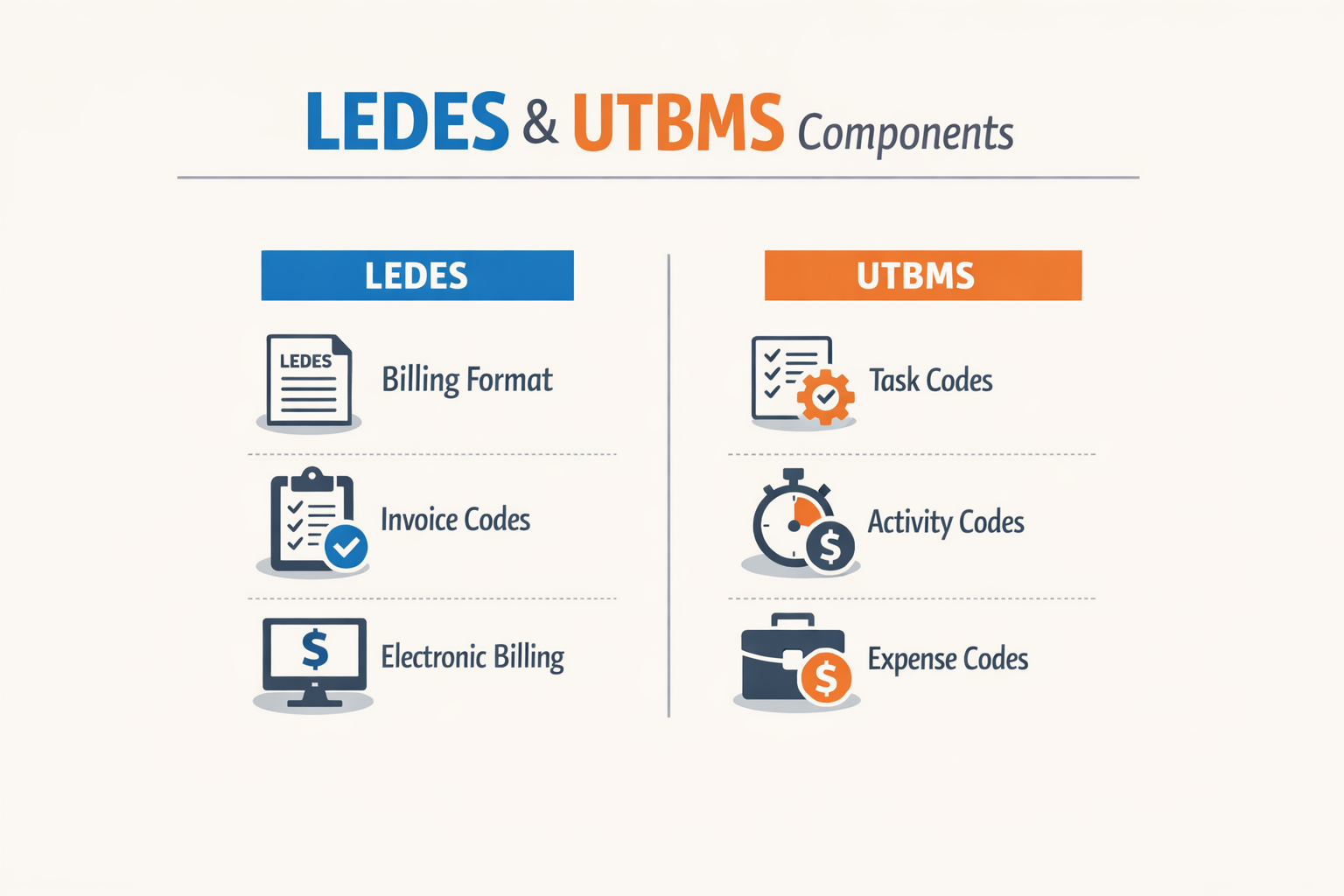
UTBMS stands for Uniform Task-Based Management System. UTBMS codes are standardized alphanumeric codes that categorize legal work into tasks, activities, and expenses. Insurance carriers and corporate clients require these codes in LEDES files to enable automated bill review and cost analysis.
There are three UTBMS code sets: task codes (what phase or category of work), activity codes (what specific action within that task), and expense codes (what type of cost). Task codes and activity codes work together — the LEDES 1998B specification states that task codes may be used without activity codes, but activity codes should not be used without task codes. For a detailed breakdown of the LEDES 1998B file format and all 24 fields, consult the specification directly.
How LEDES and UTBMS Work Together
LEDES is the container; UTBMS codes are the content. Field 15 in a LEDES 1998B file is LINE_ITEM_TASK_CODE, field 16 is LINE_ITEM_EXPENSE_CODE, and field 17 is LINE_ITEM_ACTIVITY_CODE. When a timekeeper enters a fee line item, the billing system populates these fields with the appropriate UTBMS codes. When the invoice is exported to LEDES format, those codes travel with the narrative and the dollar amount, enabling the receiving system to sort, filter, and audit the invoice by task and activity.
Without UTBMS codes, the receiving system cannot categorize the work. Without the LEDES file, the codes have no standardized delivery mechanism. The two standards are inseparable in modern insurance defense billing.
Why LEDES and UTBMS Matter for Insurance Defense Firms
Carriers do not pay invoices they cannot parse. The LEDES 1998B format defines twenty-four fields, sixteen of which are marked "Required" in the specification published by the LEDES Oversight Committee. A null value in any required field — INVOICE_DATE, CLIENT_ID, LAW_FIRM_MATTER_ID, LINE_ITEM_NUMBER, TIMEKEEPER_ID for task items, and eleven others — is an error under the standard. Yet in practice, some e-billing portals accept files that omit fields the specification calls mandatory, while others reject the same file outright. This discrepancy means a firm cannot rely on one carrier's portal behavior to predict another's. The specification is the controlling document; portal leniency is not a safe harbor.
UTBMS codes translate narrative time into categories a bill reviewer can audit at scale. Field 15, LINE_ITEM_TASK_CODE, and field 17, LINE_ITEM_ACTIVITY_CODE, are both marked "Required for Task Items" in the LEDES 1998B specification. A fee entry submitted without a task code or activity code when the carrier guideline mandates them will trigger an automatic rejection in most e-billing systems. The specification notes that task codes may be used without activity codes, but activity codes should not be used without task codes — a hierarchy that mirrors how reviewers read invoices. A line item coded L320 (depositions) with activity code A102 (plan and prepare) tells the reviewer what happened and in what sequence; the same narrative without codes forces the reviewer to infer both, which increases reduction risk.
Why Compliance Is Not Optional
Carrier outside counsel guidelines treat LEDES and UTBMS compliance as a threshold requirement, not a formatting preference. When a guideline states that invoices must be submitted in LEDES 1998B format with UTBMS codes, it means every fee line item must carry a valid task code and activity code, and every required field in the file must contain a non-null value. A single missing TIMEKEEPER_ID or a task code that does not appear in the published UTBMS code set is enough to reject the entire invoice at the portal validation stage, before any human reviewer sees the narrative.
The specification defines LINE_ITEM_TOTAL as the algebraic result of (LINE_ITEM_UNIT_COST × LINE_ITEM_NUMBER_OF_UNITS) + LINE_ITEM_ADJUSTMENT_AMOUNT, and it warns that rounding errors may occur between sending and receiving systems. The receiving party is encouraged to verify that LINE_ITEM_TOTAL matches the formula within a reasonable variance — the specification suggests 0.1 percent. If the calculated total is outside that tolerance, the error must be resolved by the sending firm before payment. This is not a courtesy; it is a condition of acceptance. Firms that round inconsistently or miscalculate line totals in their billing software will see rejections, and the rejection notice will not explain which line item failed the arithmetic check.
How Reviewers Use UTBMS Codes
Bill reviewers do not read every narrative. They filter by task code, sort by activity code, and flag outliers — entries where the time, the rate, or the task-activity pairing falls outside the norms for that matter type. An entry coded L310 (interrogatories) with 6.4 hours and activity code A103 (draft pleading) will draw attention because A103 belongs to pleadings, not discovery. The reviewer may reduce the entry, ask for clarification, or reject the invoice pending correction. The firm's narrative may be accurate, but the code mismatch signals either a coding error or a misunderstanding of the task structure, and either one is a red flag.
For a detailed breakdown of how each field in the LEDES file operates and what values are permitted, see the LEDES 1998B File Format - All 24 Fields Explained guide.
Task codes may be used without activity codes, but most carrier guidelines require both. The specification states that activity codes should not be used without task codes, which means a line item carrying activity code A101 with no task code is invalid under the standard even if the portal accepts it. Reviewers expect the task code to provide the category (e.g., L320, depositions) and the activity code to provide the phase within that category (e.g., A102, plan and prepare). When the hierarchy is reversed or incomplete, the line item becomes unauditable, and unauditable entries are reduced or rejected.
Task Codes may be used without Activity Codes but Activity Codes should not be used without Task Codes.
The Cost of Non-Compliance
An invoice rejected at the portal does not enter the payment queue. The firm receives a rejection notice — sometimes detailed, sometimes generic — and must correct the file and resubmit. Each resubmission cycle adds days to the payment timeline, and some portals count resubmissions against the firm's performance metrics. After a threshold number of rejections, the carrier may require pre-approval for future invoices or remove the firm from the panel altogether. These consequences are not hypothetical; they are documented in carrier guidelines and panel counsel agreements.
When an invoice passes portal validation but fails human review, the rejection is often more granular. The reviewer may accept some line items, reduce others, and reject a third category pending additional documentation. The firm receives a reduction code — a short alphanumeric string like "BLK" (block billing) or "VAGUE" (insufficient narrative detail) — and an adjusted total. The firm may appeal the reduction, but the appeal must address the specific deficiency the code identifies. A reduction coded "BLK" will not be reversed by submitting a longer narrative; it will be reversed only by breaking the blocked entry into separate line items, each with its own task code, activity code, and time increment.
Carriers publish their outside counsel guidelines in versioned documents — Arch 2025.5, Hartford's current edition, Sompo's panel requirements. These guidelines specify billing increments (most require tenth-of-an-hour), prohibit or restrict block billing, set narrative detail standards, and mandate LEDES and UTBMS compliance. A firm that submits time in quarter-hour increments when the guideline requires tenths, or combines multiple tasks in one narrative when the guideline prohibits block billing, will see reductions even if the LEDES file is technically valid. Compliance is format plus substance, and the guideline is the authority for both.
How to Implement LEDES and UTBMS Standards
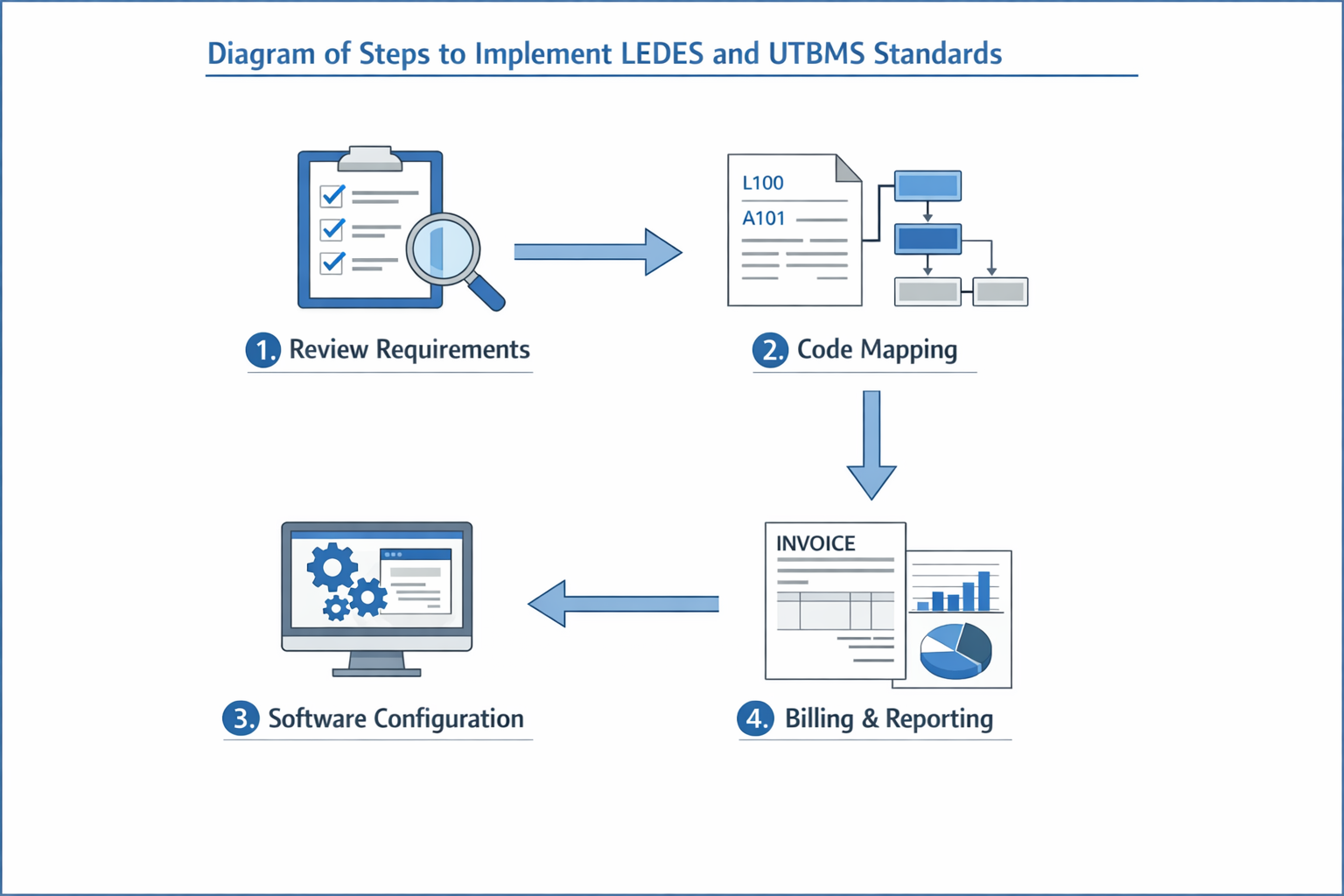
Implementing LEDES and UTBMS standards in an insurance defense firm requires methodical attention to the specification's required fields and the carrier's expectations. The LEDES 1998B format defines 24 fields, many of which are marked required, and a null value in those fields triggers an error. The specification states that fields such as INVOICE_DATE, INVOICE_NUMBER, CLIENT_ID, LAW_FIRM_MATTER_ID, and LAW_FIRM_ID must contain valid data—leaving them empty is not optional. Understanding which fields are required and which are conditional is the foundation of a compliant submission.
Map Your Firm's Data to LEDES Required Fields
Start by identifying where each required LEDES field will be populated from your firm's billing system. INVOICE_DATE (field 1) must be an eight-digit date in YYYYMMDD format. INVOICE_NUMBER (field 2) is your firm's alphanumeric invoice identifier, and it must be unique. CLIENT_ID (field 3) is the law firm's assigned client code, and LAW_FIRM_MATTER_ID (field 4) is the matter code your firm uses internally. Both must be present and non-null. LAW_FIRM_ID (field 20) must be your Federal Taxpayer ID if you operate in the United States—a null value here is an error.
For each line item, LINE_ITEM_NUMBER (field 9) must be unique within the invoice. LINE_ITEM_NUMBER_OF_UNITS (field 11) is required except for invoice-level adjustments; for fee entries, this is the number of hours billed. LINE_ITEM_TOTAL (field 13) must equal (LINE_ITEM_UNIT_COST × LINE_ITEM_NUMBER_OF_UNITS) + LINE_ITEM_ADJUSTMENT_AMOUNT. The receiving system may verify this calculation and reject the file if the arithmetic is incorrect beyond a reasonable rounding variance.
Assign UTBMS Codes to Every Fee Entry
LINE_ITEM_TASK_CODE (field 15) and LINE_ITEM_ACTIVITY_CODE (field 17) are required for task items—fee entries where a timekeeper performed work. The specification notes that task codes may be used without activity codes, but activity codes should not be used without task codes. Most carriers require both. Select the task code that describes the phase of the case (for example, L200 for discovery or L300 for pre-trial motions), then choose an activity code that describes what the timekeeper did (A101 for plan and prepare, A102 for draft or revise). For a detailed breakdown of UTBMS activity codes A101-A111, consult the published code set. Expense items generally do not require a task or activity code; instead, populate LINE_ITEM_EXPENSE_CODE (field 16) with the appropriate UTBMS expense code.
TIMEKEEPER_ID (field 18) is required for fee line items and must uniquely identify the individual who performed the work. Use the same identifier your firm's financial system uses—employee number, initials, or any other key, as long as it is consistent across all invoices.
Step 1
Audit your current billing data
Before generating a LEDES file, run a report of one recent invoice and confirm that every required field can be populated from your system. Identify any fields that currently return null or zero values and determine whether they are genuinely optional or whether your system is missing data that the specification requires.
Step 2
Configure your billing software to export LEDES 1998B
Most legal billing platforms offer a LEDES export function. Configure the export template to map your internal fields to the LEDES field numbers exactly as the specification defines them. Test the export with a single invoice and open the resulting file in a text editor or spreadsheet to verify that required fields contain valid data and that dates are formatted YYYYMMDD.
Step 3
Validate the file against the specification
Before submitting to the e-billing portal, check that INVOICE_TOTAL equals the sum of all LINE_ITEM_TOTAL values and that each LINE_ITEM_TOTAL matches the formula (unit cost × number of units) + adjustment amount. Confirm that no required field is null. Some firms use validation scripts or third-party tools to automate this check; others perform it manually for the first few submissions until the process stabilizes.
Step 4
Submit through the carrier's e-billing portal
Upload the LEDES file to the designated portal. The portal will perform its own validation—some portals accept files that omit fields the specification marks as required, but relying on that leniency is not a safe long-term practice. If the portal rejects the file, the rejection message will typically cite the field number and the error (for example, "field 3 CLIENT_ID is null"). Correct the error in your source data and re-export.
Align with Carrier-Specific Guidelines
The LEDES specification defines the file format, but each carrier's outside counsel guidelines define what content is acceptable. Some carriers specify billing increments (tenths of an hour is the most common), prohibit or discourage block billing, and set thresholds for pre-approval of certain expenses. Read the guideline version your matter is governed by, and configure your billing practices to comply with those rules before you generate the LEDES file. A file that is technically valid under the specification can still be reduced or rejected if the content violates the guideline.
For a detailed explanation of each LEDES field and its requirements, see LEDES 1998B File Format - All 24 Fields Explained.
Best Practices for LEDES Billing
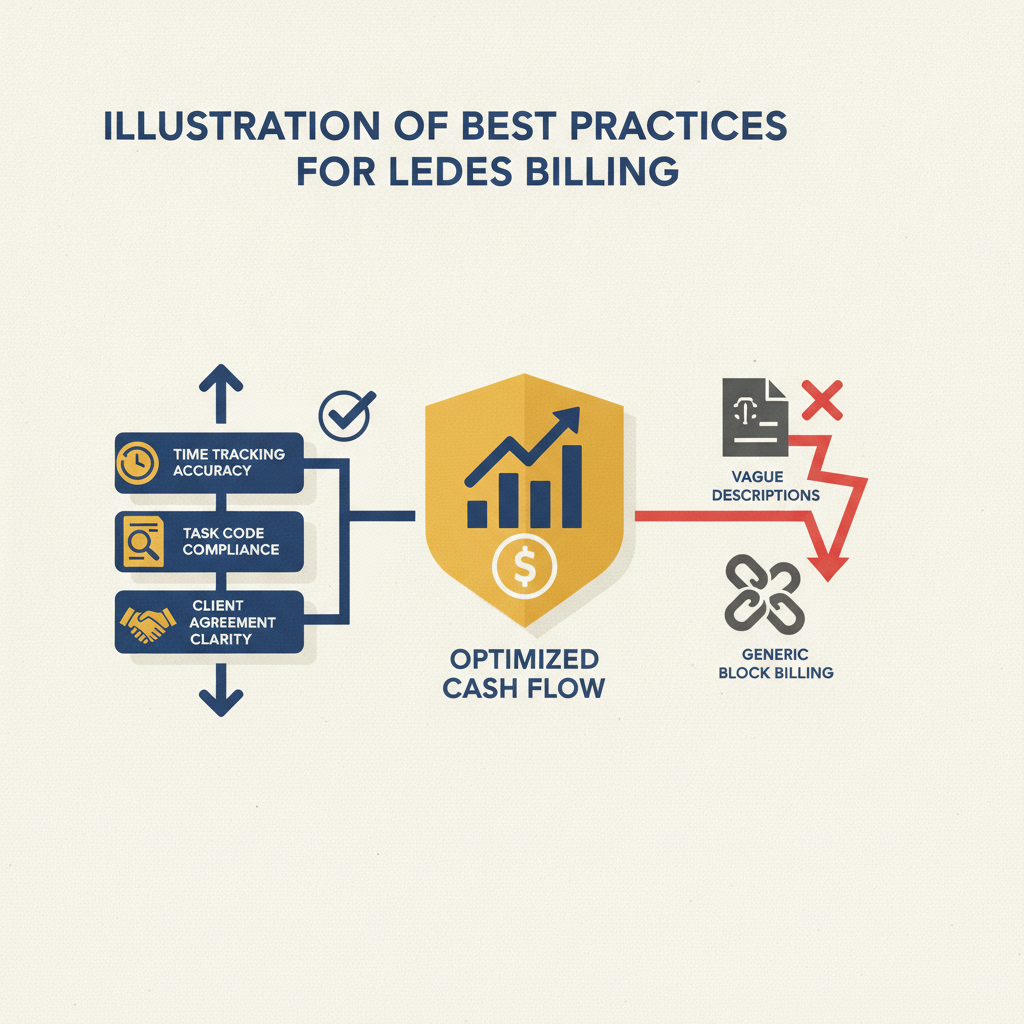
The LEDES 1998B specification marks many fields as required, but submission success depends on more than reading the field list. Firms that treat the specification as a checklist often discover that e-billing portals enforce different validation rules than the published standard, and that carrier guidelines layer additional requirements on top of the file format itself.
Populate Every Required Field Without Exception
The LEDES 1998B specification designates certain fields as required. A null value in INVOICE_DATE (field 1), INVOICE_NUMBER (field 2), CLIENT_ID (field 3), LAW_FIRM_MATTER_ID (field 4), INVOICE_TOTAL (field 5), BILLING_START_DATE (field 6), BILLING_END_DATE (field 7), LINE_ITEM_NUMBER (field 9), or LAW_FIRM_ID (field 20) constitutes an error. For fee line items, TIMEKEEPER_ID (field 18), LINE_ITEM_TASK_CODE (field 15), and LINE_ITEM_ACTIVITY_CODE (field 17) are required; for expense line items, LINE_ITEM_EXPENSE_CODE (field 16) is required. LINE_ITEM_NUMBER_OF_UNITS (field 11) is required except for invoice-level adjustments, where a zero or null value would otherwise be an error.
Some portals accept files that omit certain required fields, but relying on this tolerance is a mistake. When a carrier changes its validation rules or migrates to a different platform, files that previously uploaded without error may be rejected. The safer practice is to populate every field the specification marks as required, regardless of whether your current portal enforces it.
Verify Arithmetic Before Submission
LINE_ITEM_TOTAL (field 13) must equal (LINE_ITEM_UNIT_COST × LINE_ITEM_NUMBER_OF_UNITS) + LINE_ITEM_ADJUSTMENT_AMOUNT. The specification notes that receiving applications are encouraged to verify this formula within a reasonable variance—typically 0.1 percent—to account for rounding differences. If the calculated total falls outside that variance, the error must be resolved before payment.
INVOICE_TOTAL (field 5) must equal the sum of all LINE_ITEM_TOTAL values in the invoice. The specification allows a variance of approximately 1 percent for rounding, but any larger discrepancy signals an arithmetic mistake that will trigger rejection or a request for correction. Firms should configure their billing systems to perform these calculations automatically and flag any line item where the totals do not reconcile.
Ensure Unique Line Item Numbers Per Invoice
LINE_ITEM_NUMBER (field 9) must be unique for each line item within an invoice. The specification does not require consecutive numbering, but it does require that no two line items in the same invoice share the same identifier. Most firms use the time-entry primary key from their financial system, which naturally ensures uniqueness. When manually editing a LEDES file or combining entries from multiple sources, verify that no LINE_ITEM_NUMBER appears more than once for a given INVOICE_NUMBER.
Match Task Codes and Activity Codes to the Work Described
Task codes may be used without activity codes, but activity codes should not be used without task codes. The LEDES specification leaves the requirement for UTBMS codes to the receiving client, but in practice, insurance defense billing almost always requires both. Reviewers read these codes to verify that the narrative description aligns with the code category. A line item coded L310 (depositions) that describes document review will be flagged for correction, even if the narrative is otherwise detailed.
When a single time entry spans multiple tasks—research and drafting, for example—most carriers expect separate line items, each with its own task and activity code. Combining them into one entry with a single code invites a reduction for block billing, even when the narrative lists the tasks in sequence.
Preserve Only the First Occurrence of Invoice-Level Fields
For fields that apply to the entire invoice rather than individual line items—INVOICE_DATE, INVOICE_TOTAL, BILLING_START_DATE, BILLING_END_DATE, INVOICE_DESCRIPTION, CLIENT_ID, and LAW_FIRM_ID—the specification states that only the first value appearing for a given INVOICE_NUMBER is valid. All subsequent occurrences can be disregarded. This means that if your billing system repeats these values on every line of the file, the receiving system will ignore the repetitions and use only the value from the first line.
While repetition is not an error, it can create confusion during manual review. If the first line carries one INVOICE_TOTAL and a later line carries a different value, the receiving system will use the first value and disregard the second, which may not be the firm's intent. The cleanest practice is to populate invoice-level fields consistently across all lines, so that any line could serve as the authoritative source.
For each INVOICE_NUMBER, only the first INVOICE_TOTAL appearing for that INVOICE_NUMBER is valid—all others after the first can be disregarded.
Test Files in a Non-Production Environment When Possible
Many e-billing portals offer a test or sandbox environment where firms can upload files without affecting live invoices. Submitting a test file reveals validation errors, formatting issues, and portal-specific requirements before the invoice enters the carrier's review queue. Firms that skip this step often discover problems only after the invoice has been rejected, which delays payment and requires resubmission.
When a test environment is not available, validate the file locally using the LEDES specification and any validation tools provided by the portal vendor. Some portals publish a validation utility or a sample file that demonstrates the expected format. Use these resources to confirm that your file meets both the LEDES standard and the portal's implementation of it.
Common Mistakes in LEDES Billing
Submitting a LEDES file that fails validation is not rare. The LEDES 1998B specification marks certain fields as required, and when a firm leaves one of those fields null or blank, the file is technically defective. In practice, some e-billing portals accept files that omit required data, but relying on that leniency is risky — a different portal or a stricter validation rule can reject the same file outright.
The most frequent errors cluster around a handful of required fields and formatting rules. Knowing which mistakes trigger rejections, and how to fix them before submission, saves time and reduces the friction that comes with resubmission cycles.
Leaving Required Fields Null
The LEDES 1998B Field Specification states that a null value in INVOICE_DATE, INVOICE_NUMBER, CLIENT_ID, LAW_FIRM_MATTER_ID, INVOICE_TOTAL, BILLING_START_DATE, BILLING_END_DATE, LINE_ITEM_NUMBER, LINE_ITEM_TOTAL or LAW_FIRM_ID is an error. Each of these fields must contain a value on every line of the file. A blank CLIENT_ID or a missing BILLING_END_DATE will cause a validation failure in any system that enforces the specification strictly.
For fee line items, TIMEKEEPER_ID is required. An expense line item can leave TIMEKEEPER_ID null, but a fee entry with a blank timekeeper identifier is defective. Similarly, LINE_ITEM_NUMBER_OF_UNITS is required except for invoice-level adjustments; a value of zero or null for a standard fee or expense line item is an error.
Omitting or Misusing UTBMS Codes
The LEDES 1998B Field Specification states that LINE_ITEM_TASK_CODE is required for task items and LINE_ITEM_EXPENSE_CODE is required for expense items. When a firm submits a fee entry with no task code, or an expense entry with no expense code, the file violates the specification. Many carriers' outside counsel guidelines also require UTBMS codes, so omitting them can trigger both a technical validation error and a guideline violation.
LINE_ITEM_ACTIVITY_CODE is required for task items, and the specification notes that activity codes should not be used without task codes. A file that includes an activity code but leaves the task code blank is malformed. Task codes may be used without activity codes, but the reverse is not permitted.
Arithmetic Errors in LINE_ITEM_TOTAL and INVOICE_TOTAL
The LEDES 1998B Field Specification defines LINE_ITEM_TOTAL as the result of (LINE_ITEM_UNIT_COST × LINE_ITEM_NUMBER_OF_UNITS) + LINE_ITEM_ADJUSTMENT_AMOUNT. If the value in LINE_ITEM_TOTAL does not match that formula, the receiving system is encouraged to flag the discrepancy. The specification allows a small variance for rounding, but a LINE_ITEM_TOTAL that is not within a reasonable tolerance — for example, 0.1 percent — is an error that must be corrected before payment.
INVOICE_TOTAL is defined as the sum of all LINE_ITEM_TOTAL values in the invoice. The specification encourages the receiving system to verify that INVOICE_TOTAL equals the sum of the line-item totals, within a reasonable variance to account for rounding. If INVOICE_TOTAL is not within one percent of the sum, there is an error that must be resolved by the law firm.
If the LINE_ITEM_TOTAL is not within a reasonable variance of the value specified by the formula, there is clearly an error that must be resolved by the sending law firm before payment.
Inconsistent Invoice-Level Fields Across Line Items
For each INVOICE_NUMBER, only the first occurrence of INVOICE_DATE, INVOICE_TOTAL, BILLING_START_DATE, BILLING_END_DATE and INVOICE_DESCRIPTION is valid; all subsequent occurrences for that invoice number are disregarded. If a firm populates these fields differently on different line items within the same invoice, the receiving system will use the first value it encounters and ignore the rest. This can cause confusion when the firm intended a different value to apply, so the safest practice is to ensure that all line items for a given invoice carry identical values in these invoice-level fields.
Similarly, for each LAW_FIRM_MATTER_ID, only the first CLIENT_ID appearing for that matter is valid. If different line items for the same matter carry different client identifiers, only the first one counts.
Submitting Files Without Verifying Portal-Specific Rules
The LEDES 1998B specification is a baseline, but individual e-billing portals and carrier guidelines layer additional requirements on top of it. A file that passes the specification's validation may still be rejected if it violates a portal's custom rules or a carrier's guideline prohibition. For example, a carrier may require narrative detail that exceeds the minimum allowed by the specification, or may prohibit certain task codes even though the specification permits them.
Firms that generate LEDES files without checking the receiving portal's documentation, or without reviewing the applicable outside counsel guidelines, risk rejection for reasons that have nothing to do with the LEDES format itself. Understanding both the specification and the carrier's overlay is necessary to avoid repeated resubmission cycles. For a detailed breakdown of how e-billing portals handle rejections and what triggers them, see E-Billing Portal Invoice Rejections: Common Causes and Fixes.
Frequently asked questions
What does "required" mean in the LEDES 1998B specification?
The LEDES 1998B specification marks certain fields as "Required," which means a null value for those fields constitutes an error according to the published standard. Fields such as INVOICE_DATE, INVOICE_NUMBER, CLIENT_ID, LAW_FIRM_MATTER_ID, and LAW_FIRM_ID all carry the "Required" designation, and the specification states that a null value ("") would be an error for each of these fields.
In practice, some e-billing portals accept files that omit fields marked as required by the specification. This discrepancy means that a file may pass validation at one portal and fail at another, even though both claim to accept LEDES 1998B. Firms should test their file format with each destination portal rather than relying solely on the specification's requirements.
Are UTBMS codes task codes and activity codes both required?
The LEDES 1998B specification states that LINE_ITEM_TASK_CODE is "Required for Task Items" and LINE_ITEM_ACTIVITY_CODE is also "Required for Task Items." The specification notes that task codes may be used without activity codes, but activity codes should not be used without task codes. Whether a carrier requires both codes, only task codes, or neither is set by the receiving client, not by the LEDES standard itself.
Most carrier outside counsel guidelines specify which codes they require. Some carriers accept task codes alone; others mandate both task and activity codes for every fee line item. The specification provides the structure, but the carrier guideline determines the submission rule.
What happens if LINE_ITEM_TOTAL does not match the formula?
LINE_ITEM_TOTAL is defined as (LINE_ITEM_UNIT_COST × LINE_ITEM_NUMBER_OF_UNITS) + LINE_ITEM_ADJUSTMENT_AMOUNT. The LEDES 1998B specification states that the receiving application is encouraged to verify that LINE_ITEM_TOTAL is properly calculated, within a reasonable variance to account for rounding errors. If the LINE_ITEM_TOTAL is not within a reasonable variance—the specification suggests 0.1 percent—there is clearly an error that must be resolved by the sending law firm before payment.
Some portals reject the file immediately when LINE_ITEM_TOTAL fails the arithmetic check. Others accept the file but flag the line item for manual review. The specification does not mandate rejection; it recommends verification and resolution. Firms should ensure their billing software calculates LINE_ITEM_TOTAL correctly to avoid delays.
Do expense items need a TIMEKEEPER_ID?
The LEDES 1998B specification states that TIMEKEEPER_ID is "Required for Task Items" and that most expense items probably do not have a TIMEKEEPER_ID associated with them, in which case the field would be left null. For fee line items, a null value would be an error. This means that expense line items—those with a LINE_ITEM_EXPENSE_CODE rather than a LINE_ITEM_TASK_CODE—may omit the TIMEKEEPER_ID without violating the specification.
Carrier guidelines occasionally impose stricter rules. Some carriers require a timekeeper identifier even for expenses when a specific attorney incurred the cost. Firms should check the guideline for each matter rather than assuming the specification's optional treatment applies universally. For a detailed breakdown of all LEDES fields, see the LEDES 1998B File Format - All 24 Fields Explained.
Can multiple invoices appear in a single LEDES file?
Yes. The LEDES 1998B specification permits multiple INVOICE_NUMBERs in the same file, and it permits multiple LAW_FIRM_MATTER_IDs in the same invoice if acceptable to the receiving system. Each line item carries its own INVOICE_NUMBER and LAW_FIRM_MATTER_ID, so the file can contain line items for several invoices and several matters in a single transmission.
Whether the receiving portal accepts multi-invoice files depends on the portal's configuration. Some portals require one file per invoice; others accept batches. Firms should confirm the portal's batch rules before submitting a file that combines multiple invoices, even though the specification allows it.
What is the difference between LAW_FIRM_MATTER_ID and CLIENT_MATTER_ID?
LAW_FIRM_MATTER_ID is the law firm's internal matter code, and CLIENT_MATTER_ID is the client's or carrier's matter code. Both fields are included in the LEDES 1998B specification to provide keys for differentiating between matters. The specification states that both must be included if available, and that the only situation where CLIENT_MATTER_ID would not be reported is if the client does not have its own independent system for identifying matters.
In insurance defense billing, the carrier almost always assigns a CLIENT_MATTER_ID—often called a claim number or matter number—and the firm must include it in field 5 of the LEDES 1998B file. Omitting CLIENT_MATTER_ID when the carrier has provided one will cause the portal to reject the file or route it incorrectly.
How are invoice-level adjustments handled in LEDES 1998B?
The LEDES 1998B specification states that LINE_ITEM_NUMBER_OF_UNITS is "Required except if an Invoice Level Adjustment," and that for invoice-level adjustments, the field is ignored. A value of zero or null would be an error unless the line item is an invoice-level adjustment. Invoice-level adjustments typically appear as line items with a LINE_ITEM_ADJUSTMENT_AMOUNT and a LINE_ITEM_TOTAL equal to that adjustment amount, with LINE_ITEM_NUMBER_OF_UNITS left null or zero.
Carriers use invoice-level adjustments for across-the-board discounts, retainer credits, or other amounts that do not correspond to a specific timekeeper or task. Firms should consult the carrier guideline to determine whether invoice-level adjustments are permitted and how they should be coded.
What does "unique per INVOICE_NUMBER" mean for LINE_ITEM_NUMBER?
The LEDES 1998B specification states that LINE_ITEM_NUMBERs must be unique per INVOICE_NUMBER but need not be consecutive. This means that within a single invoice, no two line items can share the same LINE_ITEM_NUMBER, but the numbers do not need to follow a 1, 2, 3 sequence. A firm may use its time-entry primary key as the LINE_ITEM_NUMBER, which ensures uniqueness even if entries are added or deleted before the invoice is finalized.
Some portals enforce uniqueness strictly and reject files with duplicate LINE_ITEM_NUMBERs within an invoice. Others accept duplicates but may overwrite one line item with another during import. Firms should ensure their billing software generates unique LINE_ITEM_NUMBERs to avoid unpredictable portal behavior.
Conclusion
LEDES 1998B and UTBMS codes form the technical foundation of insurance defense billing. The specification defines required fields—INVOICE_DATE, INVOICE_NUMBER, CLIENT_ID, LAW_FIRM_MATTER_ID, and fourteen others—and marks null values in most of those fields as errors. In practice, some e-billing portals accept files that omit fields marked as required by the specification, but that discrepancy does not relieve the submitting firm of the obligation to follow the carrier's stated requirements. Where a carrier guideline or portal validation rule calls for a field, that field must be populated accurately, and a rejection for missing or malformed data is not negotiable.
UTBMS codes translate narrative time entries into a structured vocabulary that bill reviewers and automated systems can process uniformly. Task codes may be used without activity codes, but activity codes should not be used without task codes—the LEDES 1998B specification states this rule plainly. Carriers differ in how they apply these codes: some treat a missing or incorrect code as a validation error that blocks submission, others allow the file through and apply a reduction code during review. The result is the same—lost revenue and rework—but the procedural path differs, and firms must know which carriers enforce codes at which stage.
Block billing remains a reduction trigger under most carrier guidelines, though only one of the three major carriers examined in the research—Arch 2025.5, Hartford, and Sompo—treats it as an outright prohibition rather than a reduction-eligible defect. Where a guideline is silent on block billing, that silence is not permission; it means the firm must look to the carrier's reduction-code history and portal validation messages to infer the standard. A single entry reading "research and draft motion in limine, 4.2" will draw a reduction under nearly any panel guideline, whether or not the guideline names block billing explicitly.
Accurate data entry is not optional. A null value for LAW_FIRM_ID, TIMEKEEPER_ID, or LINE_ITEM_TOTAL is an error under the specification, and submitting a file with null required fields exposes the firm to rejection, payment delay, and—where the error is repeated—removal from the panel. The specification's arithmetic rules are equally firm: LINE_ITEM_TOTAL must equal (LINE_ITEM_UNIT_COST × LINE_ITEM_NUMBER_OF_UNITS) + LINE_ITEM_ADJUSTMENT_AMOUNT, and INVOICE_TOTAL must equal the sum of all LINE_ITEM_TOTAL values, within a tolerance for rounding. Receiving systems are encouraged to verify these calculations, and where the variance exceeds one percent, the invoice should be rejected outright.
For firms new to LEDES and UTBMS codes, the learning curve is real but not insurmountable. Start with the LEDES 1998B field specification, read the carrier's outside counsel guidelines in full, and test submissions in a non-production environment where validation errors will not delay payment. Block billing and narrative detail standards vary by carrier, and a practice that satisfies one guideline may trigger reductions under another. The only reliable path is to treat each carrier's requirements as distinct, document the differences in a reference table, and configure the billing system to enforce the strictest standard by default.
Navigating the intricacies of LEDES and UTBMS can be challenging for insurance defense firms, but understanding these systems is crucial for efficient billing practices. Mastery of the specification, familiarity with carrier-specific variations, and disciplined attention to data accuracy will reduce rejections, preserve revenue, and maintain the firm's standing on the panel. Where a submission fails, the path forward is straightforward: read the rejection message, locate the controlling guideline provision, correct the file, and resubmit. The specification and the guidelines are public documents; the answers are there.