

Types of Ledes: LEDES 1998B vs. 1998BI vs. LEDES XML: Which Do
Introduction
The Format Question That Determines Whether Your Invoice Clears
LEDES 1998B vs. 1998BI vs. LEDES XML: a single line item reading "research motion in limine, 4.2" submitted in LEDES 1998B format will clear validation at one portal and fail at another that requires LEDES XML. The difference is not cosmetic. LEDES 1998B, 1998BI, and LEDES XML are three structurally distinct file formats, each with its own field layout, delimiter conventions, and validation rules. Carriers and e-billing platforms specify one format in their submission requirements, and the portal's intake engine rejects files that arrive in the wrong shape.
The LEDES 1998B specification defines 24 pipe-delimited fields, including INVOICE_DATE, INVOICE_NUMBER, CLIENT_ID, and LAW_FIRM_MATTER_ID as required entries. LINE_ITEM_TASK_CODE and LINE_ITEM_EXPENSE_CODE fields carry UTBMS codes when the client requires them. A null value in a required field produces an error, and the receiving system will not process the invoice until the firm corrects the file and resubmits.
Most panel counsel guidelines name the required format explicitly. When the guideline is silent, the e-billing portal's upload interface usually states which formats it accepts. Submitting LEDES 1998B to a portal configured for LEDES XML results in a parsing failure, not a line-item reduction — the invoice never reaches the reviewer's queue. Understanding which format a carrier prefers, and why, is the first step in avoiding rejection cycles that delay payment by weeks.
For firms working with multiple carriers, the LEDES 1998B file format serves as the baseline. LEDES 1998BI and LEDES XML extend or restructure that baseline in ways that matter to specific portals and clients. The sections that follow compare the three formats field by field, explain what each carrier typically requires, and show how to determine which format to use before the first submission.
What Are LEDES 1998B vs. 1998BI vs. LEDES XML?
A law firm submits a LEDES 1998B file to a carrier e-billing portal and receives a validation error. The firm's billing administrator opens the guideline document, finds a reference to "LEDES format," and sees no version number. The administrator calls the portal help desk and is told the carrier accepts "LEDES 1998B or 1998BI." The administrator asks what the difference is; the help desk representative says "1998BI has more fields." The firm resubmits the same file with a .txt extension renamed to .1998bi and the portal accepts it. Three weeks later, the invoice is reduced for missing data the carrier expected in fields the firm's software does not populate.
This is not an edge case. Carriers publish guidelines that name LEDES as a requirement without specifying which variant, version or field set they enforce. E-billing portals accept multiple file extensions and perform minimal front-end validation, so a syntactically valid LEDES 1998B file passes the upload gate even when the carrier's bill review team expects 1998BI fields or XML elements. The rejection arrives after submission, often coded as "insufficient detail" or "missing required data," and the firm has no way to know which fields triggered the reduction without a line-by-line comparison of the carrier's undocumented expectations against the LEDES 1998B specification.
The Three Variants and What Separates Them
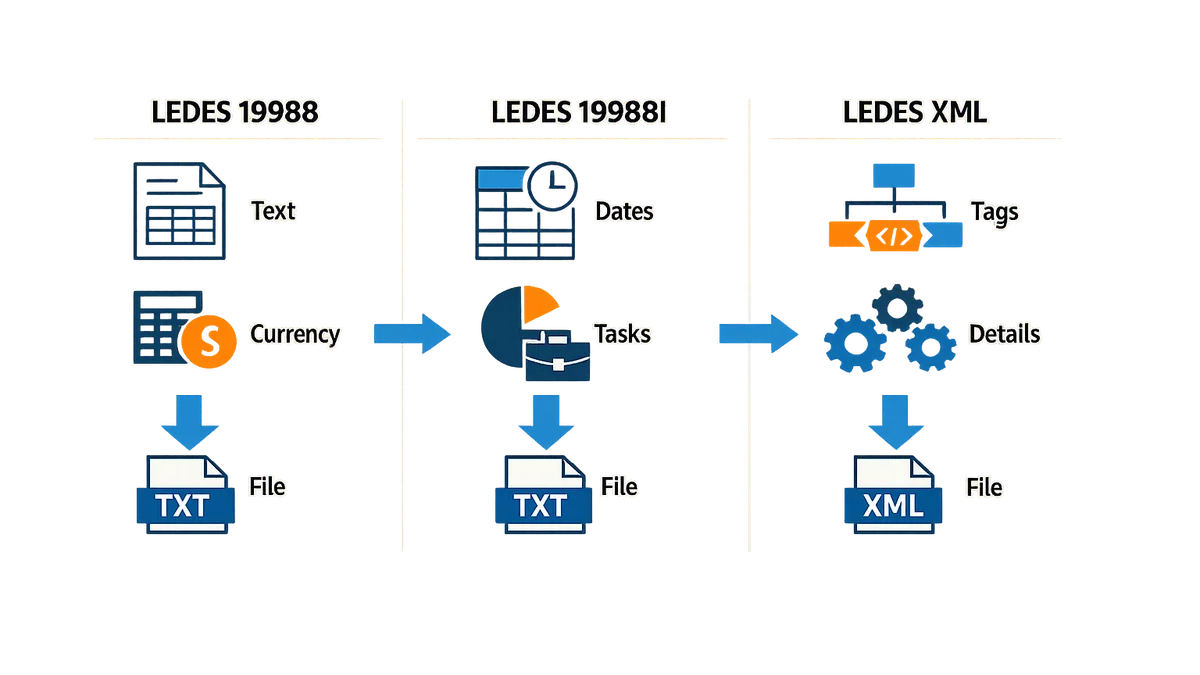
LEDES 1998B is a 24-field pipe-delimited text format. Field 1 is INVOICE_DATE, field 2 is INVOICE_NUMBER, field 15 is LINE_ITEM_TASK_CODE, field 16 is LINE_ITEM_EXPENSE_CODE. The specification states that LINE_ITEM_TASK_CODE is required for task items and that task codes may be used without activity codes, but activity codes should not be used without task codes. LEDES 1998BI extends the 1998B field set with additional fields for timekeeper classification, billing rates by category, and invoice-level adjustment codes. LEDES XML is a structured markup format that nests line items, timekeepers, and UTBMS codes inside hierarchical elements, allowing carriers to enforce schema validation and require elements that have no equivalent in the flat 1998B layout.
The problem is not that the formats are incompatible — a LEDES 1998B file is a valid subset of 1998BI if the extra fields are left empty, and many e-billing portals convert any submitted format to XML for internal processing. The problem is that a carrier's outside counsel guideline rarely states which fields are mandatory, which are optional, and which trigger automatic rejection if populated incorrectly. A guideline that says "submit invoices in LEDES format" gives the firm no instruction on whether to populate field 15 with a UTBMS task code, whether to leave field 16 null for fee items, or whether the carrier's bill review software expects XML elements that do not exist in the 1998B specification.
Why Portals Accept Files That Reviewers Reject
E-billing portals validate file structure — correct delimiters, required fields populated with non-null values, date fields in YYYYMMDD format — but they do not enforce carrier-specific business rules at upload. A portal that accepts LEDES 1998B will pass a file where LINE_ITEM_NUMBER_OF_UNITS is 0.1 and LINE_ITEM_TASK_CODE is null, even if the carrier's guideline prohibits tenth-of-an-hour billing without a task code. The portal stores the file, generates a submission confirmation, and routes the invoice to the carrier's bill review queue. The reviewer opens the invoice, sees no task code, applies a reduction code for "insufficient detail," and the firm receives a notice three weeks after submission with no reference to which field was missing.
This gap between portal validation and reviewer expectations creates a false sense of compliance. A firm that receives an upload confirmation assumes the invoice met the carrier's technical requirements, but the confirmation only means the file was syntactically valid and contained the minimum fields the portal requires to create a database record. The carrier's business rules — task codes mandatory, block billing prohibited, narrative detail required for entries over 0.5 hours — are enforced downstream by human or automated review, and the rejection notice rarely maps the reduction code back to a specific LEDES field.
The Absence of a Public Preference List
No carrier publishes a matrix that says "we prefer LEDES XML over 1998BI, and 1998BI over 1998B." Guidelines use phrases like "LEDES-compliant format" or "submit invoices in LEDES 1998B or higher," which implies that 1998BI and XML are acceptable but does not state whether submitting a 1998B file when the carrier expects 1998BI will trigger a rejection. Firms call the carrier's panel counsel coordinator and are told to "check with the portal," but the portal's file-format dropdown lists all three variants as equivalent options. The firm submits 1998B because that is what the firm's billing software exports, and the first indication that the carrier wanted 1998BI arrives as a line-item reduction with a code the firm has never seen before.
Solution Steps
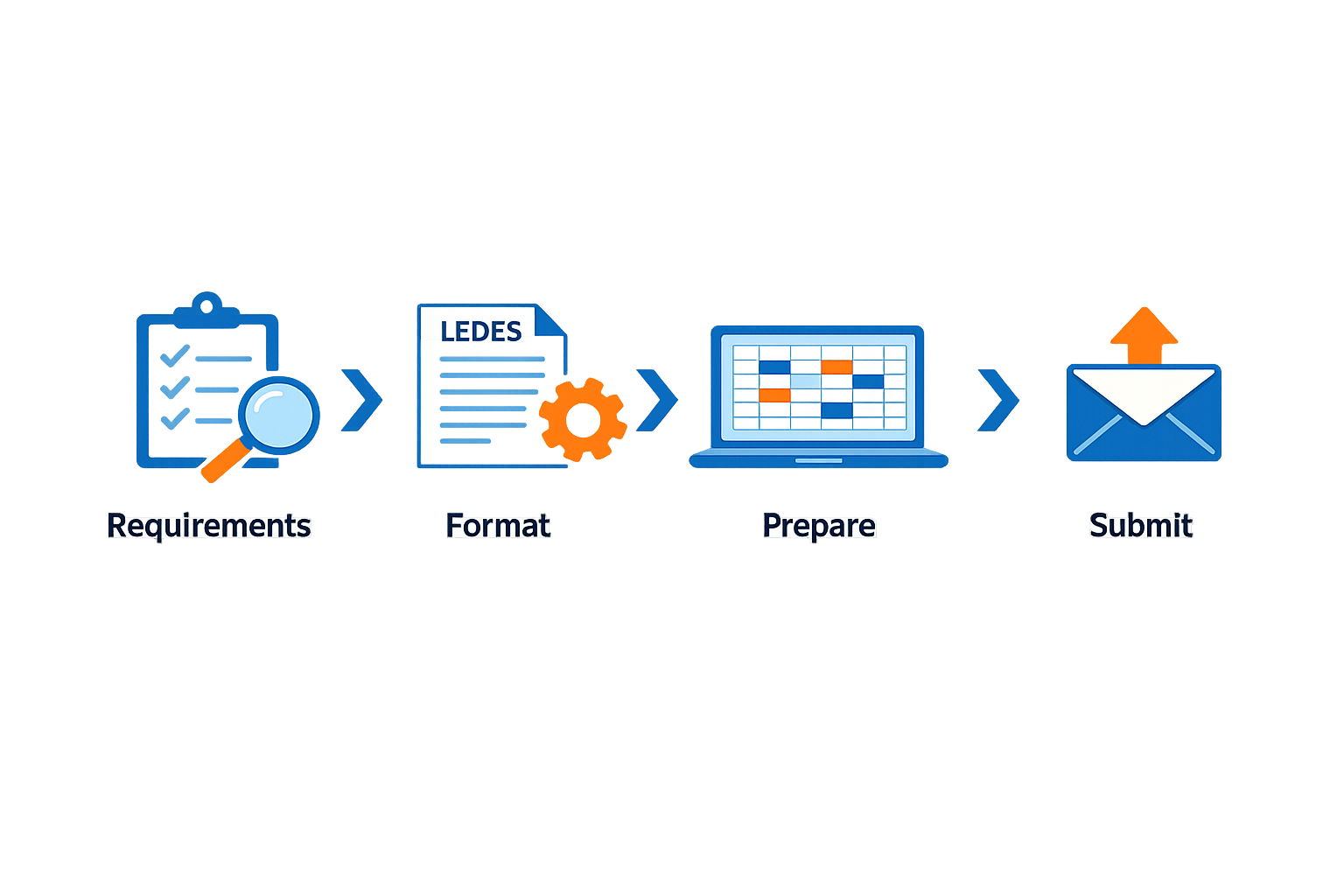
The path from confusion to compliance is shorter than most firms expect — four steps, executed in order, eliminate most rejection risk.
Step 1: Read the carrier guideline and note the format requirement
Step 1
Locate the format specification
Open the carrier's outside counsel guidelines and search for "LEDES," "file format," or "invoice submission." Most guidelines state the required format by name and version — for example, "Invoices must be submitted in LEDES 1998B format, revision 2014." If the guideline is silent, contact the carrier's panel administrator or e-billing help desk before you generate the file. Silence is not permission to choose your own format.
Step 2: Verify your billing system's export capability
Step 2
Confirm your system supports the required format
Log into your firm's time and billing software and navigate to the invoice export or e-billing module. Check the list of available export formats. If the carrier requires LEDES 1998B and your system offers only "LEDES 98B" or "LEDES (legacy)," those labels usually mean 1998B — but verify with your vendor's documentation or support team that the output matches the LEDES 1998B field specification. If the carrier requires LEDES XML and your system does not list it, you will need a format converter or a system upgrade.
Most practice-management platforms export LEDES 1998B by default. LEDES 1998BI and LEDES XML are less common and may require a plugin, a third-party converter, or a manual export-and-transform workflow.
Step 3: Generate a test file and validate required fields
Step 3
Export a sample invoice and inspect the output
Select a closed or internal matter, generate an invoice, and export it in the carrier's required format. Open the resulting file in a text editor (for 1998B or 1998BI) or an XML viewer (for LEDES XML). Verify that all required fields are populated — LEDES 1998B requires INVOICE_DATE, INVOICE_NUMBER, CLIENT_ID, LAW_FIRM_MATTER_ID, INVOICE_TOTAL, BILLING_START_DATE, BILLING_END_DATE, LINE_ITEM_NUMBER, LINE_ITEM_NUMBER_OF_UNITS, LINE_ITEM_TASK_CODE (for fee items), and LINE_ITEM_EXPENSE_CODE (for expense items). A null value in any required field triggers an automatic rejection.
Step 4: Map UTBMS codes and confirm narrative detail
Step 4
Assign task and expense codes to every line item
For each fee entry, populate LINE_ITEM_TASK_CODE with a valid UTBMS task code. For each expense entry, populate LINE_ITEM_EXPENSE_CODE with a valid UTBMS expense code. The LEDES specification states that task codes may be used without activity codes, but activity codes should not be used without task codes. Most carriers require task codes for all fee items and expense codes for all expense items. If your billing system does not enforce UTBMS coding at the time-entry stage, you will need to assign codes during the export process — or before it, if your system allows batch coding.
Carriers that require UTBMS codes also require sufficient narrative detail in the LINE_ITEM_DESCRIPTION field. A description that reads "research and draft motion in limine, 4.2" is block billing and will be rejected under most panel guidelines. Each task must be described separately, with enough detail to identify the work performed, the document reviewed, or the issue researched. For more on block billing and how to avoid it, see Block Billing: Reasons for Carrier Rejections and Solutions.
Tips and Tricks
A file that passes validation is not the same as a file that passes review. Carriers reject invoices for reasons the portal never flags—missing task codes, inconsistent timekeeper IDs, or line-item totals that do not reconcile to the invoice header. The following practices reduce rejection rates and streamline the appeal path when a reduction does occur.
Verify Required Fields Before Submission
LEDES 1998B defines twelve required fields. A null value in INVOICE_DATE, INVOICE_NUMBER, CLIENT_ID, LAW_FIRM_MATTER_ID, INVOICE_TOTAL, BILLING_START_DATE, BILLING_END_DATE, LINE_ITEM_NUMBER, LINE_ITEM_NUMBER_OF_UNITS, or LINE_ITEM_TOTAL triggers an error. For task items, LINE_ITEM_TASK_CODE is required; for expense items, LINE_ITEM_EXPENSE_CODE is required. Carriers that mandate UTBMS coding reject files in which a fee entry carries an expense code or an expense entry carries a task code. Confirm that every line item populates the correct code field and leaves the other null.
INVOICE_TOTAL must equal the sum of all LINE_ITEM_TOTAL values within a one-percent variance to account for rounding. If the sending system calculates the header total independently, reconcile it line-by-line before export. Carriers that receive a file in which the stated total differs from the computed sum by more than the tolerance threshold will hold the entire invoice pending correction.
Maintain Consistent Identifiers Across Billing Periods
For each LAW_FIRM_MATTER_ID, only the first CLIENT_ID appearing in the file is valid; the specification instructs receiving systems to disregard subsequent values. The same rule applies to INVOICE_NUMBER and its associated INVOICE_DATE, INVOICE_TOTAL, BILLING_START_DATE, BILLING_END_DATE, and INVOICE_DESCRIPTION. If a timekeeper's ID changes mid-matter or a matter number is reused for a different client, the portal may route the invoice to the wrong reviewer or flag a duplicate-invoice error. Establish a naming convention that assigns one immutable identifier per matter and one per timekeeper, and enforce it in the billing system before the first export.
A carrier that sees two CLIENT_IDs under one LAW_FIRM_MATTER_ID will process the first and ignore the second, whether or not the second is correct.
Align Task and Activity Codes With the Carrier's Code Set
UTBMS task codes may be used without activity codes, but activity codes should not be used without task codes. Some carriers accept the base UTBMS litigation code set; others require a customized taxonomy published in their outside counsel guidelines. When a guideline specifies a closed list of acceptable codes, any code outside that list is a rejection trigger. Download the carrier's current code reference, compare it to your billing system's master list, and map or suppress codes that do not appear in the carrier's version. If the guideline is silent on activity codes, omit them—an unsupported activity code is worse than a blank field.
For detailed guidance on how UTBMS activity codes structure line-item narratives, see UTBMS Activity Codes A101-A111 for Legal Billing.
Test the Full Validation Path Before the Billing Deadline
E-billing portals perform schema validation at upload and business-rule validation during ingestion. A file that clears the first gate may still fail the second when the system applies matter-specific budgets, staffing ratios, or pre-approval thresholds. Submit a test invoice with representative line items at least one week before the deadline. If the portal returns a rejection code, the error message will cite the field and the rule; if it accepts the file but the bill reviewer later reduces a line item, the reduction code and the appeal instructions will appear in the portal's adjustment log. Capture both the validation errors and the reduction codes in a reference document, then configure the billing system to prevent the same error in the next cycle.
How Do Carriers Choose Between LEDES 1998B vs. 1998BI vs. LEDES XML?
| Format | Structure | Required Fields | Common Use Case |
|---|---|---|---|
| LEDES 1998B | 24 pipe-delimited fields | 12 core fields plus task/expense codes | Most carrier portals, baseline format |
| LEDES 1998BI | Extended pipe-delimited with adjustment fields | 1998B fields plus invoice-level adjustments | Carriers requiring detailed rate and adjustment data |
| LEDES XML | Hierarchical markup with nested elements | Schema-defined elements, varies by carrier | Enterprise systems requiring structured validation |
Carriers select a format based on their e-billing platform's capabilities and their bill review workflow. LEDES 1998B supports the vast majority of submission requirements because it includes all core invoice fields and UTBMS code slots. LEDES 1998BI adds fields for timekeeper classification and invoice-level adjustments, which some carriers use to track write-downs and rate exceptions. LEDES XML enables schema validation and hierarchical nesting, which enterprise platforms prefer for automated ingestion and data extraction.
Most carriers do not publish their format preference publicly. Instead, they state the requirement in their outside counsel guidelines or in the e-billing portal's file-upload instructions. When a guideline names multiple acceptable formats, the firm may submit any of them — but the carrier's bill review team may still expect data elements that only appear in one variant. For example, a guideline that accepts "LEDES 1998B or 1998BI" may not specify that the carrier's review software flags invoices missing the TIMEKEEPER_CLASSIFICATION field, which exists only in 1998BI.
For a complete explanation of common e-billing portal rejection reasons and how to resolve them, see E-Billing Portal Invoice Rejections: Common Causes and Fixes.
Conclusion
Carriers do not publish a single universal preference for LEDES 1998B vs. 1998BI vs. LEDES XML because they do not need to. The majority of e-billing portals accept LEDES 1998B, and that acceptance is enough to make it the practical default. Where a carrier's guideline or portal documentation specifies a format, that specification controls — read it, follow it, and submit exactly what the portal expects. Where the guideline is silent, submit LEDES 1998B unless you have written confirmation that an alternative format is accepted.
The three formats share the same core field semantics: INVOICE_DATE, INVOICE_NUMBER, CLIENT_ID, LAW_FIRM_MATTER_ID, and the line-item structure that carries UTBMS task and expense codes. A file that fails validation in one format will fail in the others for the same substantive reason — a missing required field, a malformed date, or a LINE_ITEM_NUMBER_OF_UNITS of zero where the line item is not an invoice-level adjustment. The format you choose does not cure a substantive defect in the underlying data.
LEDES 1998BI added the ability to include invoice-level adjustments and additional client-matter identifiers without changing the pipe-delimited structure. LEDES XML wrapped the same field set in XML tags and enabled hierarchical nesting, which some enterprise systems prefer for automated ingestion. Neither extension replaced LEDES 1998B, and none of the three formats exempts a timekeeper from the narrative-detail and block-billing prohibitions that appear in carrier outside counsel guidelines. The format is the container; the guideline governs what goes inside it.
When a portal rejects a file, the rejection message typically identifies the field and the rule that failed. Fix the data, not the format. If the portal accepts multiple formats and you are unsure which one your system exports, consult your billing software's documentation or contact the vendor's support team. The format question is a one-time setup decision; the guideline-compliance question recurs with every invoice. Spend your time on the latter.
For a detailed walk-through of each field in the LEDES 1998B specification, including required versus optional status and common validation errors, see LEDES 1998B File Format - All 24 Fields Explained. That reference covers the field-level mechanics that apply regardless of which format variant the portal accepts.
FAQ
Which LEDES format do most carriers accept?Most carriers accept LEDES 1998B because it includes all core invoice fields and UTBMS code slots required for standard bill review. LEDES 1998BI and LEDES XML are less common and typically appear only when a carrier's e-billing platform requires extended fields or schema validation.
Can I submit LEDES 1998B when the carrier asks for LEDES 1998BI?A LEDES 1998B file is a valid subset of 1998BI if the extra fields are left empty, and many portals accept it. However, the carrier's bill review team may reduce the invoice for missing data if they expect 1998BI-specific fields such as TIMEKEEPER_CLASSIFICATION or invoice-level adjustment codes.
How do I know which format my billing software exports?Log into your time and billing software, navigate to the invoice export module, and check the list of available formats. If the label says "LEDES 98B" or "LEDES (legacy)," it usually means LEDES 1998B. Verify with your vendor's documentation that the output matches the published LEDES 1998B field specification.
What happens if I submit the wrong LEDES format?Submitting LEDES 1998B to a portal configured for LEDES XML results in a parsing failure — the invoice never reaches the reviewer's queue. Submitting LEDES 1998B when the carrier expects 1998BI may pass the upload gate but trigger a reduction later if the bill review team expects fields that do not exist in the 1998B specification.