

How to Create a LEDES Invoice 1998B: Best Practices
Introduction
A LEDES 1998B invoice is a pipe-delimited text file that carriers, corporate legal departments, and government agencies use to ingest outside counsel billing data into their payment systems. When you create a LEDES 1998B invoice correctly—populating all 24 required fields, using valid UTBMS codes, and maintaining proper field order—the file clears portal validation and moves to substantive review. When field formatting fails or required data is missing, the portal rejects the entire invoice before any human reviewer sees it.
A single misplaced delimiter or an invalid UTBMS code triggers an automatic rejection at the portal. The carrier's bill review team never sees the invoice, the matter remains unbilled, and the firm's accounting department receives a generic error message that rarely identifies the exact problem. That sequence repeats every billing cycle until someone opens the specification, maps the fields correctly, and rebuilds the file from scratch.
LEDES 1998B is the electronic billing standard that insurance carriers, corporate legal departments, and government agencies rely on to ingest outside counsel invoices into their bill review and payment systems. The format defines exactly 24 fields, separated by pipe characters, with each line item occupying one row. When the file structure matches the specification and the UTBMS task and activity codes align with the work described, the invoice clears validation and moves to substantive review. When it does not, the portal rejects the file before any human reviewer opens it.
Understanding how to construct a LEDES 1998B file correctly — field by field, code by code — is the difference between a clean submission and a cycle of rejections that delays payment and frustrates both the timekeeper and the client. This guide walks through the steps to create a compliant LEDES 1998B invoice, the common pitfalls that trigger validation errors, and the checks to perform before uploading the file to an e-billing portal.
What LEDES 1998B Is and Why It Matters
LEDES 1998B is a pipe-delimited text file standard published by the LEDES Oversight Committee. Each line in the file represents one time entry or expense entry. The 24 fields capture invoice header information, timekeeper details, line item narrative, UTBMS codes, billing amounts, and adjustment tracking. The format is designed to be machine-readable, which allows e-billing platforms to parse, validate, and route invoices without manual data entry.
Carriers and corporate clients mandate LEDES 1998B because it standardizes billing data across hundreds or thousands of law firms. When every invoice arrives in the same structure, bill review software can apply automated checks for guideline compliance, flag block billing, verify UTBMS code usage, and calculate metrics like effective hourly rates and staffing ratios. The alternative — PDF invoices or proprietary spreadsheet formats — requires manual review and data re-entry, which introduces error and delay.
Most panel counsel agreements and outside counsel guidelines specify LEDES 1998B as the required submission format. Some carriers accept LEDES 1998BI, an extended version with additional fields, or LEDES XML for more complex data structures. When the guideline names a format, that format is not optional. Submitting an invoice in any other structure triggers an immediate rejection, and the firm must recreate the file before resubmission.
The portal validates structure before content — a perfect narrative and correct UTBMS codes mean nothing if the file has 23 fields instead of 24.
Common LEDES 1998B Invoice Errors That Trigger Portal Rejections
A null value in field 1 INVOICE_DATE is an error that will cause the receiving system to reject the file. The same is true for INVOICE_NUMBER, CLIENT_ID, LAW_FIRM_MATTER_ID, INVOICE_TOTAL, BILLING_START_DATE, BILLING_END_DATE and LINE_ITEM_NUMBER. These are required fields under the LEDES 1998B specification, and leaving any of them blank — even accidentally — means the file will not validate.
Many firms discover this only after uploading to an e-billing portal, when the portal returns a validation error and the invoice is marked rejected. At that point the firm must correct the file, regenerate it and resubmit, which delays payment and creates rework for both the timekeeper who entered the line item and the billing coordinator who prepared the file.
Common field-level errors
Beyond null values, the specification defines type and length constraints that firms routinely violate. INVOICE_DATE, BILLING_START_DATE and BILLING_END_DATE must be eight-character strings in YYYYMMDD format — no hyphens, no slashes, no two-digit years. INVOICE_TOTAL is defined as Currency * 12.4, meaning twelve digits total with up to four decimal places; a value that exceeds that width or omits the decimal separator will fail validation. LINE_ITEM_NUMBER_OF_UNITS must be a non-zero numeric value for fee and expense line items; a zero or null entry is an error unless the line is an invoice-level adjustment.
Firms also struggle with the distinction between required and optional fields. INVOICE_DESCRIPTION (field 8) is optional and may be left blank, but many portals and carrier guidelines expect narrative detail at the line-item level instead. Confusing these two fields — putting a summary in INVOICE_DESCRIPTION and leaving line-item narratives sparse — satisfies the file format but violates the guideline's narrative-detail requirement, triggering reductions even though the file uploaded successfully.
Arithmetic and consistency checks
Receiving systems verify that INVOICE_TOTAL equals the sum of all LINE_ITEM_TOTAL values for that invoice number, within a narrow tolerance for rounding. The specification recommends a one-percent variance threshold; if the stated total and the computed total differ by more than that, the portal treats it as an arithmetic error and rejects the file. This happens when a firm's billing system rounds individual line totals one way and the invoice total another, or when a manual adjustment is made to the header record but not propagated to the line items.
For more detail on what triggers portal rejections and how to resolve them, see E-Billing Portal Invoice Rejections: Common Causes and Fixes.
Another consistency rule: for each LAW_FIRM_MATTER_ID, only the first CLIENT_ID appearing is valid. If different line items within the same matter carry different client codes, the portal will use the first one and disregard the rest. The firm may believe it is billing two clients on a single invoice, but the receiving system sees only one client and routes the entire invoice accordingly.
How to Create a LEDES 1998B Invoice: Field-by-Field Steps
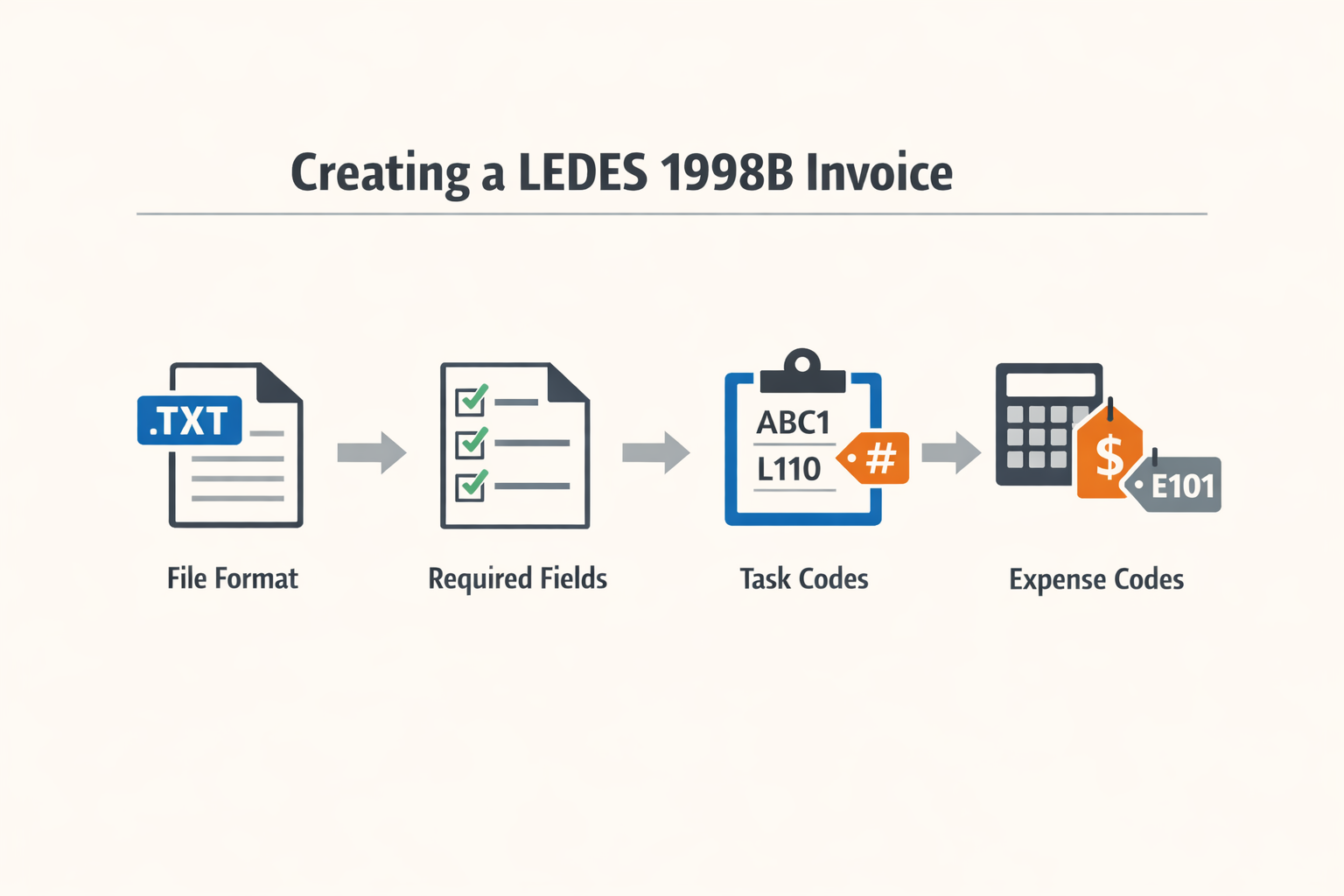
Creating a LEDES 1998B invoice means populating each of the twenty-four fields defined in the specification and arranging them in the correct order, one line item per row. The file itself is a pipe-delimited text file with no header row. Every field has a defined data type, length and required status, and the specification states exactly what constitutes an error.
Understand the File Structure and Field Order
A LEDES 1998B file contains one row for each line item—each time entry or expense—on the invoice. The fields appear in a fixed sequence from field 1 (INVOICE_DATE) through field 24 (LINE_ITEM_ADJUSTMENT_AMOUNT). Fields are separated by the pipe character (|), and the file carries no column headers. When a field is optional and not populated, you still include the pipe delimiter for that position, leaving the field empty.
The specification defines each field by type and maximum length. Date fields use the format YYYYMMDD with no separators. Currency fields are numeric with up to four decimal places. Character fields have a stated maximum length, and exceeding that length is an error.
Step 1
Populate the invoice-level fields
Fields 1 through 8 describe the invoice as a whole: INVOICE_DATE, INVOICE_NUMBER, CLIENT_ID, LAW_FIRM_MATTER_ID, INVOICE_TOTAL, BILLING_START_DATE, BILLING_END_DATE and INVOICE_DESCRIPTION. All but INVOICE_DESCRIPTION are required. Because these fields repeat on every line item row, the specification states that only the first occurrence of each field for a given INVOICE_NUMBER is valid—the receiving system disregards subsequent values. In practice, you populate them identically on every row to avoid confusion and validation errors. INVOICE_TOTAL must equal the sum of all LINE_ITEM_TOTAL values for that invoice number, within a reasonable variance to account for rounding.
Step 2
Assign a unique line item number to each row
LINE_ITEM_NUMBER (field 9) is required and must be unique within the invoice. Most firms use the primary key from their time and billing system. The specification does not require consecutive numbering, but each line item must have a distinct identifier. A null or duplicate value is an error.
Step 3
Populate the line item detail fields
Field 10 (EXP/FEE/INV_ADJ_TYPE) identifies the line as a fee (F), an expense (E) or an invoice-level adjustment (I). Field 11 (LINE_ITEM_NUMBER_OF_UNITS) is required except for invoice-level adjustments: for fee items it is the number of hours, for expense items the quantity. A value of zero or null is an error unless the line is an adjustment. Field 12 (LINE_ITEM_ADJUSTMENT_AMOUNT) is used only for adjustments and must be zero or null for standard fee and expense lines.
Step 4
Enter the date, rate, and total for the line item
LINE_ITEM_DATE (field 13) is required and uses YYYYMMDD format. LINE_ITEM_UNIT_COST (field 14) is the hourly rate for fees or the unit cost for expenses, required for F and E types. LINE_ITEM_TOTAL (field 15) is required and must equal LINE_ITEM_NUMBER_OF_UNITS multiplied by LINE_ITEM_UNIT_COST, accounting for any rounding.
Step 5
Assign UTBMS task and activity codes
LINE_ITEM_TASK_CODE (field 16) and LINE_ITEM_ACTIVITY_CODE (field 17) are optional but widely expected by carriers and e-billing portals. Task codes describe the phase of the matter (for example, L100 for case assessment, L200 for discovery). Activity codes describe the specific work performed (for example, A101 for plan and prepare, A102 for draft). When a carrier guideline or portal requires UTBMS codes, omitting them triggers a rejection. Refer to the published UTBMS code sets; do not invent codes.
Step 6
Populate expense codes and descriptions
LINE_ITEM_EXPENSE_CODE (field 18) is required when EXP/FEE/INV_ADJ_TYPE is E. Use the UTBMS expense code set (for example, E101 for filing fees, E115 for court reporter fees). LINE_ITEM_DESCRIPTION (field 19) is optional but strongly recommended: it is the narrative description of the work or expense. Many portals and guidelines require narrative detail sufficient to evaluate the reasonableness of the charge. Block billing—combining multiple tasks in one narrative—often triggers reductions.
Step 7
Identify the timekeeper and law firm
LAW_FIRM_ID (field 20) is optional but useful for automatic routing. TIMEKEEPER_ID (field 21), TIMEKEEPER_NAME (field 22) and TIMEKEEPER_CLASSIFICATION (field 23) are all optional, but most carriers expect them. TIMEKEEPER_CLASSIFICATION uses a controlled vocabulary: partner, associate, paralegal, or a similar role descriptor. Consistency in classification across invoices is important for staffing analysis.
Step 8
Enter the client matter identifier
CLIENT_MATTER_ID (field 24) is required when the client has assigned a matter number. If the client does not use its own matter numbering system, this field may be null, but that situation is rare in insurance defense and corporate panel work. The specification notes that both LAW_FIRM_MATTER_ID and CLIENT_MATTER_ID provide keys for differentiating matters, and both must be included when available.
Validate the File Before Submission
Once all line items are populated, validate the file structure. Check that required fields contain values, that dates use YYYYMMDD format, that currency fields are numeric, and that INVOICE_TOTAL equals the sum of LINE_ITEM_TOTAL values. Many e-billing portals perform these checks automatically and reject files that fail. Running your own validation before upload reduces the cycle time between submission and acceptance.
For a complete reference to all twenty-four fields, their data types, and their validation rules, see the LEDES 1998B field specification.
Tips and Tricks for Ensuring Compliance
Creating the file is half the work. The other half is verifying that the data in each field meets the requirements before you upload. A single null value in a required field will trigger a rejection, and most e-billing portals report the error without explaining which line item caused it.
Verify Required Fields Before Export
Every required field in the LEDES 1998B specification must contain a non-null value. A null value ("") in INVOICE_DATE, INVOICE_NUMBER, CLIENT_ID, LAW_FIRM_MATTER_ID, INVOICE_TOTAL, BILLING_START_DATE, BILLING_END_DATE or LINE_ITEM_NUMBER is an error. The specification states this explicitly for each of these fields. If your billing system allows a timekeeper to save an entry without a date or a matter code, that entry will fail validation when you export it.
Run a pre-export check in your billing software. Filter for any line item where a required field is blank, then correct the data at the source before you generate the file. Fixing a null value after export means re-keying the entry, re-exporting, and re-submitting — three steps that a two-minute filter would have avoided.
Check Arithmetic on INVOICE_TOTAL
The LEDES 1998B specification defines INVOICE_TOTAL as the sum of all LINE_ITEM_TOTAL values in the invoice. The specification also states that the receiving application is encouraged to verify that INVOICE_TOTAL equals the sum of the line item totals, within a reasonable variance to account for rounding. If the INVOICE_TOTAL is not within a reasonable variance — the specification suggests one percent — of the sum of the LINE_ITEM_TOTALs, the error must be resolved before payment.
Calculate the sum manually or use a spreadsheet formula on the exported file. If the total in field 5 does not match the sum of field 24 across all rows, the portal will reject the file or the bill reviewer will flag it. Either outcome delays payment.
Avoid Zero or Null in LINE_ITEM_NUMBER_OF_UNITS
A value of zero or null in LINE_ITEM_NUMBER_OF_UNITS is an error unless the line item is an invoice-level adjustment. For fee items, this field holds the number of hours billed. For expense items, it holds the number of items expensed. If the field is blank or zero on a standard time entry, the file will not validate.
Invoice-level adjustments are the only exception. If you are reporting a credit or a write-down that applies to the entire invoice rather than a specific line item, the specification permits a null or zero value in this field. For all other line items, the field must contain a positive number.
Review UTBMS Codes Against the Current Code Set
Task and activity codes must come from the published UTBMS code sets. Reviewers read these codes to classify the work, and an invalid code will trigger a rejection or a manual review that delays processing. If your billing system allows free-text entry in the task or activity field, verify that every code in the export matches a code in the current UTBMS specification.
Carriers and e-billing portals update their accepted code lists when the UTBMS Oversight Committee publishes a new version. A code that validated last year may not validate today. Download the current code set from the LEDES Oversight Committee site or from your e-billing portal's documentation, then cross-check your file before submission. For more detail on how reviewers interpret these codes, see UTBMS Activity Codes A101-A111 for Legal Billing.
A task code that does not appear in the published UTBMS set is not a minor formatting issue — it is a validation failure that stops the entire invoice.
Confirm Date Formats Match YYYYMMDD
All date fields in LEDES 1998B use the format YYYYMMDD with no separators. INVOICE_DATE, BILLING_START_DATE, BILLING_END_DATE and EXP_DATE must follow this pattern exactly. A date formatted as MM/DD/YYYY or YYYY-MM-DD will cause a validation error, even if the underlying date is correct.
Most billing systems allow you to configure the date format on export. Set the format to YYYYMMDD before you generate the file, then open the exported file in a text editor to confirm that no slashes, dashes or other separators appear in the date columns. If your system does not support this format natively, you will need to reformat the dates in a spreadsheet before upload.
Test the File in a Validator Before Submission
Some e-billing portals provide a validation tool that checks the file structure and field formats before you submit the invoice for review. If your portal offers this feature, use it. A validation error caught at this stage is faster to fix than a rejection that comes back three days later with a generic error message.
If your portal does not include a validator, open the file in a text editor and verify that each line contains exactly 24 pipe-delimited fields, that no field contains an embedded pipe character, and that the header row matches the LEDES 1998B field order. A misaligned field will cause every value after it to land in the wrong column, and the resulting errors will cascade across the entire file.
Conclusion
A compliant LEDES 1998B invoice is not a courtesy — it is the condition of payment. Carriers and their e-billing portals reject invoices that fail validation, and bill reviewers reduce or write off line items that violate guideline prohibitions even when the file uploads successfully. The difference between timely payment and a reduction code is often a single misformatted field or a narrative that does not meet contemporaneous-detail standards.
The steps outlined in this article — validating every field before export, checking UTBMS codes against the carrier's approved list, ensuring tenth-of-an-hour increments where required, and avoiding block billing — are not optional refinements. They are the baseline expectations encoded in outside counsel guidelines and enforced by bill review. A firm that treats LEDES 1998B as a formatting exercise rather than a compliance checkpoint will see rejections, write-downs, and delayed cash flow.
When a rejection does occur, the path forward is documented. Most e-billing portals provide a rejection reason tied to a specific field or line item, and most carriers permit an appeal or resubmission within a defined window. Understanding common rejection causes and how to fix them turns a setback into a correction cycle rather than a lost invoice.
LEDES 1998B is a standard, not a suggestion. The firms that bill successfully are the ones that read the specification, apply it to every line item, and validate before they submit. The result is fewer rejections, fewer reductions, and faster payment — all of which depend on getting the invoice right the first time.
FAQ
What is a LEDES 1998B invoice?A LEDES 1998B invoice is a pipe-delimited text file with 24 fixed fields that captures billing data for outside counsel invoices. Carriers and corporate clients require this format for electronic submission to their e-billing portals.
Which fields are required in a LEDES 1998B invoice?Required fields include INVOICE_DATE, INVOICE_NUMBER, CLIENT_ID, LAW_FIRM_MATTER_ID, INVOICE_TOTAL, BILLING_START_DATE, BILLING_END_DATE, LINE_ITEM_NUMBER, LINE_ITEM_DATE, LINE_ITEM_UNIT_COST, and LINE_ITEM_TOTAL. Leaving any of these blank triggers a validation error.
Why do LEDES 1998B invoices get rejected at the portal?Rejections occur when required fields are null, date formats are incorrect, INVOICE_TOTAL does not match the sum of line item totals, or UTBMS codes are invalid. The portal validates structure before any human reviewer sees the invoice.
How do I validate a LEDES 1998B invoice before uploading?Check that all required fields contain values, dates use YYYYMMDD format, currency fields are numeric, INVOICE_TOTAL equals the sum of LINE_ITEM_TOTAL values, and UTBMS codes match the published code sets. Some portals offer validation tools; otherwise, verify manually in a text editor or spreadsheet.