


What is CounselLink? CounselLink for Law Firms: Understanding Invoice
Top takeaways
- CounselLink performs automated validation when law firms submit invoices, whether imported from third-party billing software or created directly in the platform
- Imported invoices pass through two automated reviews; invoices created within CounselLink undergo one review before reaching the client
- Some clients enable Collaborative Review, allowing firms to discuss or appeal adjustments after the client has modified an invoice
- Successful submission requires the matter to be assigned to your firm in CounselLink before you can invoice against it
- Understanding the invoice workflow process reduces rejections and accelerates payment cycles
Introduction
What is CounselLink? CounselLink for Law Firms is an e-billing portal where outside counsel submit invoices to clients who have adopted the platform for legal spend management. The system performs automated checks at submission, applies client-specific guidelines during review, and routes invoices through approval workflows that can include bill review, adjustments, and appeals. Law firms that understand how CounselLink processes invoices—what triggers validation failures, what the automated reviews examine, and when human review begins—submit cleaner invoices and resolve rejections faster.
Most firms encounter CounselLink when a client migrates to the platform and instructs panel counsel to submit all future invoices through the portal rather than by email or paper. The transition introduces new submission requirements: matters must exist in CounselLink and be assigned to your firm before you can invoice them, invoices must pass format validation if imported from your time and billing software, and line items must satisfy both platform rules and the client's outside counsel guidelines. When an invoice fails any automated check, CounselLink halts the workflow and returns the invoice to the firm with rejection codes or adjustment notes.
The platform accepts invoices created in two ways. Firms using third-party time and billing software export invoices—typically in LEDES 1998B format—and upload them to CounselLink, where the system validates file structure, required fields, and code mappings before allowing submission. Firms may also enter time and expense line items directly in CounselLink's interface, bypassing the import step but still triggering automated review of task codes, narrative detail, and guideline compliance. Regardless of entry method, every invoice moves through the same core workflow: automated validation, client review (which may include bill review by a third party), and either approval for payment or return to the firm for correction or appeal.
Understanding block billing and why carriers reject it is essential when preparing invoices for CounselLink submission, because many clients enforce anti-block-billing rules through the platform's automated review layer. A single line item that combines multiple tasks or fails to specify the subject of the work can trigger a rejection before any human reviewer sees the invoice. The automated checks are consistent: they apply the same logic to every invoice, every time. Learning what those checks examine—and how to structure your time entries to pass them—turns CounselLink from an obstacle into a predictable submission destination.
Problem Statement
Law firms submitting invoices through CounselLink for Law Firms confront a landscape in which technology adoption has outpaced internal process maturity. More than three-quarters of organizations now use technology to review legal invoices, making invoice review software the most widely adopted litigation management technology. That adoption rate has climbed from 65 percent in 2019 to 76.3 percent in 2026, and the trend shows no sign of reversing. The platform is no longer an optional convenience; it is the gatekeeper.
Yet widespread use of the platform does not translate to uniform understanding of what triggers a rejection. The financial transactions between clients and law firms have become increasingly complex, necessitating detailed itemization in invoices that many firms still prepare using legacy narrative conventions. A single line reading "research and drafting, 6.5" will clear a manual review by a claims examiner who knows the matter, but the same entry fails automated validation in CounselLink when the carrier guideline prohibits block billing or requires separate UTBMS task codes for research and drafting. The mismatch is structural: firms draft invoices the way they always have, and the portal applies rules the way it was programmed to.
Common Rejection Triggers
Rejections cluster around a small set of recurring issues. Block billing — combining multiple discrete activities into one narrative and one time entry — accounts for a significant share of initial rejections, because most carrier guidelines explicitly prohibit the practice and CounselLink's validation engine flags entries that describe more than one task. Narrative detail that omits the subject of the work, the outcome, or the reason for the activity will trigger a rejection even when the time and rate are correct. Billing increments that do not match the carrier's specified rounding convention — tenths of an hour in most guidelines, but sometimes quarter-hours or six-minute intervals — produce validation errors that halt submission before the invoice reaches human review.
UTBMS task and activity code mismatches are another frequent cause. When a firm codes a motion as L320 (general motion practice) instead of L310 (motion to dismiss) or L330 (motion for summary judgment), the portal may accept the file but the bill reviewer will reduce the entry on the ground that the task code does not match the narrative. The reverse also occurs: a narrative describing a motion to dismiss paired with activity code A101 (plan and prepare for) will pass validation but fail substantive review, because the reviewer expects A102 (draft pleading or motion) for drafting work. The LEDES 1998B file format enforces field structure, but it does not enforce semantic alignment between the narrative, the codes, and the carrier's interpretation of both.
Third-party invoice review has crossed the 50 percent threshold for the first time, up from 43 percent in 2023 and 33 percent in 2019. That shift means more invoices pass through specialized bill review teams trained to apply carrier guidelines uniformly and to reject entries that an in-house claims handler might have approved. The rise in outsourced review coincides with a decline in centralized internal review units, from 37 percent in 2019 to 23.7 percent in 2026. Firms that once negotiated reductions with a known contact at the carrier now appeal to a third-party reviewer who applies the guideline as written and has no discretion to waive a violation.
The result is a submission process in which technical compliance and substantive accuracy are both necessary and neither is sufficient. A file that validates and uploads successfully can still be reduced or rejected during human review if the narrative does not support the code, the code does not match the guideline's definition, or the time entry reflects work the guideline does not permit. Understanding block billing reasons for carrier rejections and solutions is one step; building a submission workflow that prevents the rejection in the first place is another.
Solution Steps for Effective Invoice Review
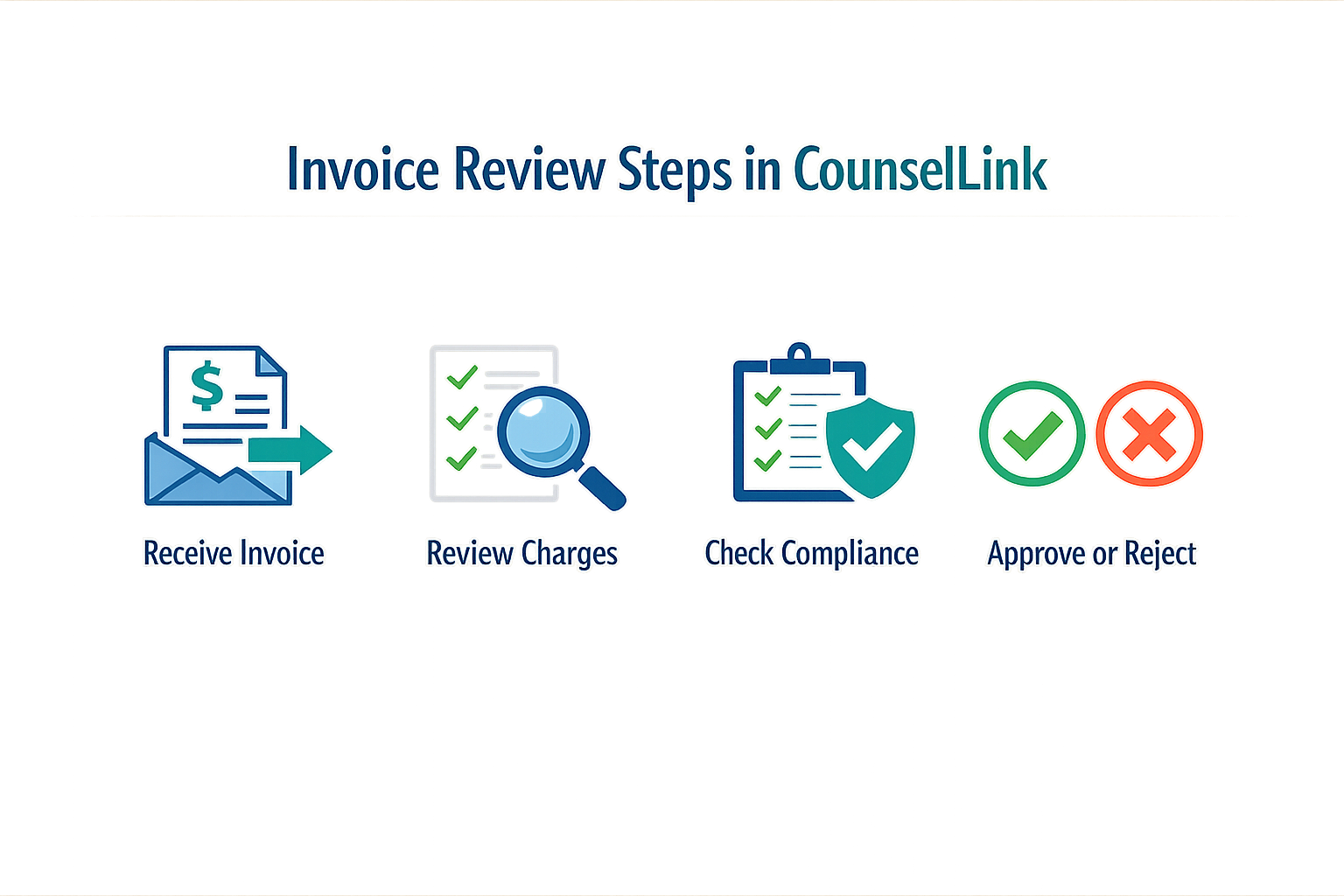
Invoices submitted to CounselLink for Law Firms pass through a defined workflow. Imported invoices go through two automated reviews; invoices created within CounselLink go through one review. Understanding each step in that workflow reduces rejection rates and shortens payment cycles.
Step 1: Confirm Matter Assignment Before Invoice Creation
The matter you intend to invoice must already be assigned to your firm in CounselLink. Click the Matters tab and search for the client's name. If the matter does not appear in the search results, your invoice will be rejected at submission. Resolve assignment issues with the client before you generate the invoice.
Step 1
Verify matter assignment
Search the Matters tab for your client's name. The case you want to bill must appear in the results list. If it does not, contact the client to confirm assignment before you proceed.
Step 2: Prepare the Invoice in Your Time and Billing Software
Create the invoice as your firm has always created it, using your existing time and billing software. CounselLink accepts invoices from third-party systems. When you import, the platform performs a validation process during upload. Maintain your usual format and narrative conventions; the validation step will flag structural errors, not stylistic choices.
Step 3: Review Client and CounselLink Requirements
Before you email or import the invoice, review both the client's outside counsel guidelines and CounselLink's technical requirements. This dual checklist catches guideline violations and file-format issues before submission. Common violations include block billing, prohibited task codes, and missing narrative detail. Address these items while the invoice is still in draft.
Step 2
Pre-submission checklist
Review the client's outside counsel guidelines for prohibited billing practices. Confirm that your invoice file meets CounselLink's format and field requirements. Correct any flagged items before you submit.
Step 4: Submit the Invoice to CounselLink
You may import the invoice directly into CounselLink or email it to the designated CounselLink address. During import, the platform validates file structure and required fields. Once uploaded, you can add tax, choose currency, and attach supporting documents. If the validation step returns errors, correct them in your source file and re-upload.
Step 5: Monitor the Automated Review Process
After submission, the invoice enters the automated review workflow. Imported invoices pass through two automated reviews; invoices created within CounselLink pass through one. Each review checks for guideline compliance, coding accuracy, and narrative sufficiency. If the invoice is rejected, the platform returns specific rejection reasons. Note the reason codes and the line items flagged; these tell you exactly what to fix.
Step 3
Track review status
Log into CounselLink and navigate to the invoice status page. If the invoice is rejected, review the rejection codes and the flagged line items. Use those codes to identify the guideline provision or technical requirement that was violated.
Step 6: Correct and Resubmit Rejected Invoices
When an invoice is rejected, correct the flagged items in your source file and resubmit. Do not create a new invoice number unless the client requires it; resubmission of the same invoice with corrections is standard practice. If the rejection reason is unclear, consult the client's outside counsel guidelines or contact the client's billing contact for clarification.
Tips and Tricks for Successful Invoice Management
Three small habits separate firms that submit clean invoices from those that spend hours reworking rejections. The first is verifying matter assignment before you generate the file. The second is running a pre-flight check on your LEDES export against the client's published requirements. The third is treating the appeal window as a deadline, not a suggestion.
Verify Matter Assignment Before You Export
CounselLink will reject an invoice if the matter is not assigned to your firm in the system. Before you export from your time and billing software, search the Matters tab in CounselLink for your client's name and confirm that the case you intend to bill appears in the results list. If the matter is missing or assigned to a different firm, your invoice will fail validation at upload, and you will have lost the time spent preparing the file.
Run a Pre-Flight Check on Every LEDES File
CounselLink performs a validation process during upload. Firms that catch format errors before submission save the round-trip. Open your exported LEDES 1998B file in a text editor and confirm that every line item carries a valid UTBMS task code, that narrative fields do not contain line breaks or unsupported characters, and that timekeeper IDs match the roster you submitted during onboarding. A five-minute review before upload prevents a rejection that costs you a day.
Treat the Appeal Window as a Hard Deadline
When an invoice is reduced, you have 45 days from the Final Approval Date to submit an appeal through the portal's appeal module. That window is not negotiable. Firms that wait until day 44 discover that the appeal button has disappeared, and the reduction is final. Calendar the appeal deadline the day you receive the approval notice, and assign someone to review adjusted line items within the first week. The longer you wait, the harder it is to reconstruct the contemporaneous records that support your appeal.
The appeal window closes whether or not you have gathered your supporting documentation.
Understand Adjustment Rates and Set Internal Benchmarks
Panel counsel invoice adjustments average 6.3 percent post-appeal, with a median of 5.0 percent. Roughly 25 percent of organizations reduce invoices by 10 percent or more, while the bottom 25 percent reduce at 3 percent or less. If your firm's adjustment rate is consistently above the median, review your rejected line items for patterns—block billing, vague narratives, or task codes that do not match the work described. Most reductions are not arbitrary; they follow a guideline prohibition that the reviewer can cite.
Use Technology to Track Submission and Rejection Patterns
Legal invoice review software is now used by 76.3 percent of organizations, making it the most widely adopted litigation management technology. That means your invoices are being read by a system that flags the same errors every time. If you see the same reduction code appearing across multiple invoices, the problem is in your workflow, not in the reviewer's judgment. Track rejection reasons in a spreadsheet, identify the top three causes, and train your timekeepers to avoid them. For more detail on common rejection triggers and how to resolve them, see E-Billing Portal Invoice Rejections: Common Causes and Fixes.
Attach Supporting Documentation Before You Submit
Once your invoice is uploaded to CounselLink, you can attach documents before final submission. If your client's guidelines require pre-approval for certain expenses or specify a documentation threshold, attach the supporting receipt or approval email at the time of upload. Reviewers will not chase you for missing attachments; they will reduce the line item and move on.
Conclusion
An efficient invoice review process in CounselLink for law firms is no longer optional. More than three-quarters of organizations now use technology to review legal invoices, a figure that has climbed steadily from 65% in 2019 to 76.3% in 2026. This shift reflects a clear industry consensus: manual review cannot scale, and the cost of non-compliance — in write-downs, rejected invoices, and strained panel relationships — is too high to ignore.
Panel counsel invoice adjustments average 6.3% post-appeal, with a median of 5.0%, and these rates have held steady across multiple study cycles. Roughly half of all organizations reduce invoices by 3–10%, while a quarter impose reductions of 10% or more. These numbers underscore the importance of submitting invoices that meet guideline requirements on the first pass. Every rejected line item, every appeal, and every reduction cycle adds administrative cost and delays payment.
Third-party invoice review has crossed the 50% threshold for the first time, up from 43% in 2023 and 33% in 2019. At the same time, centralized internal review units have declined from 37% in 2019 to 23.7% in 2026. The trend is clear: organizations are moving from building in-house bill review departments to using external expertise. For law firms, this means your invoices are increasingly reviewed by specialists who apply carrier guidelines with precision and consistency.
The firms that succeed in this environment are the ones that build invoice review into their billing workflow, not as a final check before submission but as a continuous quality control process. Understanding block billing prohibitions and narrative detail standards is part of that foundation. When your timekeepers enter contemporaneous records with sufficient detail, when your billing staff validate LEDES files against the controlling guideline, and when your appeals cite the specific provision that supports the disputed entry, you reduce write-downs and preserve panel standing.
CounselLink for law firms is a submission destination, not a negotiation. The platform enforces the rules the carrier has published. Your job is to know those rules, apply them before you submit, and document your compliance when you appeal. That is the contract, and it is the same contract every panel firm accepts when they join the panel.